I used to open 30 tabs for a competitor check. Now I ask one question and get sources.
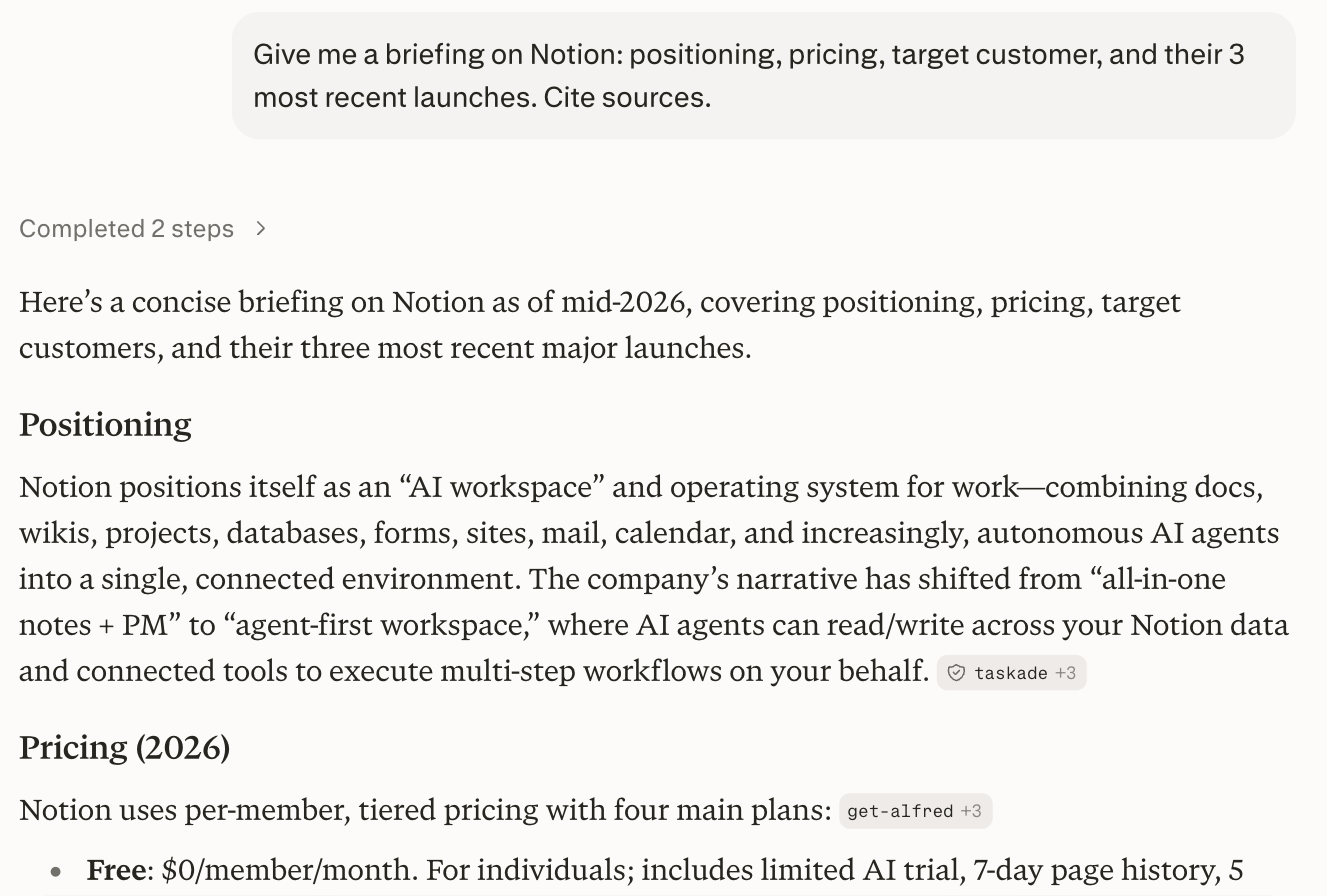
The workflow
- Ask Perplexity for the competitor overview
- Request pricing, positioning and recent launches
- Ask for the sources
- Paste into your battlecard
Result: A sourced competitor briefing you can trust.
The prompt
Give me a briefing on [COMPETITOR]: positioning, pricing, target customer, and their 3 most recent launches. Cite sources.A note on what follows. The workflow, the prompt and the result above come from the member. The notes below (why the prompt works, what to watch for, how to adapt it) were written with AI help.
Why this prompt works
"Cite sources" is not about rigour for its own sake, it is about being able to defend the slide when someone in the room asks where a number came from. I have been that person without an answer and it is not fun. Naming the four things I want, positioning, pricing, customer, recent launches, stops it writing a company profile, which is what it does if you ask for a briefing and nothing else. The three recent launches part is the one I fight with. Perplexity will happily list something from eighteen months ago as recent, so I usually follow up asking for dates. I also stopped using this on private companies with no press. It has nothing to read and it fills the gap anyway.
What to watch for
- Pricing goes stale fast and it does not know that. Anything you plan to quote, open the pricing page yourself.
- Sources that are the competitor's own marketing, or a listicle that scraped it. Look at what it actually cited, not the count.
- "Recent" is elastic. I ask for dates on every launch now.
- Two companies with similar names get merged, which I only caught because the employee count looked wrong.
How to adapt it
- Pin the window:
Only include launches from the last 6 months, with the date of each. - For a battlecard rather than a briefing, add
End with the three objections their customers raise in reviews, quoted. - Comparing several at once, add
Output as a table with one row per competitor.Less depth, much easier to scan.
What good output looks like
I click two sources at random before I trust any of it. If both are the competitor's own site, the briefing is a rewrite of their marketing and I ask again with a date filter. Good runs disagree with themselves a bit, saying pricing is listed at one figure but a review mentions another, because that is what the public record actually looks like. Total agreement usually means one source.