I used to spend the last 20 minutes of every meeting rewriting my scribbles. Now Claude does it while I refill my coffee.
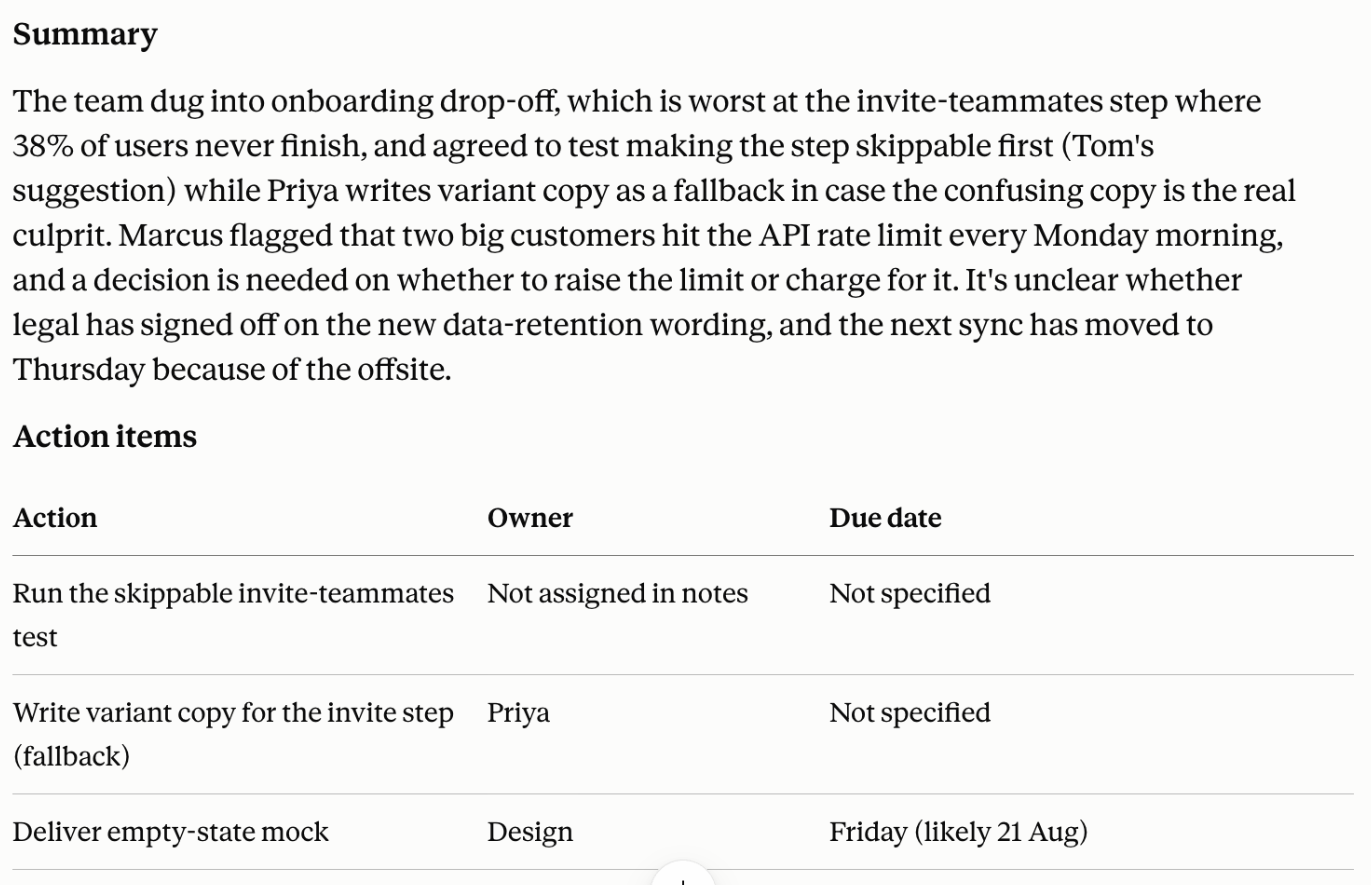
The workflow
- Record or type your raw notes during the call
- Paste them into Claude with the prompt below
- Ask it to pull out decisions, owners and due dates
- Copy the summary block into Slack or Notion
Result: A tidy recap with an owner next to every action, in about 15 seconds.
The prompt
You are my meeting assistant. From the notes below, output: (1) a 3 sentence summary, (2) a table of action items with owner and due date, (3) any open questions. Notes:
[PASTE]
A note on what follows. The workflow, the prompt and the result above come from the member. The notes below (why the prompt works, what to watch for, how to adapt it) were written with AI help.
Why this prompt works
I did not start here. My first version was just "summarise my notes", and it handed back a tidy paragraph I still had to read twice to work out who owed me what. The table fixed that. Ask for owner and due date as actual columns and you get empty cells whenever the notes never said, which is the point. I can see the hole. A paragraph hides it behind good grammar. The open questions section came later, after a sync where someone floated an idea and it came back to me as a decision. Nobody remembered agreeing to anything. Now the unresolved stuff has somewhere to sit instead of getting promoted. Three sentences for the summary is arbitrary, honestly. I tried five and it started narrating the meeting.
What to watch for
- Owners get invented. If the notes say "we should email the vendor", it will usually pin that on someone, often whoever was mentioned most recently.
- Relative dates. "Next Thursday" and "before the board call" come back as real dates on the calendar. I have shipped a wrong deadline twice this way.
- Quiet people vanish. If someone only spoke once, whatever they took on tends not to reach the table at all.
- The last two minutes of a call get dropped more than the rest. I still do not know why, so I reread the tail of my notes before I send anything.
How to adapt it
- If your team reads everything in Slack, add
Format the summary as a Slack message, bullets only, no headings.Saves reformatting. - For a recurring sync, paste last week's output too and add
Compare with the previous action items and flag anything still open. - Decision meetings need a different shape. Drop the table and use
List every decision, who made it, and what was explicitly rejected.
What good output looks like
The table has empty cells. That looks like a failure and it is not, it is the honest version, and the blanks are my to-do list for the next ten minutes. Owner names should be people who actually spoke. If every single row comes back with a confident owner and a precise date, I go check my notes, because my notes are never that clean. The summary should be a bit boring. If it reads like a story with an arc, something got smoothed over.