You've probably done this already. You open one tab for ChatGPT, another for Claude, then a “best AI apps” roundup, then a Reddit thread, then a directory you've never heard of, and forty minutes later you still haven't chosen anything. The problem isn't that there are no good options. The problem is that the AI tools list you need depends on your job, your budget, and how much risk you can tolerate.
That's getting harder, not easier. The AI market has grown from about $255 billion in 2025 to a projected more than $1.218 trillion by 2030, with another estimate putting 2026 at roughly $391 billion, according to Statista's AI market overview. That scale has produced a more specialized array of tools, including products built for spreadsheet workflows, visual analysis, Excel add-ins, conversational analysis, and statistical testing. Some now support 1 million rows in one run, 200K to 1M token context windows, or 300+ statistical features, which tells you this is no longer just a chatbot market.
This guide takes a different angle. Instead of giving you another stale AI tools list, it shows you the best directories and discovery platforms to find the right tools yourself. That's usually faster, and it leads to better decisions for marketers, analysts, managers, and other non-technical professionals who need something practical, not just trendy.
1. FutureTools
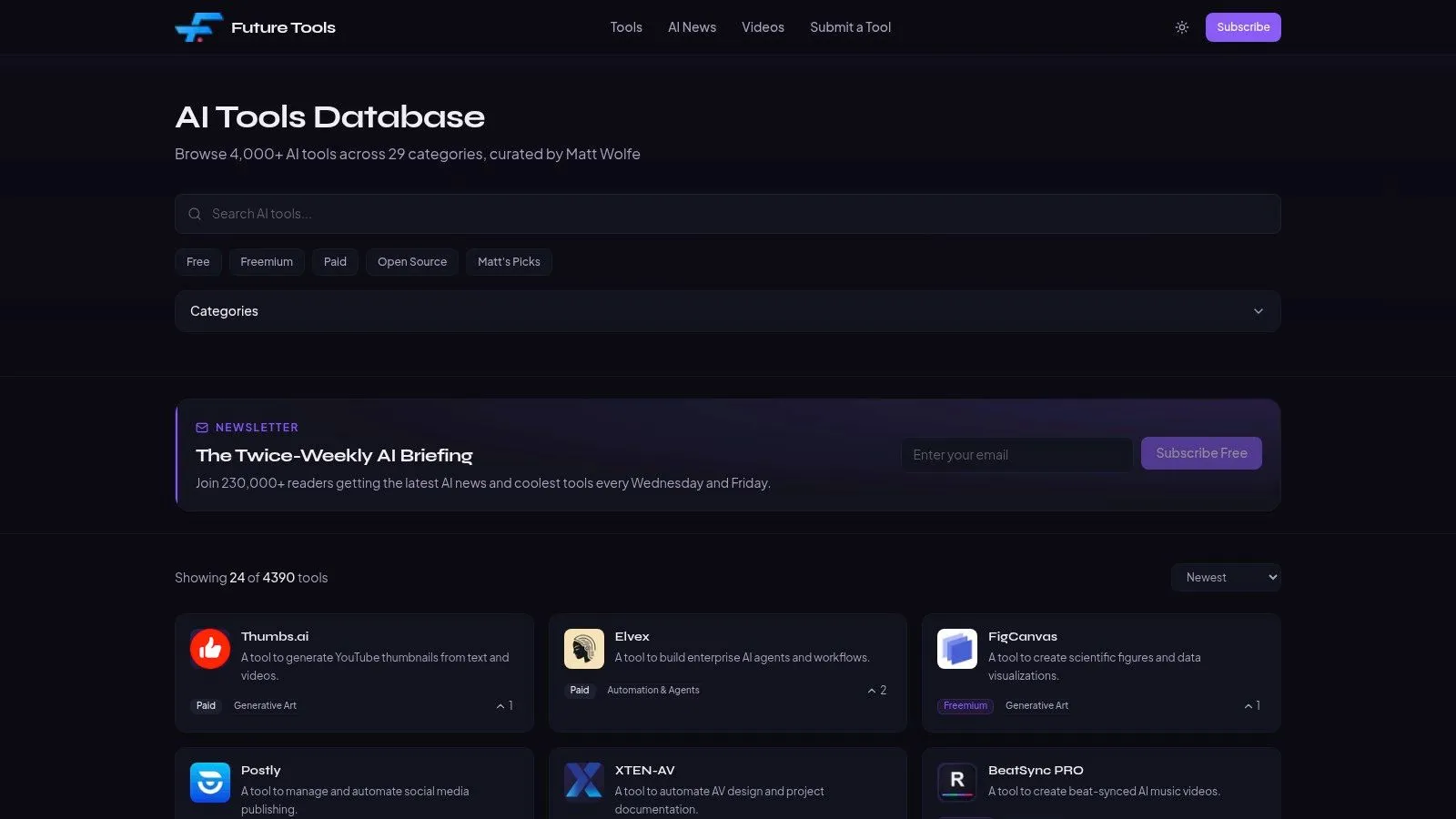
If you want the fastest clean scan of the market, start with FutureTools. It feels built for busy buyers who don't want to read essays before opening a shortlist. The cards are easy to skim, the categories are familiar, and the pricing filters make it simple to separate tools you can test today from tools that need budget approval.
That matters because mainstream use is already here. A 2026 industry roundup reported that 35.49% of people use AI tools every day, nearly 1.8 billion people have used some form of AI tool, and about one in six people globally were using generative AI tools by the end of 2025, according to Exploding Topics' AI statistics roundup. When daily usage gets that common, a directory has to help you make decisions quickly, not just browse novelty.
Why FutureTools works well
FutureTools is strongest at first-pass discovery. If you're a manager trying to find “something for meeting notes,” “something for video,” or “something for research,” it gets you to a usable shortlist fast.
- Fast filtering: You can narrow by category and pricing without digging through clutter.
- Short summaries: The descriptions are brief enough to scan during a lunch break.
- Useful for non-technical teams: You don't need to know model names or infrastructure terms to get value.
The downside is depth. You won't get a serious procurement view from FutureTools alone, and some listings can lag behind vendor changes.
Practical rule: Use FutureTools to create your first shortlist, not your final recommendation.
If you want to go from discovery into practical training after building that shortlist, AI Academy's tools library is a useful next stop for learning how tools fit into real workflows.
2. TopAI.tools
TopAI.tools is the directory I'd use when I care less about browsing everything and more about avoiding junk. Its editorial angle is the point. The “Verified” badge gives you an extra trust signal that someone has checked whether the product is maintained, whether the pricing looks current, and whether the listing claims are grounded.
That sounds small until you've wasted time on abandoned tools, broken signup flows, or homepages that promise features the product no longer has. For a non-technical manager, that wasted time is the hidden cost of a weak directory.
Where it saves time
TopAI.tools is better than most directories when you need confidence before sending options to a team member or client. It also supports task-oriented navigation, which is useful when you know the outcome you want but not the category name.
A few things stand out in practice:
- Stronger quality control: The verification layer helps filter out dead ends.
- Better for cautious buyers: If compliance, vendor reliability, or basic credibility matters, this helps.
- Good trend signals: Popularity cues help surface tools people are actively paying attention to.
The limitation is that not every listing carries the same level of editorial review. You still need to click through to the vendor site and confirm fit, especially for regulated or sensitive work.
A directory with trust signals won't replace testing, but it can stop you from testing the wrong five tools.
3. Toolify
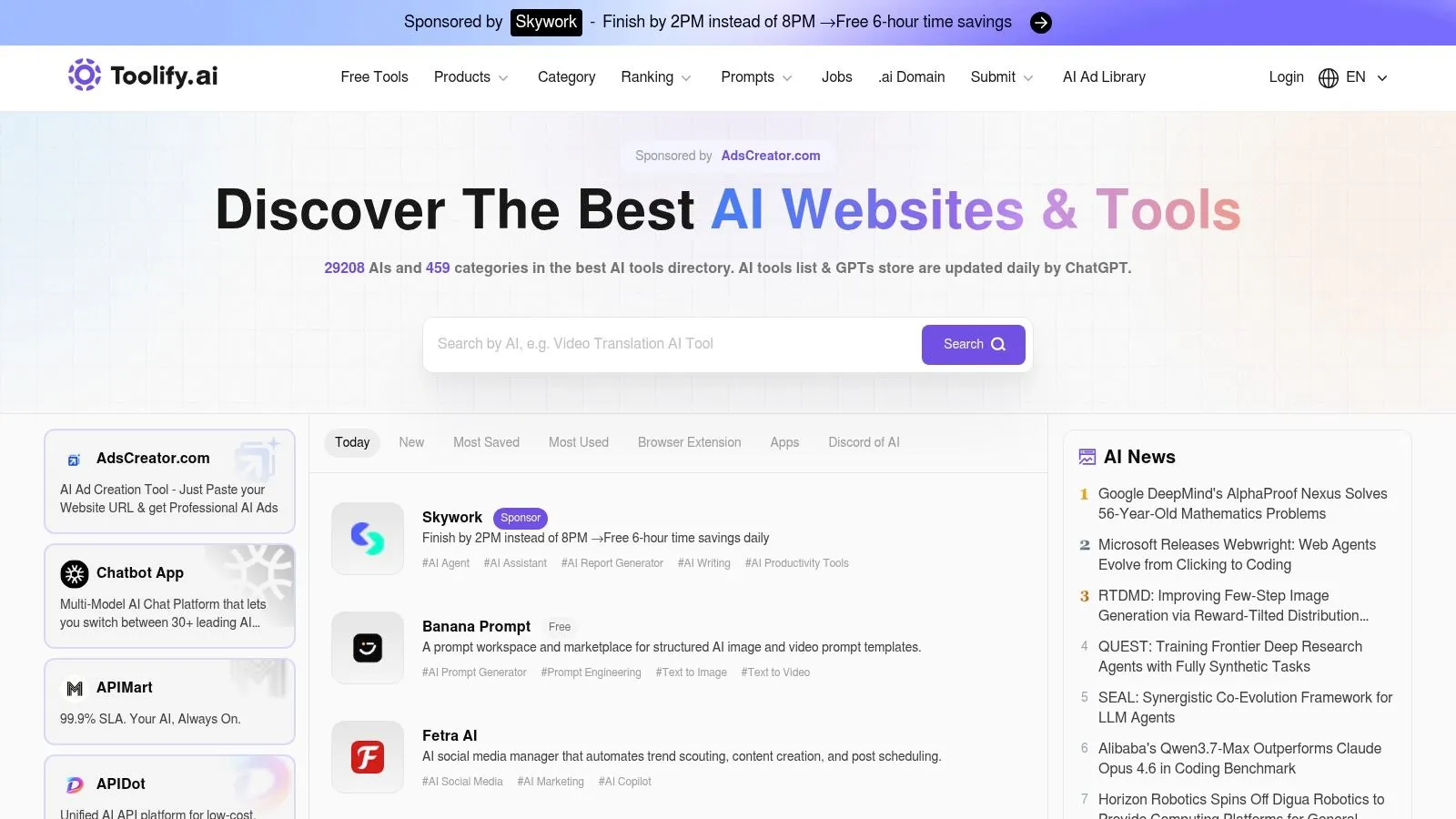
When you need range, Toolify is hard to ignore. It's broad, busy, and useful when your goal is volume. I wouldn't use it as my only source for a final buying decision, but I would use it to surface a large set of candidates fast, especially in categories that change constantly like agents, video, design, and content tools.
This is the sort of platform that helps when someone says, “Show me what's new in AI sales tools,” or “What are the current options for AI presentation builders?” You're not looking for perfect answers yet. You're looking for market coverage.
Best use case
Toolify is strongest during ideation and broad market scanning. It gives you a quick feel for how crowded a category is and which products keep appearing across searches and collections.
That said, breadth creates noise. You'll run into overlapping tools, uneven listing quality, and entries that need a second check.
- Use it for discovery: Great for building a wide candidate pool.
- Use it for trend spotting: Helpful if you want to see what's being launched and discussed.
- Don't use it alone for sign-off: The directory is too broad for that.
For consultants, that trade-off is acceptable. For an internal operations team trying to standardize software, it's better as an early-stage research tool than a final evaluator.
4. Futurepedia
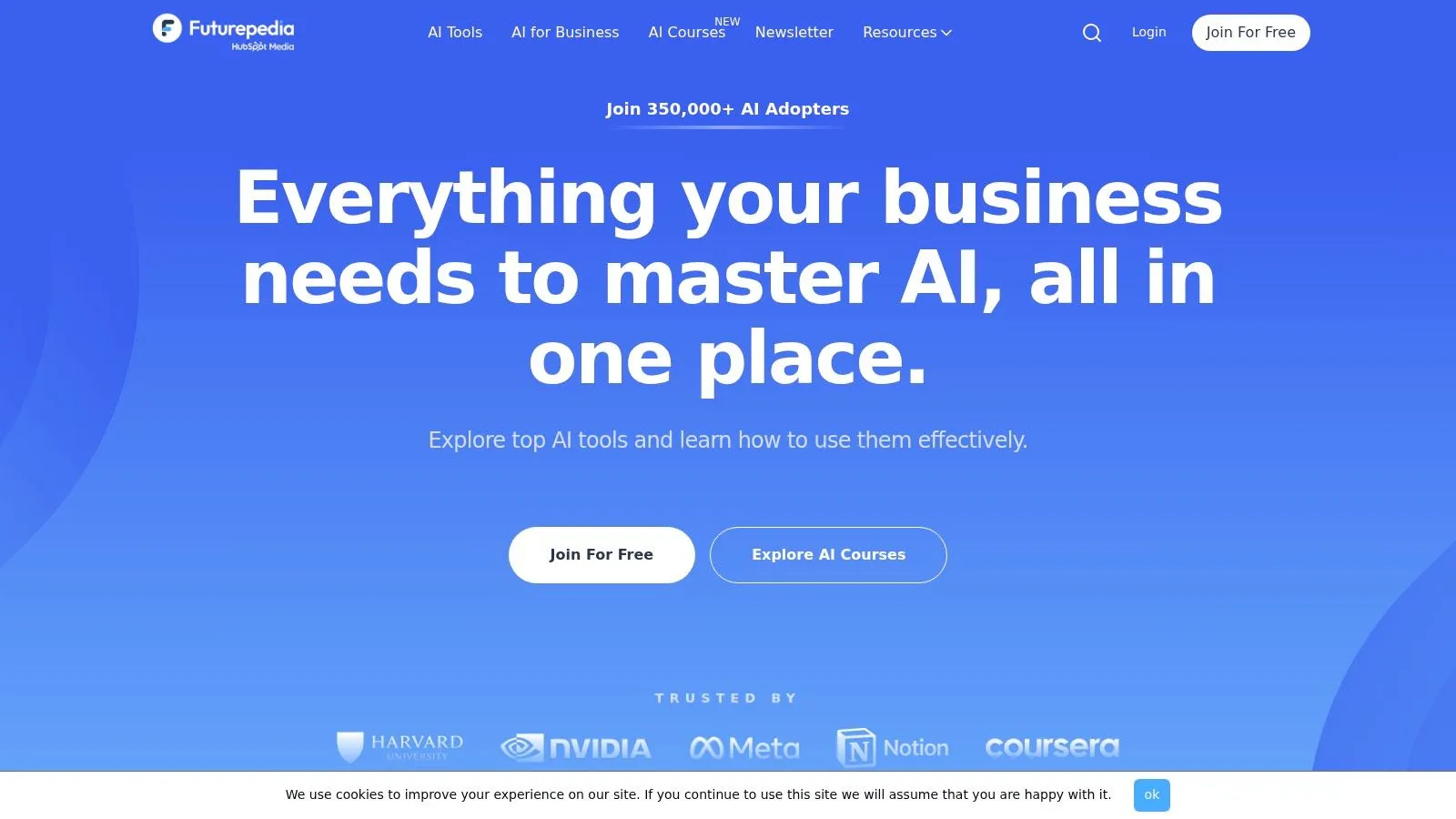
Futurepedia sits in a useful middle ground. It has broad coverage like a large directory, but the overall experience is more approachable for mainstream business users who want simple category navigation and straightforward pricing filters. If you're building an AI tools list for a department head, this is one of the easier places to send them without much explanation.
It's also a reminder that free and low-cost discovery matters. One of the biggest gaps in current roundup content is separating usable free plans from marketing-led free trials, as noted in Google Cloud's overview of free AI tools. That's where directories with visible pricing labels become more practical than generic blog posts.
Who should use it
Futurepedia works well for teams that want broad options without getting lost in technical language. Marketing managers, solo operators, and department leads usually find it easy to work with.
A few practical strengths stand out:
- Pricing filters are visible: Helpful when your shortlist must respect budget.
- Coverage is wide: Mainstream and niche categories both show up.
- The interface is approachable: That matters when multiple stakeholders need to review options.
The main weakness is inconsistency across listings. Some are more informative than others, so you still need to validate claims on the official vendor site before recommending anything internally.
5. There's An AI For That
There's An AI For That is the best-known task-first directory on this list, and that's why it earns a place. Users typically don't search by model architecture or software category. They search by job to be done. They want a tool to summarize calls, write a job description, pull action items from meetings, or repurpose a webinar into clips.
That sounds obvious, but many directories still force users to browse broad categories that don't map well to actual work.
When task-first search matters
TAAFT's primary strength is demonstrated. If your starting point is “I need to do X,” it often gets you to candidates faster than category-based directories.
That approach is especially useful now because the market is fragmented. One industry source notes that one directory cited there lists 18,000+ AI tools, according to Switas' article on underrated AI tools. At that scale, generic browsing becomes less useful than role-based or task-based lookup.
Search by task first when the business problem is clear. Search by category first when the workflow is still fuzzy.
TAAFT's weakness is freshness and ranking quality. Featured placements and broad aggregation can make it harder to tell which results are truly superior versus merely prominent. For business users learning where AI fits at work, AI Academy's business AI lessons can help translate tool discovery into actual implementation.
6. AItools.fyi
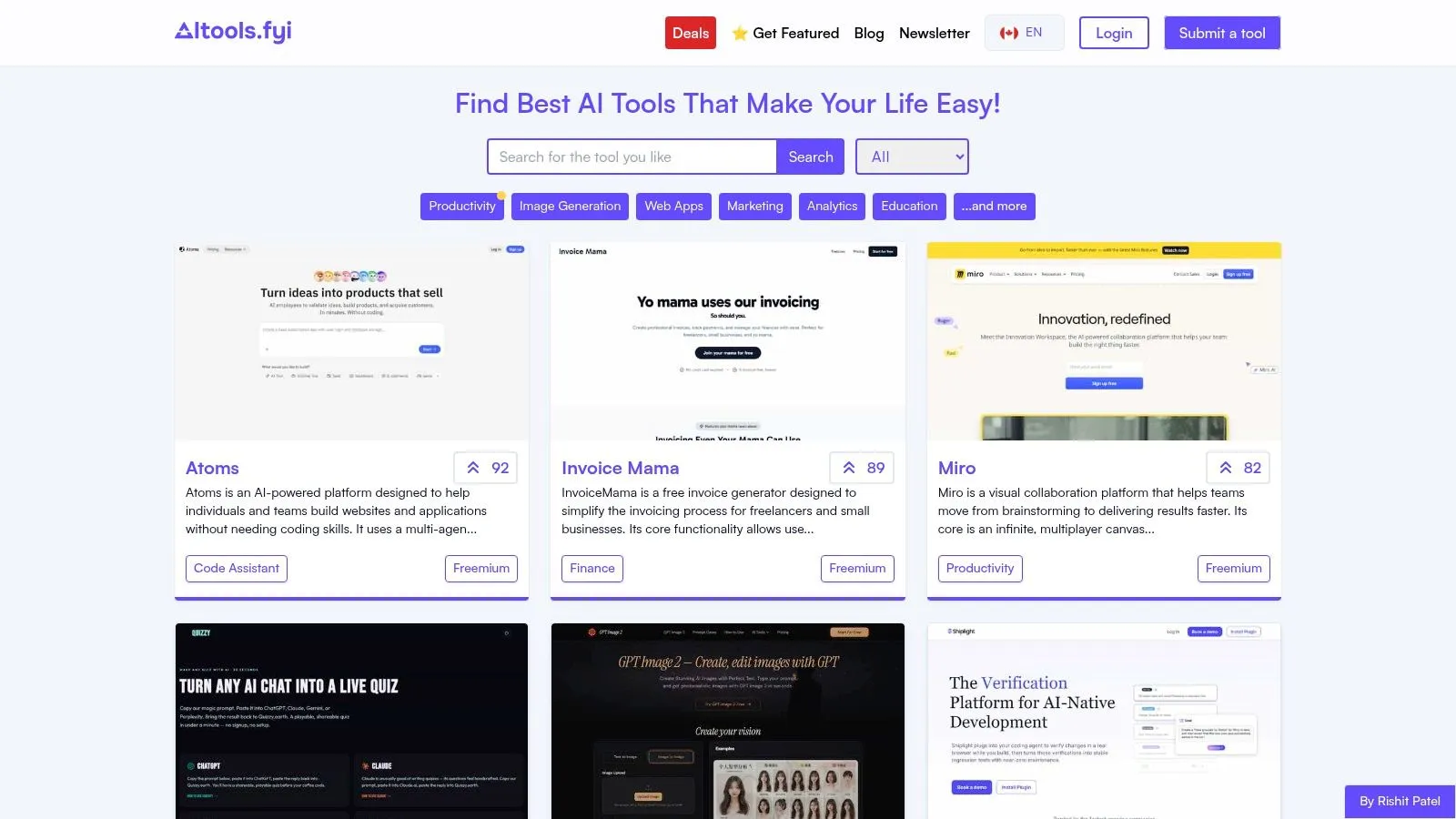
Some directories try to be media brands. AItools.fyi doesn't. That's part of its appeal. It's lightweight, easy to skim, and less visually noisy than some of the larger players. If you're doing quick research between meetings, that simplicity is a feature.
I like it most for one reason. It doesn't make discovery feel like content consumption. You browse, click, shortlist, and move on.
Why simple can be better
AItools.fyi is good for early screening when you don't need editorial framing. It helps you collect candidates and jump to the official vendor pages without much friction.
That makes it useful for:
- Quick shortlist building: Good when you already know the category.
- Low-clutter browsing: Helpful if larger directories feel noisy.
- Vendor-first evaluation: You get out of the directory and into product pages quickly.
The trade-off is limited context. You won't get much editorial vetting or deep comparison logic. If you're choosing software for a team, use AItools.fyi for discovery and something more review-heavy for validation.
7. All Things AI
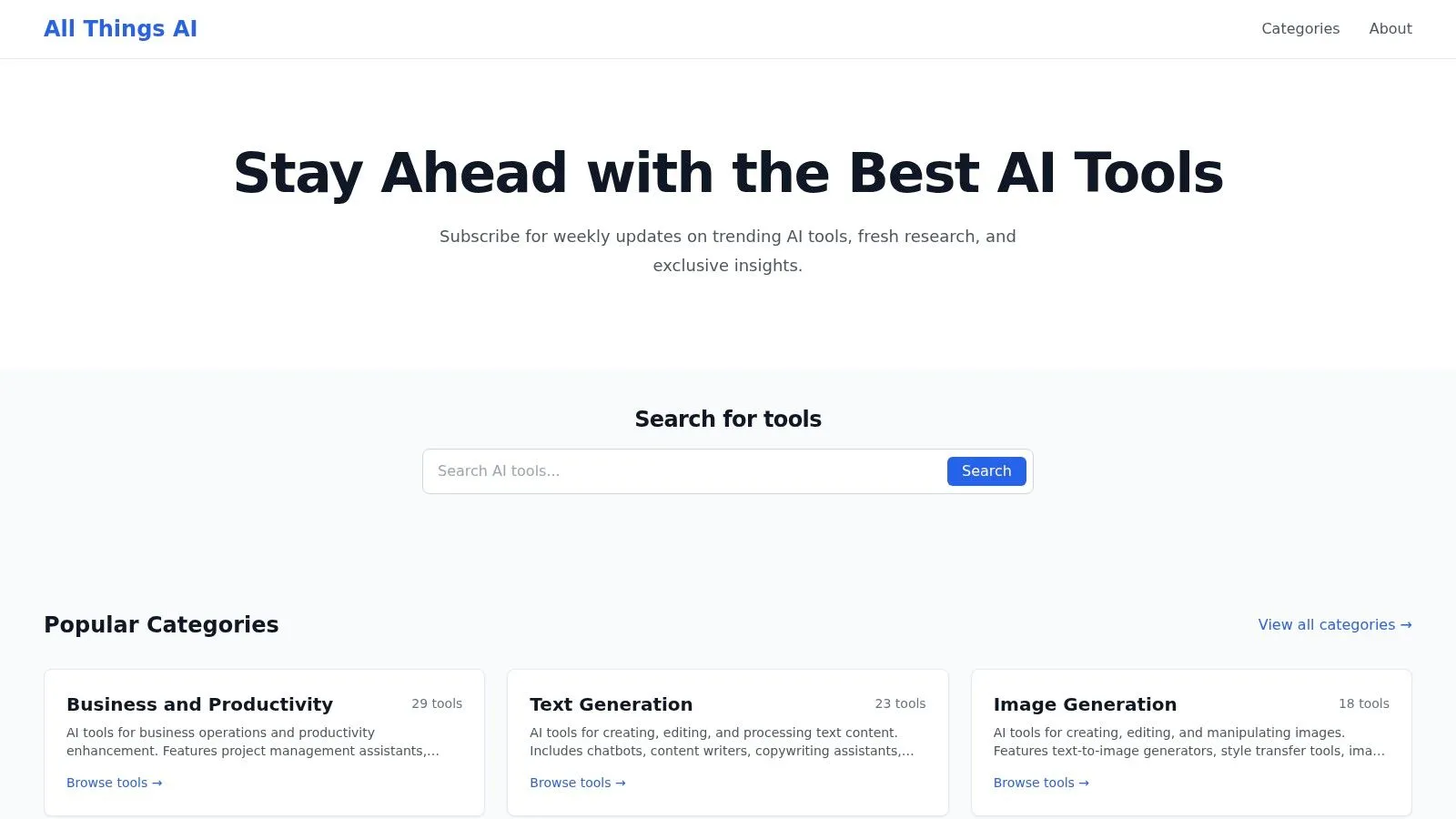
All Things AI is one of the more business-friendly directories in the group. Its category framing tends to be clearer for non-specialists, which matters if you're helping people who don't speak in AI jargon. Instead of sounding like it was built for makers and early adopters, it feels closer to how a manager thinks about software: productivity, text generation, image creation, research, and similar outcomes.
That plain-English orientation is useful because adoption inside organizations has already moved beyond novelty. A 2026 industry summary reported that 88% of organizations use AI regularly in at least one business function, but only about one-third have moved beyond pilots to enterprise-scale deployment, according to Vention's AI adoption statistics summary. The gap isn't interest. It's operational follow-through.
Best for business users
All Things AI works well when you're helping a team move from “we should use AI” to “which category should we test first?” It's less overwhelming than giant directories and easier to hand to colleagues who need orientation.
Its limits are also clear. The catalog is smaller than the biggest aggregators, and tool pages don't usually give you the hands-on detail needed for a serious buy decision.
- Good for category education: Helps people understand the category.
- Good for business framing: Easier for managers than builder-focused directories.
- Less useful for deep vetting: You'll still need reviews or live demos afterward.
8. AI Tool Hunt
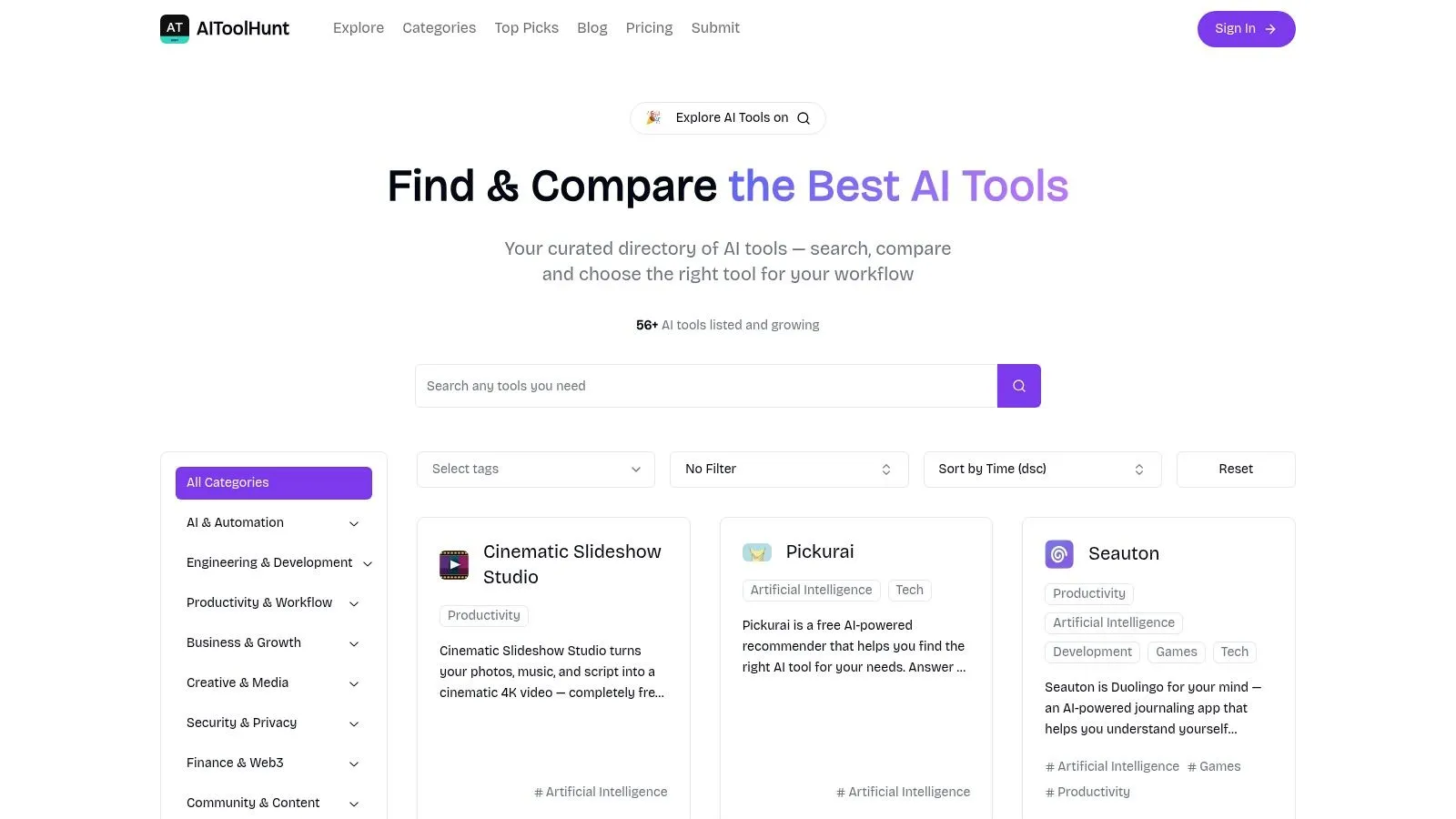
AI Tool Hunt is a browse-first directory. I wouldn't make it my main research base, but I would absolutely use it when I want quick inspiration in a niche. It's especially handy for creators, small business owners, and consultants who want a few plausible options without navigating a giant platform.
One practical note matters here. There are several similarly named sites, so stick to the .co domain.
Where it fits in your process
AI Tool Hunt is best used in the middle of your search, not at the beginning and not at the end. Once you know the general category you care about, it helps you surface adjacent options you might not see in more mainstream rankings.
That makes it useful for:
- Creative exploration: Good for content, design, and small-team workflows.
- Niche browsing: Helpful when you want a handful of alternatives fast.
- Second-pass comparison: Useful after you already understand the category.
The weakness is uneven depth and update cadence. Always confirm pricing, integrations, and current claims on the vendor's own site before you share a recommendation with decision-makers.
Don't confuse a clean directory page with a vetted product. The real due diligence starts after the click.
9. Product Hunt Artificial Intelligence topic
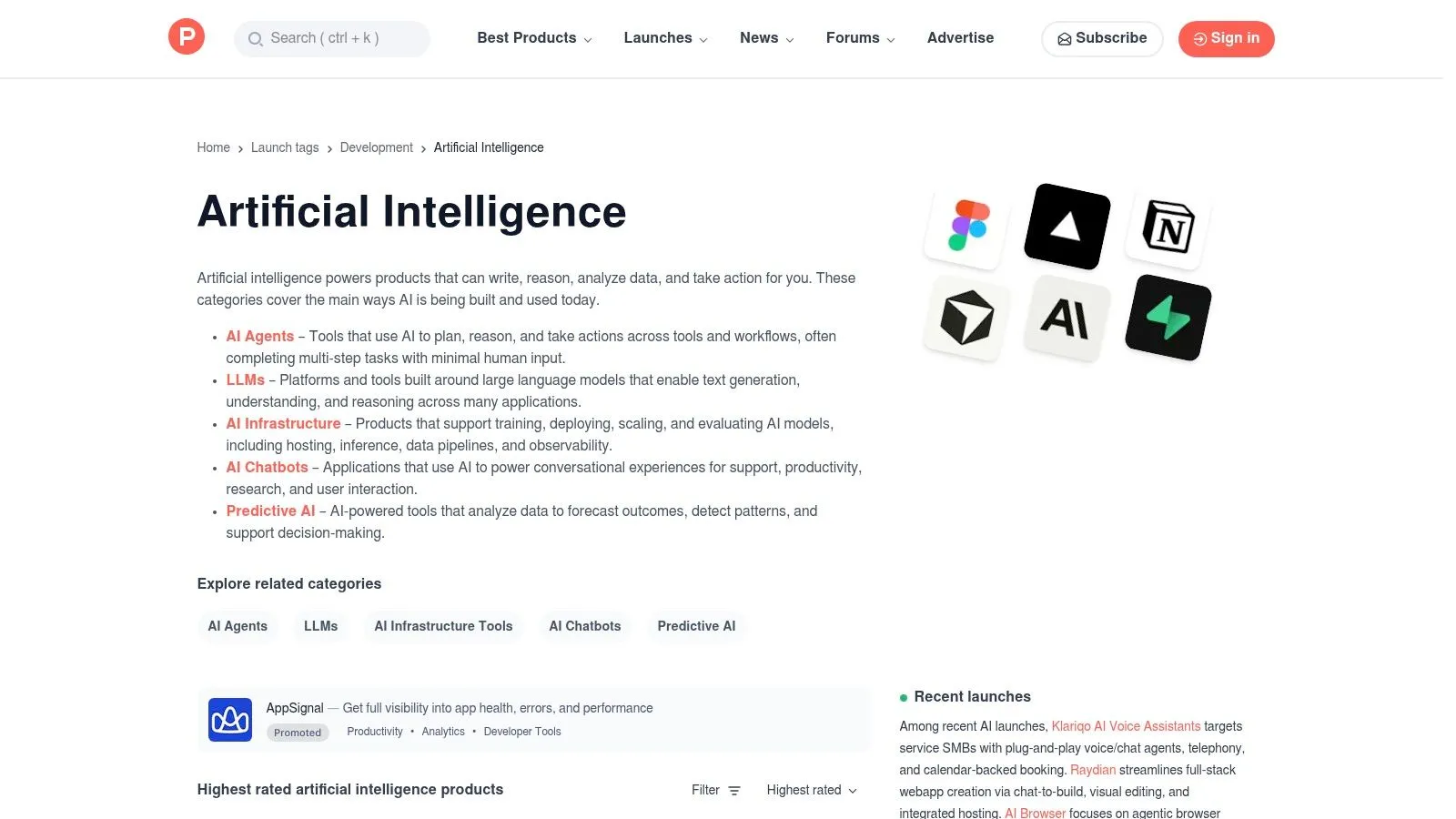
If the other entries help you search the present, Product Hunt's Artificial Intelligence topic helps you watch the future arrive in public. It's not a structured directory in the traditional sense. It's a live feed of launches, community reactions, maker comments, and early excitement.
That makes it valuable for one specific kind of professional. The person who needs to know what's emerging before it hits every generic AI tools list.
What Product Hunt is really good for
Product Hunt is ideal for trend monitoring, especially in fast-moving areas like AI browsers, agents, workflow assistants, and niche automation products. It gives you access to early user comments, maker responses, and product positioning before the rest of the market settles.
That said, you need to read it with skepticism. Launch-day enthusiasm can exaggerate quality, and some products look stronger in comments than in actual use.
- Best for staying current: Useful if your role depends on spotting new categories early.
- Best for soft signals: Comments often reveal pain points that polished websites hide.
- Worst for orderly comparison: You'll need your own notes and judgment.
I'd use Product Hunt to discover what to test next quarter, not to decide what to roll out next week.
10. G2 Artificial Intelligence software category
G2's Artificial Intelligence software category is where discovery gives way to procurement. It's heavier than the other platforms on this list, and that's why it belongs here. If your team is moving from “interesting” to “shortlist for purchase,” G2 becomes more valuable than lighter directories.
It also lines up with where enterprise demand is heading. ABI Research says the global AI software market was valued at US$122 billion in 2024 and is forecast to reach US$174.1 billion in 2025, with a 25% CAGR through 2030. The same source says the market could reach US$467 billion by 2030, according to ABI Research's AI market outlook. When spending moves at that scale, review depth matters.
When review depth matters more than discovery speed
G2 is strongest when you need structured comparisons, buyer guides, and user-review context. It's especially useful for paid tools in categories like conversational AI, analytics, automation, and productivity software.
Here's where it helps most:
- Review-based validation: You can pressure-test vendor claims against user feedback.
- Alternative discovery: Strong for “what else should we compare against this?”
- Shortlisting for stakeholders: Easier to defend a recommendation with documented comparisons.
The downside is obvious. Smaller or newer tools may be missing, and the platform takes longer to work through than a quick-scan directory. If you've already found candidates and want a more structured comparison workflow, AI Academy's tool comparison resources are a practical next step for non-technical teams.
Top 10 AI Tools Directories Comparison
| Platform | Core features | Quality & Trust ★ | Best for 👥 | Unique strengths ✨ / 🏆 | Price/value 💰 |
|---|---|---|---|---|---|
| FutureTools | 4,000+ tools, category + price filters, fast search | ★★★★☆, consistent tags for scannability | Non‑technical buyers & quick lookups | Matt's Picks + twice‑weekly newsletter ✨🏆 | Free access; links to vendor plans 💰 |
| TopAI.tools | Editorial verification, popularity trends, task nav | ★★★★☆, "Verified" badges increase trust | Professionals needing reliable tool status | Human‑checked listings & safety reviews ✨🏆 | Free, curated directory 💰 |
| Toolify | Thousands of tools, daily updates, trending modules | ★★★☆☆, variable listing depth | Idea generation & niche scans | Daily highlights & maker submissions ✨ | Free discovery; external links 💰 |
| Futurepedia | Broad catalog, pricing filters, multi‑language | ★★★★☆, wide coverage, mixed depth | Users wanting mainstream + niche options | Ecosystem (content/courses) and broad indexing ✨ | Free browsable; mixed links 💰 |
| There's An AI For That (TAAFT) | Task/role discovery, pricing labels, fast search | ★★★★☆, task‑focused accuracy | Founders & teams searching "Do X" tools | Task‑centric UX for outcome lookup ✨ | Free directory; sponsored listings possible 💰 |
| AItools.fyi | Category browsing, example outputs, lightweight pages | ★★★☆☆, simple, fast UX | Quick scans for non‑technical users | Lightweight, fast‑loading pages ✨ | Free, minimal clutter 💰 |
| All Things AI (directory) | Category hubs, plain‑English summaries, filters | ★★★☆☆, business‑friendly clarity | Professionals building shortlists | Clear business‑focused category copy ✨ | Free directory 💰 |
| AI Tool Hunt | Curated picks, recent additions, category menus | ★★★☆☆, browseable curation | Creators & small businesses seeking candidates | Curated niche lists for inspiration ✨ | Free discovery site 💰 |
| Product Hunt, AI topic | Live launches, votes, comments, maker Q&A | ★★★★☆, real‑time social proof (hype risk) | Early adopters & trend spotters | Community feedback + launch visibility 🏆 | Free; variable quality signal 💰 |
| G2, AI category | Verified reviews, Grid reports, buyer guides | ★★★★★, deep reviews & comparisons 🏆 | Buyers shortlisting paid/enterprise tools | Structured buyer guides & side‑by‑side comparisons ✨ | Free browse; vendor‑paid features/reports 💰 |
From Discovery to Mastery Build Your AI Toolkit
A good AI tools list doesn't solve the core problem. It only gets you to the starting line. The essential work begins when you turn a shortlist into a repeatable workflow that saves time, reduces manual effort, and is adopted by your team.
That's why I'd use these directories in sequence, not in isolation. Start broad with something like FutureTools, Toolify, or Futurepedia when you need coverage. Switch to task-first search with There's An AI For That when the business problem is clear. Use TopAI.tools when you want stronger trust signals. Then move into G2 when budget, stakeholder review, and procurement discipline start to matter.
Different roles should also search differently. Marketers usually need fast discovery around content, research, meeting capture, and automation. Analysts should care more about accuracy, data handling, export options, and integration with existing reporting workflows. Managers need tools that are easy to adopt, easy to explain, and unlikely to create support problems for the rest of the team.
The biggest mistake is choosing from hype instead of workflow. A product that looks exciting on Product Hunt may be perfect for experimentation and totally wrong for operations. A quieter tool buried in a directory may fit your actual process much better. The right question isn't “What's the best AI tool?” It's “Which tool fits this recurring task, with this budget, for these people?”
Free plans deserve more scrutiny than most buyers give them. Some are real working tiers. Some are product demos wearing a free label. When you build your shortlist, check whether the free version is enough for actual daily use, whether data controls are clear, and whether the limitations force an upgrade before the tool becomes useful.
Learning matters as much as discovery. Teams often find promising tools, test them once, then abandon them because nobody built a simple operating habit around them. Prompting stays inconsistent. Ownership stays unclear. Integrations never get finished. The software wasn't always the problem. The implementation usually was.
If you want a system for turning discovery into practical capability, AI Academy is one relevant option. It offers 330+ step-by-step tutorials and structured learning paths for non-technical professionals, with lessons covering tool evaluation, prompting, and workflow automation. That kind of support is useful after you've picked a tool and need to make it part of someone's daily work.
A solid process is simple. Use directories to discover options. Test only a small shortlist. Validate claims on vendor sites and review platforms. Assign one owner. Define one repeatable use case first. Then expand only after the first workflow is working reliably.
That's how an AI tools list becomes useful. Not as a collection of logos, but as a decision system.
If you want help turning tool discovery into practical skill, AI Academy is built for working professionals who need fast, actionable lessons on tools, prompts, and real workflows instead of long theory-heavy courses.