You're probably using AI like this already. A marketer drops campaign notes into ChatGPT to rewrite a launch email. An analyst pastes spreadsheet comments into Claude to summarize trends. A manager uploads a meeting transcript to an AI note tool and asks for action items.
Those tasks feel harmless because they're normal work. The risk shows up in the details you barely notice: a customer name left in a prompt, revenue numbers in a copied table, a product roadmap hidden inside a transcript, or a public tool no one on your team officially approved.
That's why AI data security matters now. It isn't only about hackers or technical teams. It's about everyday decisions you make in the middle of a busy workday.
One finding is especially hard to ignore. 1 in 80 GenAI prompts accidentally expose sensitive data, and 7.5% of all prompts contain private details that could be compromised, according to the 2025 Cost of a Data Breach report summary. For non-technical teams, that means one rushed prompt can create a problem long before IT ever sees it.
AI is also changing business operations beyond software and workflows. If your team is rolling out more AI tools, it's worth understanding adjacent issues like managing AI's hardware obsolescence, because secure adoption often affects devices, refresh cycles, and disposal practices too.
If you want a practical foundation for using AI more responsibly at work, this guide to AI best practices for professionals is a useful companion.
What Is AI Data Security and Why It Matters Now
A simple way to think about AI data security is this: it's the habit of using AI without handing over information that shouldn't leave your control.
Say you're a marketing manager preparing a QBR. You paste sales notes, churn reasons, and a few customer quotes into a public chatbot and ask for a cleaner executive summary. The answer comes back in seconds. It sounds polished. You move on with your day.
But the risky part wasn't the output. It was the input.
The hidden issue in normal work
Individuals often don't think “I'm handling sensitive data” when they're working on campaign planning, customer research, hiring notes, or performance reviews. They think, “I'm just trying to save time.”
That's where confusion starts. Sensitive data isn't only passwords, medical records, or legal files. It can also include:
- Customer identifiers such as names, emails, account details, or support excerpts
- Business information like pricing, roadmap notes, internal strategy, or sales forecasts
- Employee details including feedback, payroll context, interview notes, or org changes
- Draft materials that aren't public yet, such as launch messaging or board updates
Practical rule: If you wouldn't paste it into a public Slack channel, don't paste it into an unapproved AI tool.
A new kind of professional judgment
For years, “good security” sounded technical. Firewalls, access controls, software updates. Those still matter, but AI adds a layer of day-to-day judgment for everyone, especially people in marketing, operations, HR, sales, and customer success.
You don't need to become a security engineer. You do need a few new instincts:
- Recognize what data you're holding
- Know which AI tools your company allows
- Strip out details the model doesn't need
- Review outputs before sharing them
That's the core shift. AI data security is less like learning to code and more like learning digital street smarts for a faster, blurrier workplace.
Why this matters to your job, not just IT
When people say “security is everyone's job,” it can sound like a slogan. With AI, it's practical reality. A single prompt can expose confidential context, create compliance headaches, or spread incorrect information into customer-facing work.
Used well, AI makes you faster and sharper. Used carelessly, it can leak what your team values most.
The upside is that this is learnable. Once you know what to watch for, you can use AI with much more confidence and far less guesswork.
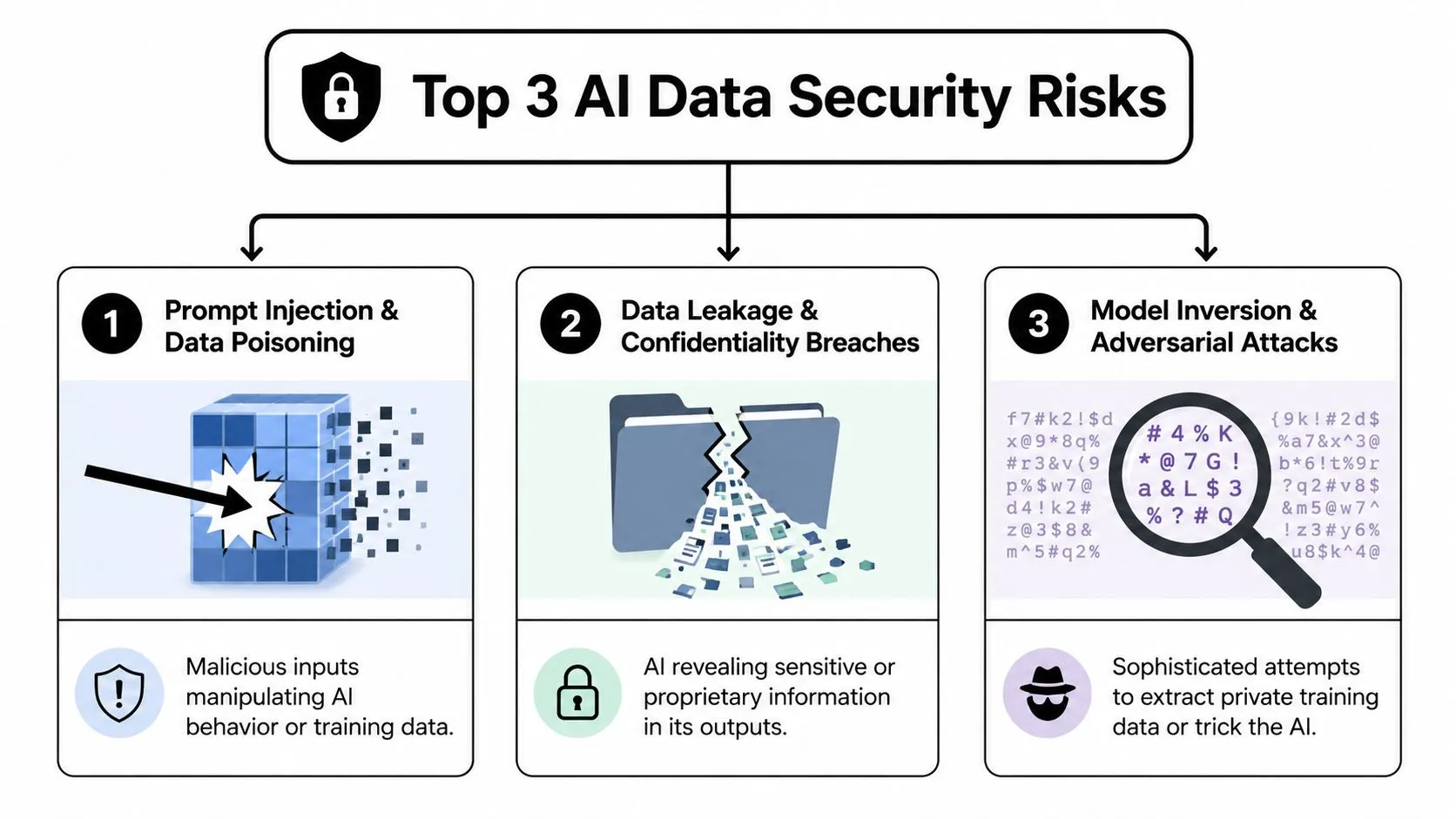
The Top 3 AI Data Security Risks You Will Actually Face
Most non-technical teams don't need a giant threat catalog. They need to recognize the risks that show up in ordinary work.
If your team wants a broader business process for spotting and managing these kinds of issues, this guide to an operational risk management framework helps connect AI usage to day-to-day controls.
Data leakage is the everyday risk
This is a significant concern for many.
Data leakage happens when you give an AI tool information that's more sensitive than the task requires. Imagine discussing private business plans in a crowded cafe. You may trust the person you're talking to, but the environment isn't fully under your control.
Common examples include:
- Pasting raw customer feedback that still includes names, account details, or email signatures
- Uploading internal reports with revenue, margin, or hiring information
- Asking for edits on contracts or policies inside tools your legal or IT team hasn't approved
The confusion comes from usefulness. AI works better with context, so people naturally add more detail. But “more helpful for the model” can also mean “more revealing than necessary for the company.”
Prompt injection changes what the AI does
Prompt injection sounds technical, but the idea is simple. Someone slips instructions into content so the AI follows their hidden agenda instead of yours.
A plain-language analogy: you hand your car to a valet with clear instructions, but someone tucked a note inside that says, “Ignore the owner and drive somewhere else.” The valet follows the wrong instruction because it was presented as part of the job.
This can happen when you ask AI to summarize or analyze:
- webpages
- PDFs
- customer messages
- shared documents
- pasted text from unknown sources
The danger is that the content you feed the AI may contain manipulative instructions. The model can then produce misleading output, reveal more than it should, or behave in ways that don't match your intent.
When AI reads outside content, treat that content as untrusted until proven otherwise.
Model inversion and adversarial behavior are harder to see
This risk is less obvious but still worth understanding. In plain terms, model inversion is when someone tries to pull private training information back out of a model through carefully designed prompts or interactions.
You probably won't run a model inversion attack yourself, but you can feel the consequences. If a tool wasn't built, trained, or governed carefully, it may reveal information that should have stayed private.
A related concern is adversarial behavior. Attackers are getting better at using AI to make scams and manipulation more convincing. According to DeepStrike's 2025 AI cyber attack statistics, phishing attacks increased by 1,265% due to generative AI, and 80% of phishing attempts are now AI-generated or enhanced. For a marketing or operations team, that means messages, requests, and fake approvals can look much more legitimate than they used to.
A quick mental model
Here's the simplest way to separate the three:
- Data leakage means you shared too much.
- Prompt injection means the AI followed the wrong instructions.
- Model inversion and adversarial attacks mean someone is trying to extract or manipulate what the AI knows.
If you remember those three ideas, you'll spot most practical AI data security problems much earlier.
Navigating AI Compliance and Company Policy
Your team is rushing to finish a campaign. Someone drops a customer call transcript into a public AI tool to get headline ideas. The output looks helpful, so the task moves on. The problem starts earlier. No one checked whether that tool stores the transcript, uses it for training, or lets admins control retention.
Shadow AI is usually a workflow problem
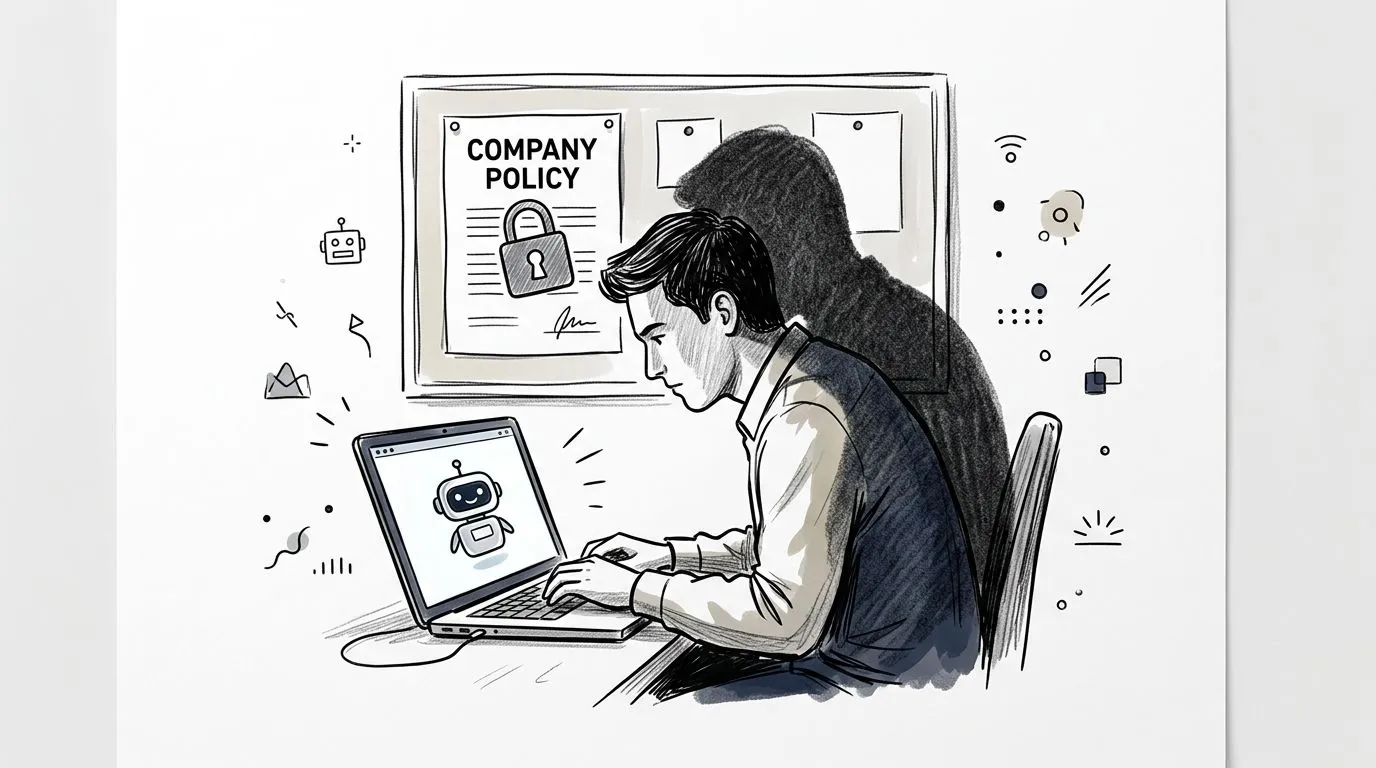
That situation is called shadow AI. It means employees use AI tools the company has not approved or reviewed. For marketing teams, it often shows up in ordinary work: summarizing interviews, rewriting emails, cleaning spreadsheets, drafting ad copy, or translating notes from one format to another.
The core issue is not that employees want to break rules. The issue is that the safe path is unclear, while the fast path is one click away.
Company policy helps by answering a simple question before work begins: Which tool can I use for this job, and what data is allowed inside it? If that answer is missing, people fill in the gap themselves.
Compliance works like guardrails on a road. It does not stop the trip. It helps the team reach the destination without sliding into preventable mistakes.
What to check before you use any AI tool at work
Read your AI policy like an operating manual. You are looking for clear instructions you can use in the moment, not legal theory.
Focus on these questions:
-
Approved use cases
Can you use AI for brainstorming, summarizing, editing, analysis, document review, or research support? -
Approved tools
Are you allowed to use public apps, company-managed versions, or only tools connected to your organization's accounts? -
Data limits
What is always off-limits? Customer records, employee information, financial details, contracts, campaign performance data, product roadmaps, or regulated health information? -
Human review
Does AI-generated content need approval from a manager, legal team, brand lead, or compliance owner before it goes outside the company? -
Storage and deletion
Are prompts, chats, and uploaded files retained by the vendor? Can your company control deletion, logging, and access? -
Vendor terms
Does the tool use your inputs to train future models, and can that setting be turned off?
If your company does not have an AI policy yet, use a simple default rule. Treat public AI tools like a conference room with the door open. If you would not read the information out loud there, do not paste it into the tool.
A practical starter question for IT, legal, or operations is: “Which AI tools are approved for internal work, and what kinds of information can I safely use in them?”
Compliance is often simpler than it sounds
You do not need to memorize every regulation to work safely with AI. You need a repeatable checklist.
Start with three habits. Use the minimum data needed for the task. Remove personal or identifying details unless they are required. Label information by sensitivity before anyone uploads it.
That matters in everyday workflows, not just in legal reviews. A file conversion step, a transcript export, or a copied document can create compliance problems if the team forgets where regulated data appears. For teams handling document workflows, this guide on implementing GDPR rules for converted documents shows how ordinary processing steps can create risk.
If you want a practical way to turn policy language into repeatable checks, this training on performing regulatory compliance checks with ChatGPT is a useful next step.
One more tip helps teams immediately. If a policy feels hard to follow, the policy may not be the only problem. The workflow probably needs a safer default, a clearer approved tool list, or a short review checklist people can use under deadline pressure.
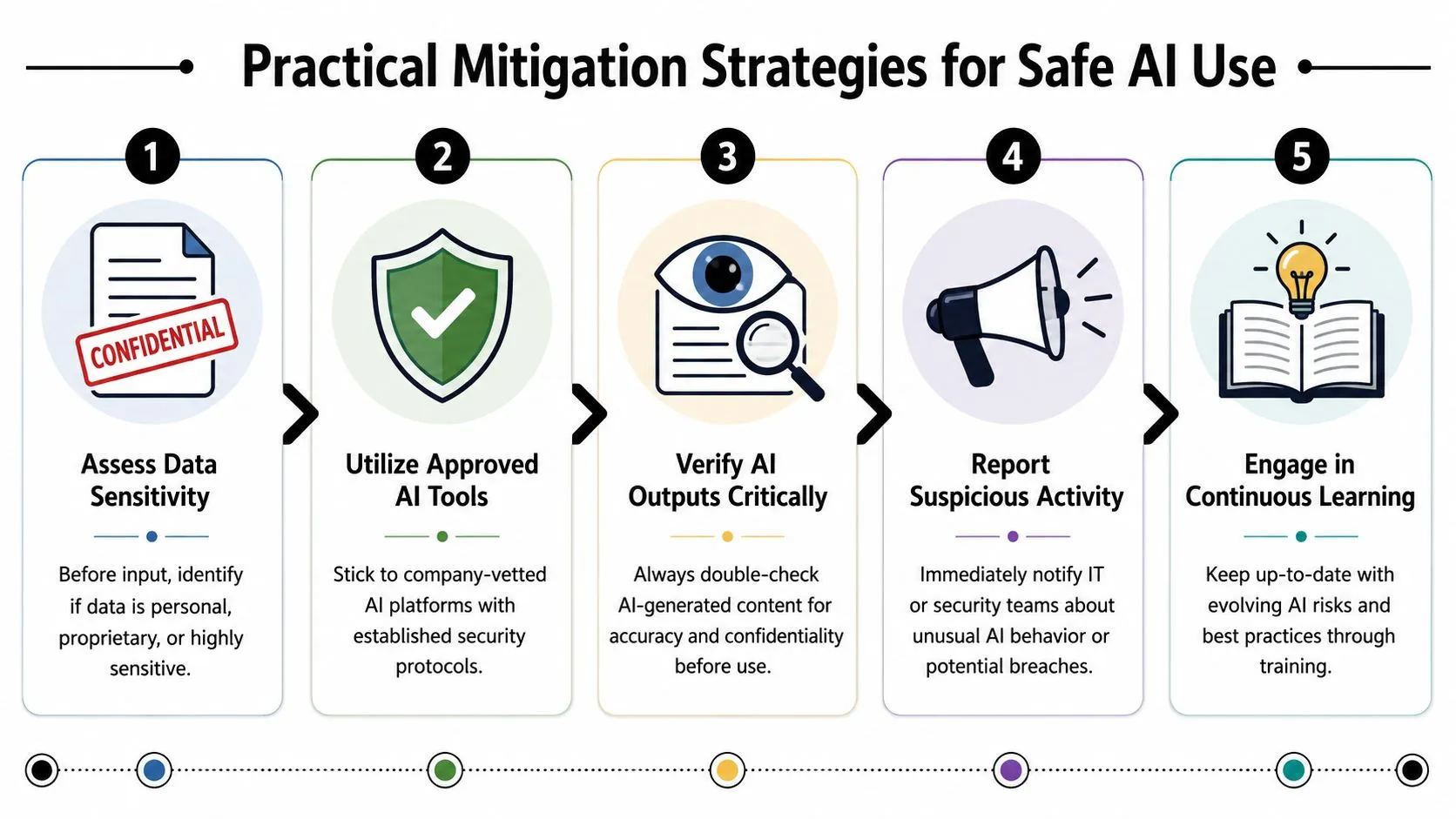
Practical Mitigation Strategies for Safe AI Use
Good AI data security doesn't require perfect memory or technical expertise. It requires a small set of habits you can repeat under pressure.
Start with the workflow, not the tool.
A simple anonymization workflow
Before you paste anything into an AI system, pause and strip out what the model doesn't need.
A strong anonymization pass usually means replacing specifics with placeholders. For example:
- Names become “Client A,” “Employee 1,” or “Vendor X”
- Email addresses get removed entirely
- Company names become industry labels when possible
- Revenue figures become ranges or directional descriptions
- Product names become “new feature,” “internal tool,” or “upcoming launch”
A risky prompt might say:
“Summarize this churn feedback from Acme Retail. Their CMO, Sarah Chen, said the renewal failed because our pricing changed after the March proposal and the team couldn't justify the annual spend.”
A safer version says:
“Summarize this churn feedback from a mid-market retail client. The customer said the renewal failed because pricing changed after the proposal and the team couldn't justify the annual spend.”
Same job. Less exposure.
How to prompt securely without losing quality
People often overshare because they think the model needs the full backstory. Usually, it doesn't.
Try this pattern instead:
-
State the task clearly
“Rewrite this in a more concise tone for an executive audience.” -
Describe the audience
“This is for a VP-level internal update.” -
Give constraints without secrets
“Keep it under 120 words. Use plain language. Avoid hype.” -
Insert only the minimum text needed
Use edited excerpts, not full documents when possible.
This keeps the prompt useful without turning it into a data dump.
Key takeaway: Better prompting often reduces security risk because it forces you to decide what the model actually needs.
Data quality matters too. If your team uses internal datasets to fine-tune, train, or structure AI-supported workflows, protect those inputs carefully. According to Sysdig's overview of AI security risks, data poisoning can degrade a model's accuracy by over 30% with as little as a 5% to 10% corruption rate. For non-technical teams, the lesson is simple: don't treat every spreadsheet, form response, or imported dataset as trustworthy just because it came from inside the business.
A good next step for security-conscious teams is learning how specialists explore automated and AI pentesting, since that work helps reveal weak points in AI-connected systems before attackers do.
How to vet a new AI tool in a few minutes
You don't need a formal procurement process just to ask better questions. Before adopting any new AI product, check for signals that it's built for business use.
Look for:
-
A clear privacy policy
You should be able to understand what happens to prompts, files, and outputs. -
Business or enterprise terms
Consumer tools may be fine for public content, but work involving internal data usually needs stronger controls. -
Admin controls
Can your company manage users, permissions, and access? -
Deletion options
Is there a way to remove uploaded content or control retention? -
Security documentation
Even non-technical summaries help show maturity and intent.
Here's a useful rule of thumb:
| Use case | Public AI tool may be fine | Approved enterprise tool is safer |
|---|---|---|
| Brainstorming headlines from public campaign themes | Yes | Also fine |
| Summarizing customer calls with names and account details | No | Yes |
| Rewriting a published blog post | Yes | Also fine |
| Analyzing internal HR, finance, or legal material | No | Yes |
Later in your evaluation process, it can help to hear a broader explanation of secure AI habits in action:
The goal isn't to avoid AI. It's to make safe use the default.
Your AI Data Security Quick-Start Checklist
If you only remember one part of this guide, make it this section. These are the habits that prevent the most common mistakes.
5-point check before you prompt
Use this as a quick pre-flight check before you paste, upload, or connect anything.
-
Classify the content
Ask: is this public, internal, confidential, regulated, or unknown? If you can't tell, assume it needs review. -
Cut unnecessary identifiers
Remove names, emails, account IDs, pricing details, and anything that points to a real person or customer unless the approved workflow explicitly requires it. -
Check the tool
Is the tool approved by your company for this kind of work? If the answer is fuzzy, stop and ask. -
Limit the task
Don't upload a whole document if a short excerpt will do. Don't share the entire spreadsheet if one paragraph of notes is enough. -
Review the output like an editor
AI output can still reveal confidential context, invent facts, or frame things poorly. Read it before forwarding, publishing, or presenting it.
AI actions risk matrix
This table helps teams turn abstract advice into concrete choices.
| Action / Goal | Risky Approach (Low Security) | Safe Alternative (High Security) |
|---|---|---|
| Summarize a customer call | Upload the full transcript with names, email addresses, and deal details into a public AI app | Remove identifiers, keep only the relevant excerpt, and use an approved tool |
| Rewrite an internal strategy memo | Paste the full memo including roadmap and financial assumptions | Ask AI to improve tone using a sanitized sample or a synthetic version |
| Analyze survey comments | Share raw responses that include employee or customer references | Replace references with labels and group feedback by theme first |
| Draft a sales follow-up | Feed the model the full CRM record | Use only the facts needed for the message and remove account-specific details |
| Review a contract clause | Upload the entire agreement to an unapproved chatbot | Use legal-approved tools or ask for general guidance using non-sensitive sample language |
| Brainstorm social media ideas | Mix public campaign themes with unreleased launch details | Separate public creative brainstorming from confidential planning |
Bad prompt and better prompt
Here's what a real improvement looks like.
Risky prompt
“Summarize these notes from our renewal call with BrightWave Health. Their procurement lead, Dana Lopez, said they may cancel because our revised enterprise pricing went from the earlier quote to a higher annual commitment. Include next steps for saving the account.”
Safer prompt
“Summarize these renewal call notes from a healthcare client. The customer may cancel because pricing changed from the earlier quote to a higher annual commitment. Include next steps for account recovery.”
The second version still gives the model enough context to help. It just doesn't reveal names or company-specific details the model doesn't need.
A simple team AI usage agreement
Managers often need a lightweight starting point, not a huge policy document. This works well as a first draft for team discussion:
-
Approved tools only
Team members will use only AI tools approved by the company for work involving internal information. -
Minimum necessary data
Team members will remove unnecessary personal, customer, financial, and confidential details before using AI. -
Human review required
No AI-generated output will be sent to customers, executives, candidates, or partners without human review. -
Escalate uncertainty
If a task involves sensitive data and the safe path is unclear, the employee will ask a manager, IT, legal, or compliance before proceeding. -
No hidden automation
Team members won't connect AI tools directly to shared drives, inboxes, or databases without approval.
That's enough to change behavior because it gives people a simple shared standard.
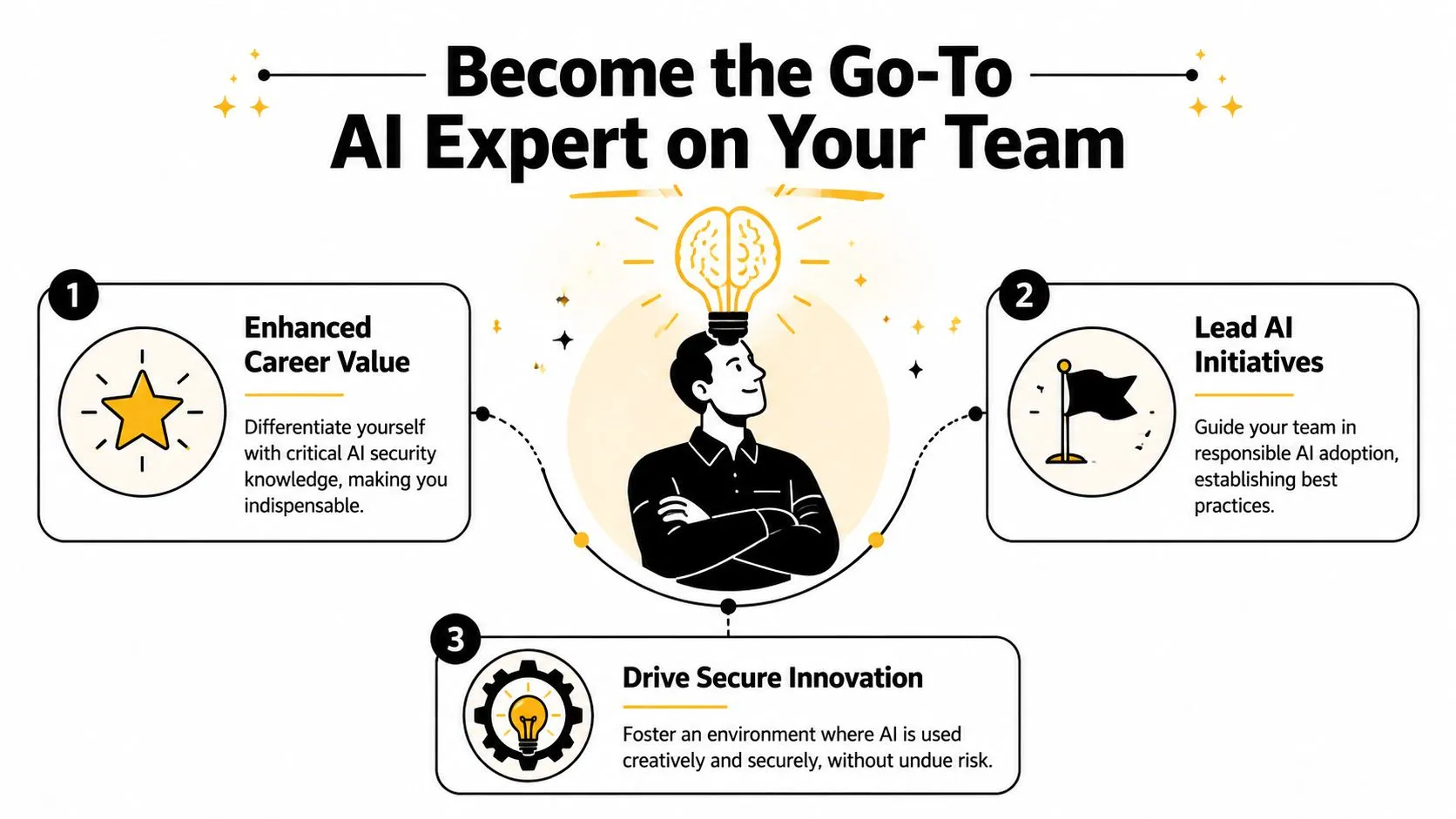
Become the Go-To AI Expert on Your Team
The most valuable person on a team using AI usually isn't the one writing the fanciest prompts. It's the person who can help everyone use AI productively without creating messes for legal, IT, security, or leadership.
That role is wide open in many organizations.
What leadership looks like in practice
You don't need a formal title to lead here. Leadership can look like very ordinary actions:
- You suggest safer prompts when a teammate is about to paste too much information.
- You ask better vendor questions before a new AI tool gets introduced.
- You create a small checklist that your team uses.
- You catch output issues before incorrect or sensitive content gets shared.
- You normalize asking first instead of improvising with risky tools.
That kind of judgment builds trust quickly because it helps everyone move faster with fewer mistakes.
The best AI expert in a non-technical team is often the person who combines curiosity with restraint.
The career advantage is real
AI adoption is spreading across marketing, operations, HR, sales, support, and management. As that happens, companies need people who can bridge productivity and responsibility.
That's a valuable skill set because many organizations don't want someone who says “no” to AI. They want someone who can say, “Yes, and here's the safe way to do it.”
If you can help your team:
- choose the right tool for the job
- avoid shadow AI
- remove sensitive details before prompting
- review outputs critically
- turn messy experimentation into repeatable workflows
you become more than a user. You become a multiplier.
In 2026, understanding AI data security is a core workplace skill. Not because everyone needs to become technical, but because nearly everyone now touches systems that can amplify both good decisions and careless ones.
The opportunity is simple. Use AI well. Use it carefully. Help other people do the same.
AI Academy helps professionals build exactly these practical skills without the fluff. If you want fast, hands-on training for tools like ChatGPT, Claude, Midjourney, and Perplexity, explore AI Academy. It's designed for marketers, analysts, managers, and other non-technical teams who want clear tutorials, repeatable workflows, and real-world AI habits they can use on the job right away.