You type a request into ChatGPT, hoping for a sharp marketing plan, a clean report summary, or a useful set of customer insights. Instead, you get vague filler, generic bullets, and the same recycled phrases you've already seen ten times. Then you rewrite the prompt, try again, and still end up editing more than you're saving.
That frustration usually isn't a model problem. It's a prompting problem.
Most non-technical professionals don't need theory, Python, or a deep dive into model architecture. They need prompts that work in real business situations. A marketer needs campaign angles in the right brand voice. A manager needs a concise summary of employee feedback. An analyst needs output that can drop straight into Google Sheets, Notion, or a slide deck.
The good news is that strong prompt engineering best practices are learnable fast. You don't need to become an engineer. You need a repeatable playbook: clearer instructions, better examples, tighter constraints, and a simple way to test what works.
One reason this matters so much is that iterative refinement improves AI output quality by 35%, according to 2026 prompt engineering statistics. In practice, that means your first prompt usually shouldn't be your final prompt.
What follows is the no-fluff version. Ten proven prompt engineering best practices built for people who want copy-paste patterns, simple testing workflows, and team-ready templates they can use today.
1. Be Specific and Contextual with Clear Instructions
Generic prompts create generic output. If you ask, “Write a competitive analysis,” the model has to guess your audience, depth, format, tone, and decision goal. Most of the time, it guesses wrong.
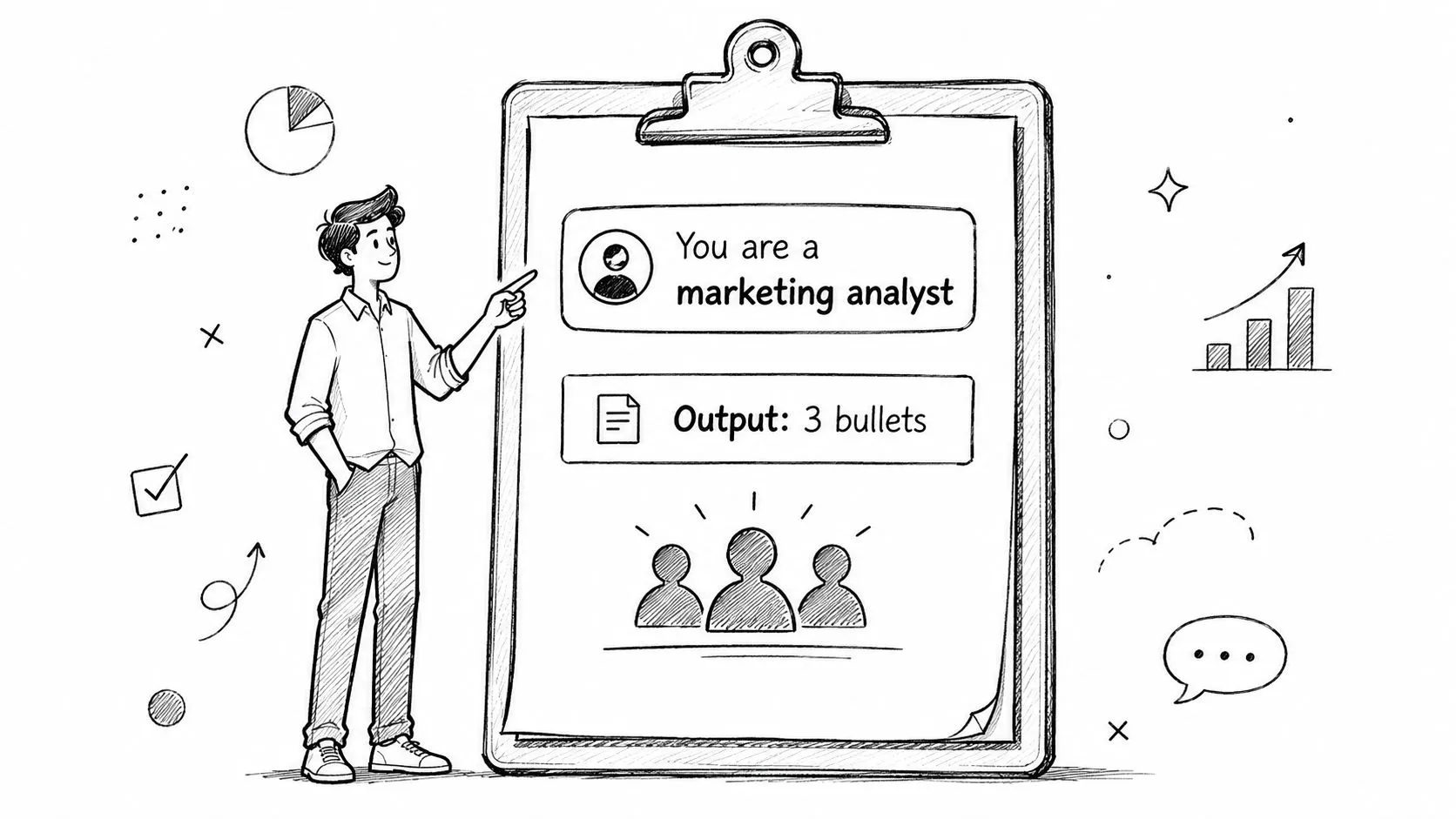
A useful prompt reads more like a real work brief. Give the model the role, the task, the audience, the context, and the format. That alone fixes a surprising amount of low-quality output.
Write the prompt like a real brief
A marketing analyst shouldn't prompt with “analyze competitors.” A better version is:
Practical rule: If a human coworker would ask a follow-up question, your prompt is still incomplete.
Try this instead:
- Role: “You are a B2B SaaS market analyst.”
- Task: “Compare our product with three competitors.”
- Audience: “Write for a sales director who needs talking points for next week.”
- Context: “Our product is strongest in onboarding speed and reporting flexibility.”
- Format: “Return a one-page summary with sections for strengths, weaknesses, differentiators, and risks.”
The same pattern works for HR, sales, and management. An HR lead can ask for a job description customized for seniority, required skills, and interview scorecard criteria. A manager can ask for employee feedback summaries grouped by themes, with suggested coaching actions.
A simple copy-paste pattern
Use this template:
- You are: a specific role
- Your task is: one clear action
- Context: background the model needs
- Audience: who will read this
- Constraints: tone, exclusions, limits
- Output format: bullets, email, JSON, memo, table, or slide outline
When prompts stay vague, people blame the tool. In practice, the fix is usually better context, not a different model.
2. Use the Chain-of-Thought Technique for Complex Tasks
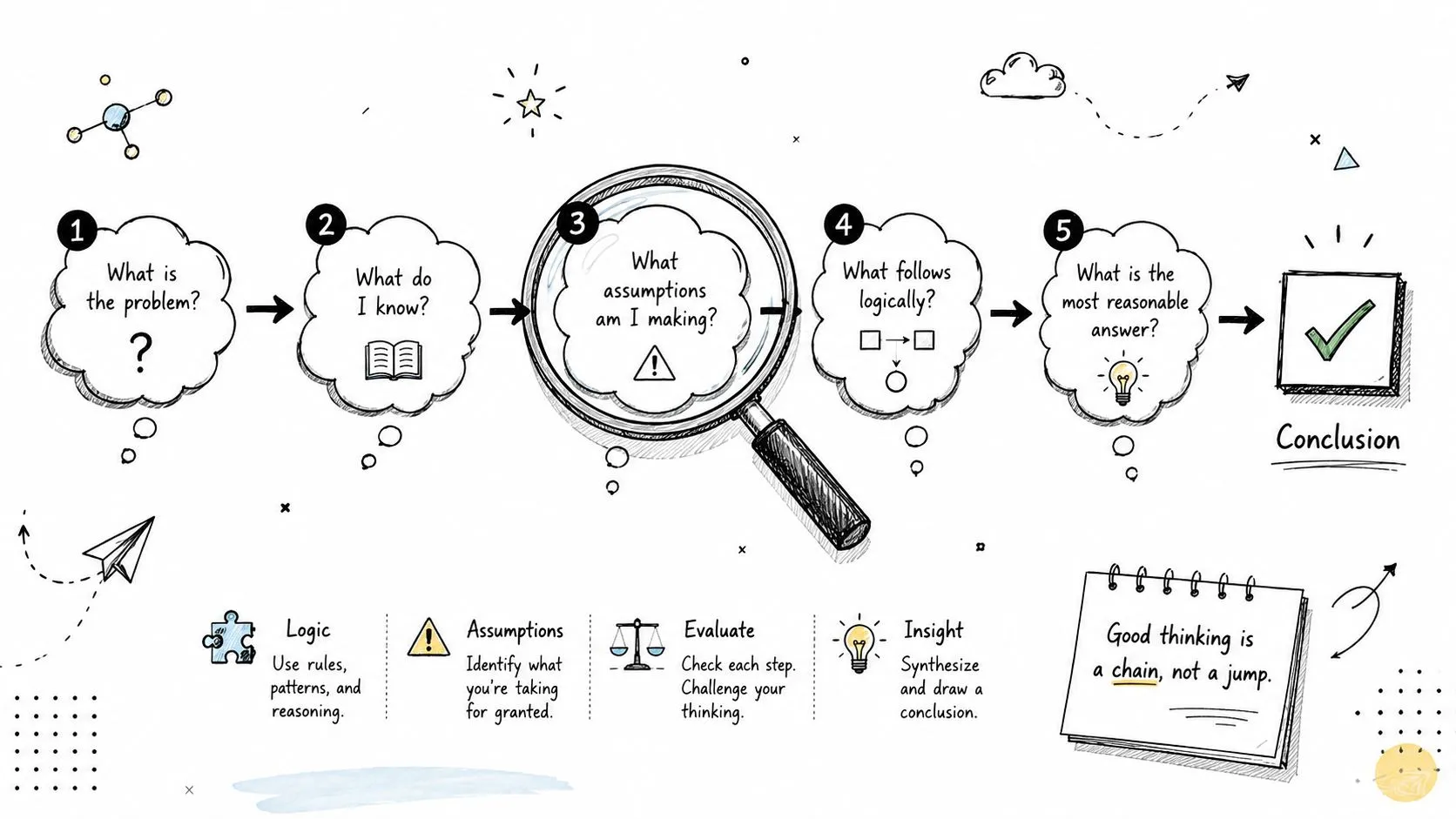
Some work isn't a one-shot writing task. It involves trade-offs, assumptions, and multiple steps. That's where asking the model to reason through the problem can help.
I use this most for analysis, planning, and decision support. If you're comparing channel strategy, designing an interview rubric, or evaluating a pricing idea, step-by-step reasoning usually beats a fast summary.
Ask for reasoning when the stakes are higher
Simple phrasing works:
- Break it down: “Think through this step by step before giving the final recommendation.”
- Expose assumptions: “List the assumptions you're making.”
- Show checkpoints: “After each step, state the interim conclusion.”
- Pressure test: “Then tell me what might be missing.”
This is especially helpful when the output will influence an executive meeting, hiring decision, campaign direction, or budget conversation.
For a more structured walkthrough, this chain-of-thought prompt writing lesson is useful because it shows how to turn vague analysis requests into guided reasoning prompts.
Where it works best
A consultant building a go-to-market recommendation can ask the model to evaluate multiple launch paths, compare trade-offs, and rank options. A manager writing a performance review can ask it to separate observable behavior from interpretation, then draft feedback.
Ask for reasoning when you're making a decision. Don't overuse it for simple drafting. It can make easy tasks slower and more verbose than necessary.
The trade-off is speed. Step-by-step prompting often produces better thinking, but it also creates longer output. Use it when accuracy matters more than brevity.
3. Implement Few-Shot Prompting with Examples
A sales manager needs 10 follow-up emails by 4 p.m. The first AI draft sounds polished, but half the messages are too pushy for the company's style. Instead of rewriting every line, show the model two strong examples and let it match the pattern.
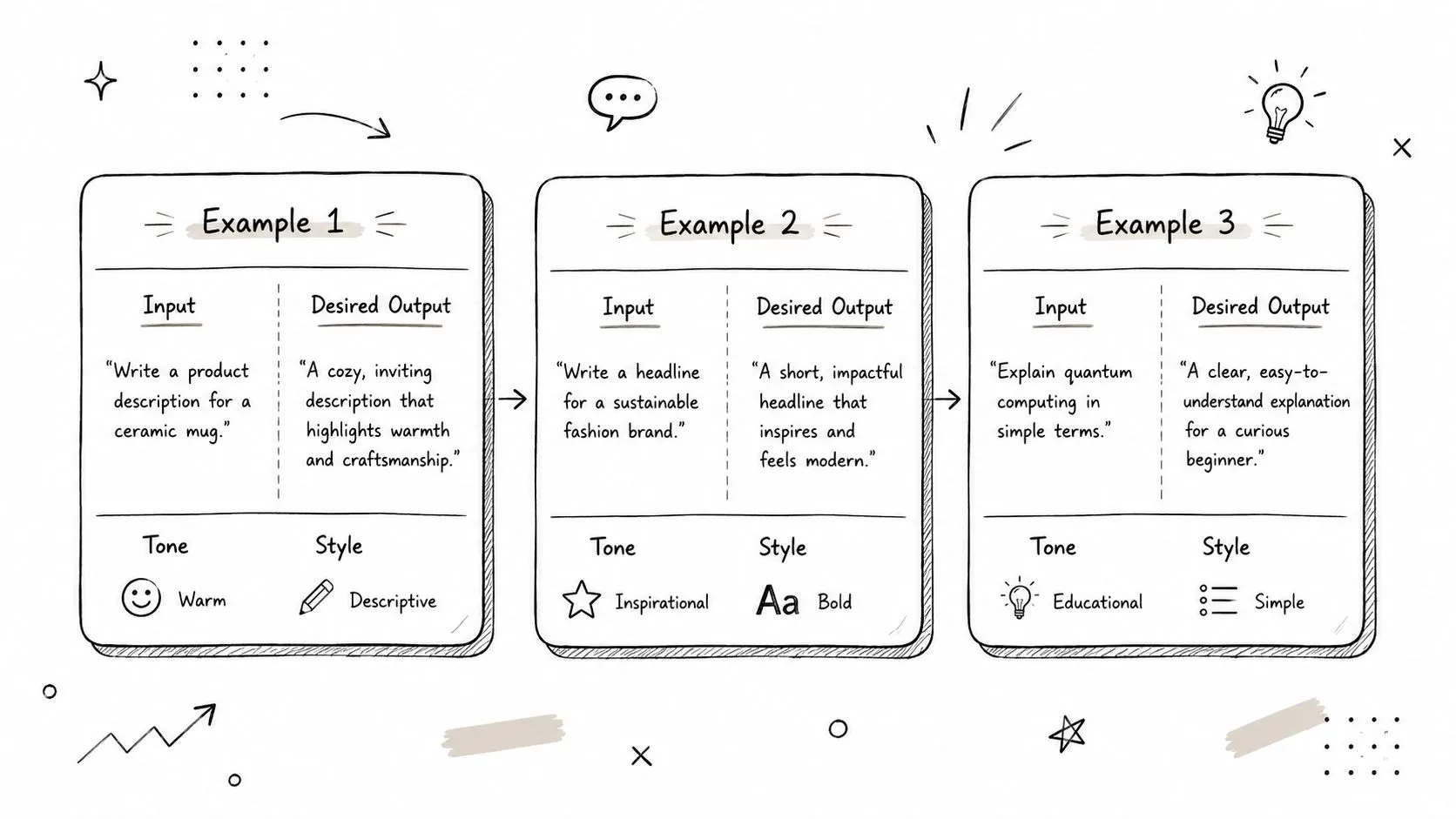
That is few-shot prompting. You provide a small set of examples before the actual task so the model can copy the tone, structure, and decision rules you want. For non-technical teams, this is one of the easiest ways to get more consistent output without touching code or learning model internals.
Show the pattern, not just the instruction
“Write in our brand voice” leaves too much room for interpretation. Two or three examples narrow that room fast.
If your content team needs LinkedIn posts with a specific point of view, paste examples that already performed well. If your customer success team wants replies that stay calm and clear when a customer is upset, include one example that handles frustration well and another that sets a boundary without sounding defensive.
This approach works because examples carry more signal than abstract rules. They show sentence length, tone, formatting, and what “good” looks like in practice.
If you want a quick foundation before building your own example bank, this prompt engineering guide for beginners gives useful context.
What good examples look like
The best examples are short, varied, and close to the work your team does. One perfect example is helpful. Three realistic examples are usually better.
A strong few-shot block usually includes:
- A normal case: the standard version of the task
- A tricky case: an example with a constraint, objection, or unusual input
- A format example: the exact structure you want back
The trade-off is prompt length. More examples can improve consistency, but they also increase token use and can crowd out the actual task. In practice, start with two or three examples. Add more only if the model keeps missing the same pattern.
A copy-paste pattern that works
Use a simple structure:
- Task: what the model needs to do
- Examples: 2 to 3 input/output pairs
- Now do this: the new item you want completed
For example, a recruiting coordinator might paste two well-written candidate outreach emails, then add a new role and ask for a third email in the same style. A project manager might provide two status updates that match the company format, then ask for an update based on fresh notes.
What fails is stuffing a 20-page voice guide into the prompt and hoping for precision. Short examples beat long documentation in many day-to-day business tasks because they give the model something concrete to imitate.
4. Master Prompt Refinement Through Iterative Testing
A prompt works in the meeting. Then it falls apart the next day when a coworker uses a different input, and nobody knows why.
That usually isn't a model problem. It's a testing problem. Reliable prompting comes from small, deliberate revisions and a simple way to compare results over time.
Prompt engineering turns into a repeatable team habit when prompts are treated like working assets. Save versions. Test them on real inputs. Keep the one that holds up across more than one case.
Test prompts like working assets
A useful prompt should survive more than one input. If it only works once, you have a lucky draft, not a dependable process.
I see the same failure pattern on non-technical teams. Someone gets a good answer, copies that prompt into a shared doc, and assumes the job is done. A week later, the output drifts because the input changed, the task changed, or another person used the prompt differently. Without a test log, the team ends up guessing which edit helped and which one made things worse.
The fix is simple. Run prompt tests the way you would review a template, a sales script, or a reporting format. Change one variable at a time and compare outputs against a few realistic examples.
A simple workflow for non-technical teams
Use a spreadsheet or Notion database with five columns:
- Prompt version: V1, V2, V3
- Input used: the exact sample task
- Output quality: brief score or note
- What changed: one variable only
- Decision: keep, revise, discard
This structure is easy to maintain, and it gives non-technical colleagues a way to improve prompts without touching code or learning a formal evaluation framework.
Test one change at a time. Don't rewrite the whole prompt and then guess what improved. Change the audience, the format requirement, the success criteria, or the source material. Then compare the outputs side by side.
This short walkthrough is worth watching before you set up your own prompt testing habit.
A marketer can test subject line prompts against recent campaign themes. A manager can compare feedback-summary prompts across a few real reports. An analyst can run the same prompt against different source documents and spot where the structure starts to break.
The trade-off is speed versus reliability. Ad-hoc tweaking feels faster in the moment. A lightweight test log saves more time once the prompt gets reused by a team.
5. Leverage Role-Playing and Persona-Based Prompting
Sometimes the wording of your task is fine, but the voice is off. The model sounds too promotional, too cautious, too academic, or too shallow. Role prompting fixes that fast.
When you assign a role, you give the model a working posture. That changes what it notices, what it prioritizes, and how it communicates.
Role changes the output faster than wording tweaks
Compare these:
- “Review this business plan.”
- “Act as a skeptical investor reviewing this business plan for weaknesses, missing assumptions, and risk signals.”
The second prompt usually produces sharper output because the model has a lens.
A few high-value examples:
- Manager support: “You are an executive coach helping a first-time manager prepare for a hard conversation.”
- Sales enablement: “You are a sales strategist reviewing this outreach email for clarity and credibility.”
- Brand review: “You are our brand voice editor. Flag phrases that sound generic, inflated, or off-brand.”
- Decision challenge: “Act as a skeptical CFO and challenge this proposal.”
Useful persona patterns
Use opposing personas when the decision matters. Ask one version to build the case, then ask a second version to tear it apart.
This works especially well for planning. A founder can ask one persona to generate launch ideas, then ask another to identify execution risks. A content lead can ask for a creative editor version and a compliance reviewer version on the same draft.
What doesn't work is vague theater. “Act like a genius” isn't useful. Specific professional roles with a clear decision frame are.
6. Use Negative Prompting to Define What Not to Do
A lot of bad AI output happens because the model fills empty space with habits you never asked for. It adds intros, overexplains, sounds salesy, repeats buzzwords, or invents extra framing.
Negative prompting gives the model guardrails. You're not only telling it what to produce. You're telling it what to avoid.
Bad outputs often come from missing boundaries
This is especially useful for tone control. If you want an email that sounds calm and competent, say what you don't want.
Examples:
- Email writing: “Avoid hype, urgency language, and empty phrases like ‘game-changing' or other buzzwords.”
- Customer comms: “Don't sound defensive, legalistic, or robotic.”
- Executive summaries: “Skip the introduction and don't repeat the prompt back to me.”
- Competitive analysis: “Don't mention competitor names unless I provide them.”
A sales team can use this to remove desperate language from outreach. HR can use it to keep job descriptions from sounding exclusionary or overinflated.
A better way to write exclusions
Negative prompting works best when paired with positive direction.
Instead of:
- “Don't sound corporate.”
Use:
- “Avoid corporate jargon. Use plain language suitable for a department head.”
“Avoid hype. Focus on facts, trade-offs, and practical recommendations.”
Keep the exclusion list short. If you give too many “don'ts,” the model can become stiff or confused. Three to five clear exclusions is usually enough.
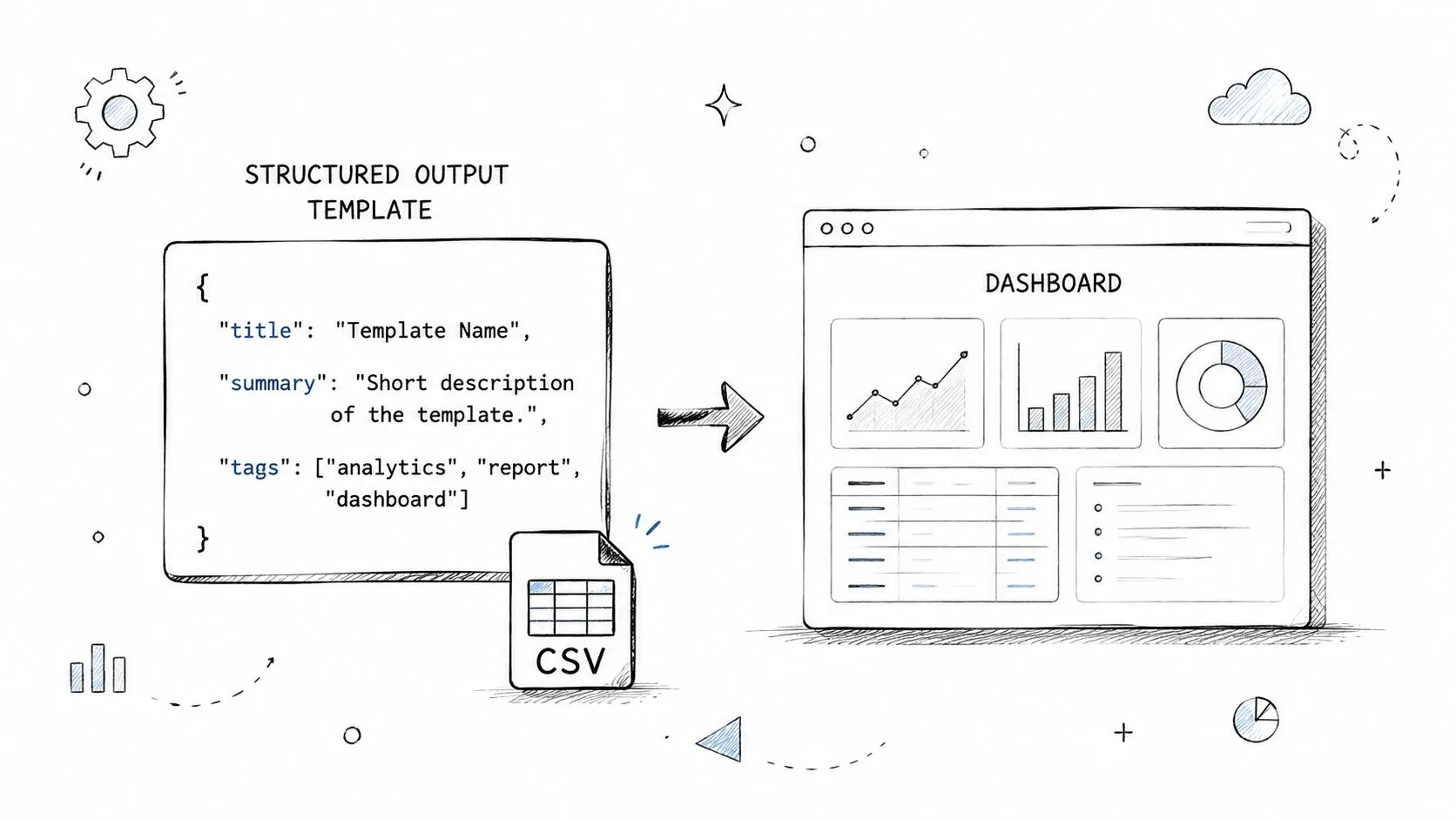
7. Implement Structured Output Formats and Templates
If you have to manually clean every AI response, the prompt isn't finished.
Structured output is one of the most practical prompt engineering best practices because it turns AI from a writing toy into a workflow tool. The model should return something you can paste into Google Docs, Notion, Airtable, a CRM, or a reporting deck without major surgery.
Make the output usable without cleanup
For recurring tasks, ask for a fixed format every time.
Examples that work well in real teams:
- Marketing: campaign analysis in markdown sections with headings for audience, message, risk, and next step
- Sales: outreach copy in a block with subject line, opener, body, CTA, and personalization note
- HR: candidate evaluation in a template with strengths, gaps, interview follow-ups, and recommendation
- Operations: meeting summary with decisions, open questions, owners, and deadlines
When structure matters downstream, be explicit. Say “Return this as JSON with these exact field names” or “Use a markdown bullet list under these four headings.”
Practical structures that teams actually use
I usually recommend starting with formats people already understand:
- Markdown bullets for human-readable summaries
- CSV-style rows for spreadsheet import
- JSON fields when another tool or automation will consume the output
- Reusable memo templates for managers and analysts
The key is consistency. If one weekly report arrives as prose and the next comes back as half-bullets and half-essay, your team won't trust the workflow.
8. Apply Constraint-Based Prompting for Focused Outputs
More output isn't better output. Teams often don't need the model to say everything. They need it to say the right amount in the right shape.
Constraints force usefulness. They trim the fluff and make results fit the actual channel, audience, or task.
Constraints improve usefulness
A social media manager might need three post options that fit platform limits. A sales rep might need a cold email short enough to read on a phone. A manager might need a summary that can be pasted directly into Slack.
Without constraints, the model often expands. It adds background, transitions, and polite filler. That's why short prompts like “be concise” help, but precise limits help more.
Constraints worth specifying
Use limits like these:
- Length: under a specific word count
- Format: exact number of bullets or sections
- Scope: only cover the top issues, not every issue
- Depth: high-level summary or detailed analysis
- Channel fit: LinkedIn, Slack, email, slide, memo
A practical example: “Summarize this customer interview into 5 bullets. Each bullet should be under 18 words. Focus only on pain points and buying triggers.”
That kind of prompt gives you something immediately usable. It also makes review faster because everyone knows what “good” looks like.
9. Leverage Multi-Turn Conversations and Follow-Up Prompts
A lot of people try to stuff everything into one giant prompt. That usually creates confusion, not clarity.
Multi-turn prompting works more like a real collaboration. Start broad, review what comes back, then push the output where you want it to go.
Don't cram everything into one monster prompt
One prompt can generate options. The next can refine them. The third can adapt them for a specific audience.
For example, a content marketer can do this:
- Ask for ten blog topic ideas for a niche audience.
- Ask the model to rank the top three by likely business value.
- Ask it to expand one idea into a brief.
- Ask it to turn that brief into a draft in brand voice.
That sequence usually works better than a single prompt asking for ideas, prioritization, strategy, outline, and final copy all at once.
A practical follow-up sequence
Useful follow-up prompts include:
- Expand: “Take point three and develop it into a full draft.”
- Tighten: “Make this shorter and more direct.”
- Shift audience: “Rewrite this for a non-technical executive.”
- Challenge it: “What's weak or missing in this answer?”
- Clarify assumptions: “What assumptions are driving this recommendation?”
The trade-off is conversation management. Multi-turn workflows are powerful, but they can get messy if you don't save strong intermediate outputs. When something works, copy it into your prompt library before the thread disappears into the scroll.
10. Create and Maintain a Reusable Prompt Library and Template System
A good prompt that disappears into chat history has almost no team value.
Teams get better results when strong prompts are stored, labeled, and easy to reuse. That matters even more for non-technical staff who do not want to rebuild a working prompt from memory every time they need a campaign brief, meeting summary, or hiring rubric. The goal is simple: turn one good result into a repeatable workflow other people can copy, paste, and use in minutes.
I have seen this make a bigger difference than another round of prompt tweaking. One person finds a prompt that produces clean client summaries. Another gets a reliable format for weekly reports. If those prompts stay buried in private threads, the organization keeps paying the same learning cost again and again.
A useful library can live in Notion, Google Docs, Airtable, or a shared folder. The tool matters less than the setup. People need to find the right prompt fast, know when to use it, and see what a good output looks like before they run it.
If you want a model for how to organize reusable prompts by role and task, this AI prompt library resource is a helpful reference point.
What to save in the library
Save the prompt and the operating context around it.
- Task name: the job this prompt handles
- Prompt text: the exact approved version
- Best use case: when this prompt performs well
- Example input: a sample request, document, or source file
- Example output: a result that meets the standard
- Notes: common edits, failure patterns, and model-specific tips
A prompt library should shorten work, not create more documentation to maintain.
Review the library on a regular schedule. Remove prompts that no longer hold up. Update entries when brand rules, reporting formats, or internal workflows change. Small maintenance keeps the system useful, trusted, and easy for the rest of the team to adopt.
10-Point Comparison: Prompt Engineering Best Practices
| Technique | Implementation Complexity 🔄 | Resource Requirements ⚡ | Expected Outcomes ⭐📊 | Ideal Use Cases 💡 | Key Advantages ⭐ |
|---|---|---|---|---|---|
| Be Specific and Contextual with Clear Instructions | Low–Moderate, needs upfront planning | Minimal tools; time to craft detailed prompts | Higher first‑pass accuracy; fewer iterations | Professional reports, templates, delegated tasks | Reduces rework and speeds time-to-use |
| Use the Chain-of-Thought Technique for Complex Tasks | Moderate–High, guides stepwise reasoning | Longer responses; reviewer time to audit steps | Improved accuracy and verifiability | Multi‑step analysis, financial models, strategic decisions | Makes AI reasoning transparent and catchable |
| Implement Few-Shot Prompting with Examples | Moderate, requires creating examples | Time to assemble 2–5 quality examples; storage | Consistent tone and structure; fewer subjective errors | Brand content, batch creative tasks, standardized outputs | Shows desired pattern, improving consistency |
| Master Prompt Refinement Through Iterative Testing | High, systematic A/B and metrics-driven | Tracking tools, metrics, time for experiments | Optimized prompts with measurable ROI | High‑impact workflows, subject to continuous improvement | Data-driven prompt improvement and knowledge capture |
| Leverage Role-Playing and Persona-Based Prompting | Low, simple role assignment | Minimal; persona definitions and examples | Context-appropriate depth and tone | Consulting responses, coaching, audience-specific copy | Quickly aligns outputs to expected expertise and style |
| Use Negative Prompting to Define What NOT to Do | Low, list exclusions clearly | Minimal; requires knowing common pitfalls | Fewer tone/jargon errors and targeted hallucination reduction | Compliance-sensitive content, avoiding buzzwords | Prevents known mistakes without lengthy positives |
| Implement Structured Output Formats and Templates | Moderate, define schemas and examples | Schema templates, validation or parsing tools | Machine‑readable outputs; direct integration | Dashboards, CSV/JSON imports, automation pipelines | Eliminates manual reformatting; enables automation |
| Apply Constraint-Based Prompting for Focused Outputs | Low–Moderate, set limits clearly | Minimal; must know optimal constraints | Concise, platform‑fit outputs ready to use | Social posts, short emails, headlines | Prevents verbosity and ensures format fit |
| Leverage Multi-Turn Conversations and Follow-Up Prompts | Moderate, manage context across turns | Time for iterative dialogue; conversation history | Refined, exploratory outputs with stepwise improvement | Brainstorming, exploratory analysis, iterative drafting | Natural refinement and flexibility during creation |
| Create and Maintain a Reusable Prompt Library and Template System | High, initial setup and ongoing maintenance | Repository tools (Notion/Git), governance, review cycles | Faster onboarding; consistent, repeatable outputs | Teams scaling AI use, cross‑role standardization | Institutionalizes best practices and speeds adoption |
From Prompts to Productivity Your Next Steps
The fastest shift you can make with AI isn't learning a new tool. It's learning how to direct the tools you already have. That's why prompt engineering best practices matter so much for non-technical professionals. They turn vague requests into usable output, and they reduce the time you spend fixing what the model should've gotten right the first time.
If you do nothing else after reading this, do three things. First, rewrite your most common work prompt using a proper structure: role, task, context, audience, constraints, and output format. Second, test that prompt across a few real examples instead of judging it on one lucky result. Third, save the version that works in a place you can reuse and share.
Those habits sound simple, but they change how AI fits into daily work. A marketer stops asking for “post ideas” and starts generating channel-ready drafts in the right voice. A manager stops requesting “a summary” and starts getting decision-ready notes with action items. An analyst stops cleaning up long responses and starts receiving structured output that can move directly into reporting workflows.
The broader payoff is career resilience. People who can guide AI clearly become more valuable because they boost their effectiveness. They write faster, analyze faster, and hand off cleaner work to the rest of the team. They also build trust. Colleagues start coming to them for workflows, templates, and better prompts because the results are visibly stronger.
If you want to go further, structured learning helps. AI Academy by Techpresso is built for exactly this kind of upskilling. It focuses on working professionals who need practical templates, short tutorials, and repeatable workflows instead of theory-heavy courses. That makes it a good fit if you want to build a prompt library, improve your testing habits, and become the person on your team who knows how to make AI useful.
It's also worth exploring adjacent skills as your prompting improves. For example, once you can reliably generate structured AI output, you may want to connect that output to automations or customer-facing tools. This guide on AgentStack for building AI chatbots is a good next step if you're thinking beyond one-off prompts and into deployed AI workflows.
The goal isn't to become someone who writes clever prompts for fun. It's to become someone who gets better work done with less friction. That's where the value is.
If you want a practical way to build that skill quickly, AI Academy is worth a look. It gives non-technical professionals step-by-step tutorials, proven prompt templates, and structured learning paths for tools like ChatGPT, Claude, Midjourney, and Perplexity, so you can go from experimenting with AI to using it confidently in real work.