Your team already has the ingredients for automation. A CRM nobody updates consistently, inboxes full of repeat requests, spreadsheets doing quiet operational work, and managers asking for status summaries that people rebuild from scratch every week. The problem usually isn't finding one more AI app. It's picking a tool that fits how your team operates, then getting a useful workflow live before the project turns into a side hobby.
That timing matters. Business automation is already mainstream, not experimental. Gartner projected that 70% of organizations would adopt structured automation by 2025, up from 20% in 2021, and separate business-automation research shows over 66% of organizations have automated at least one process, with heavy use in operations, onboarding, and finance, accounting, and legal workflows, as summarized by Vena's automation statistics roundup. In practice, that means the best AI tools for business automation aren't replacing automation from scratch. They're becoming the layer that routes work, summarizes information, drafts outputs, and handles repetitive knowledge tasks faster.
If you're still deciding whether agents matter, Halo AI's guide to AI agents is a useful primer. Below, I'm focusing on the platforms I'd shortlist for a manager who wants fast implementation, clear trade-offs, and workflows a non-technical team can deploy without waiting for a full internal platform initiative.
1. AI Tools Directory, 80+ Tools with Tutorials | AI Academy
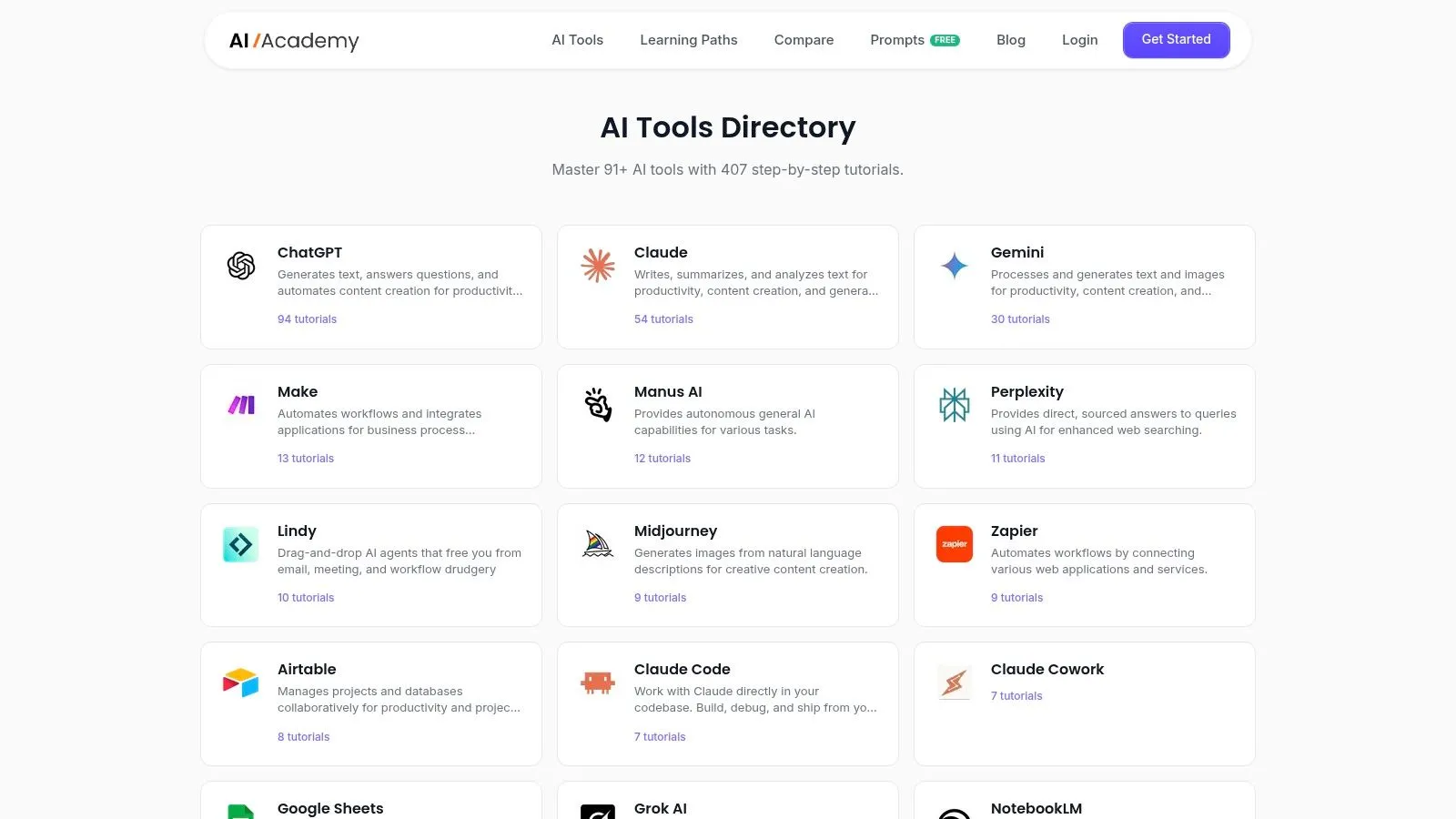
If you're still in the “what should we even test first?” stage, the AI Tools Directory by AI Academy is the fastest shortlist builder in this roundup. Instead of throwing random tools at your team, it organizes practical options by category and pairs them with short tutorials that help you try the tool immediately.
That sounds simple, but it solves a real implementation problem. Teams often don't fail because they can't find tools. They fail because they collect bookmarks, never build anything, and lose momentum after the first setup screen. AI Academy's directory works better as a practical sandbox. It points people from discovery into short, hands-on lessons and broader learning paths, which is much closer to how non-technical teams adopt AI tools for business automation.
Why it stands out
The strongest part of the directory is curation. You're not looking at a bloated database built to win on volume. You're getting a practical path through tools like Make, Zapier, and n8n, plus supporting apps for research, productivity, generation, and reporting.
It also connects well with the rest of the AI Academy business learning path, which matters if your team needs repeatable upskilling, not just one workflow.
Practical rule: If your team is new to automation, start with a guided directory and tutorials before buying an enterprise platform. Selection mistakes cost more than training mistakes.
For managers, the hidden advantage is speed of evaluation. You can hand this to a marketer, analyst, or ops coordinator and ask them to test a workflow this week instead of waiting for a technical owner.
Implementation checklist
- Pick one department first: Start with a narrow team such as marketing ops, customer support, or finance admin.
- Choose one workflow family: Reporting, lead routing, meeting follow-up, or invoice handling are better starting points than broad “AI transformation.”
- Assign one builder and one approver: One person builds, another checks accuracy and edge cases.
- Use tutorials as deployment scripts: Don't treat them as education only. Treat them as your first version of SOPs.
- Track one business outcome: Time saved, error reduction, or response speed. Keep the metric simple and local.
Example workflow
A practical first rollout is weekly reporting. Use the directory to identify a workflow tool, connect your spreadsheet, CRM, and chat app, then follow a short tutorial to pull data, summarize changes, and send one clean digest to the team lead. That's a strong first automation because everyone understands the before-and-after.
The best external complement here is this roundup of top AI solutions for sales if your biggest immediate opportunity is pipeline, prospecting, or CRM hygiene.
Pros are straightforward: broad coverage, practical tutorials, frequent updates, and a setup style that works for non-technical roles. The downside is also clear. If you need low-level engineering guidance, self-hosting architecture advice, or deep developer patterns, this directory is more operator-friendly than developer-heavy. Some resources are also tied to the broader membership experience.
3. Make
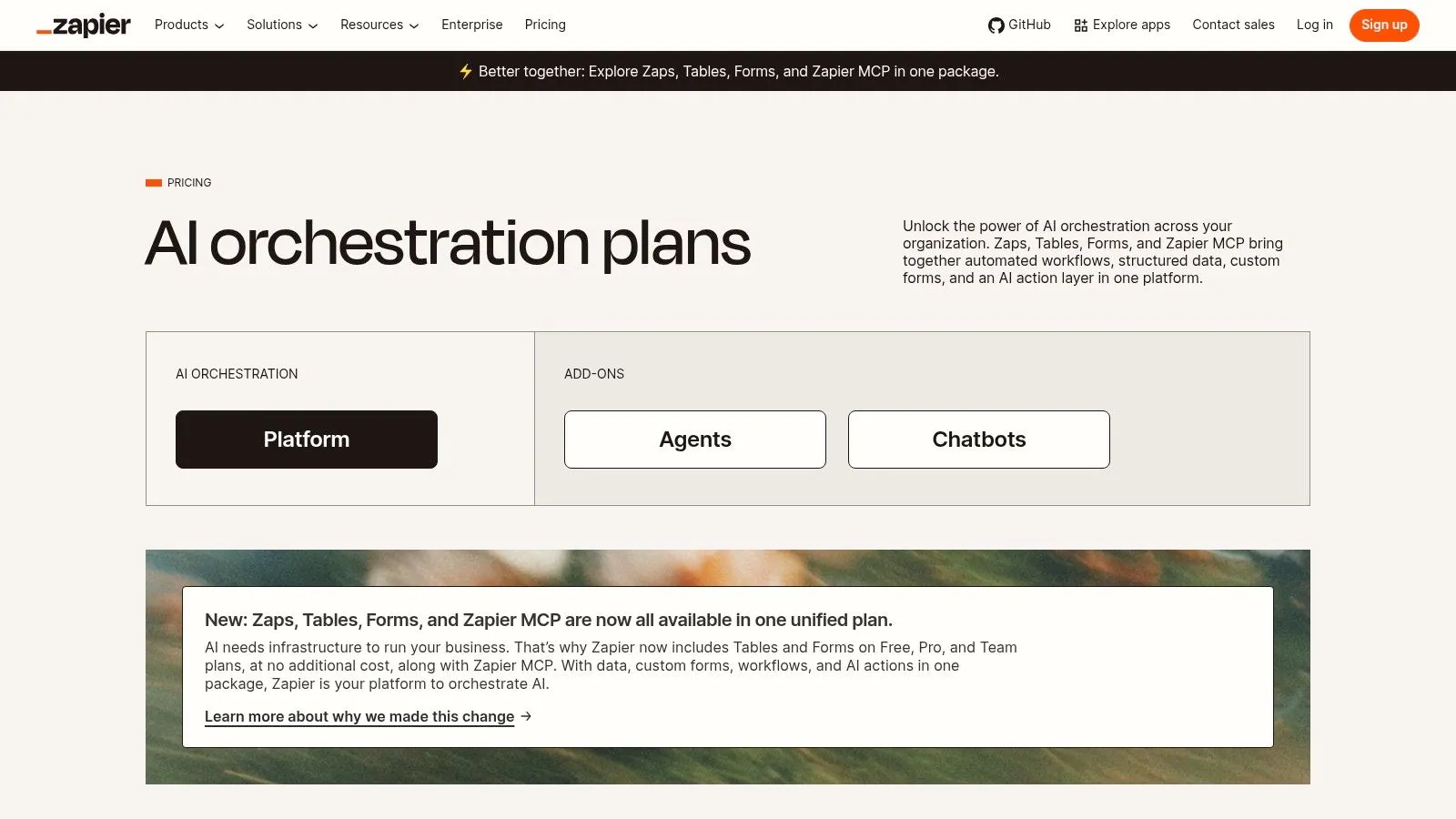
A common handoff point looks like this. The team built a few useful automations in Zapier, volume increased, exceptions started piling up, and now simple trigger-to-action logic is no longer enough. That is usually when I move operators to Make.
Make is a better fit for workflows that need routing, conditional logic, data cleanup, retries, and multi-step processing across several systems. Its visual builder gives you more control over how records move, split, pause, or fail. That control is the reason operations teams like it. It is also the reason setup takes more discipline.
Where Make works best
Make works well when inputs are inconsistent and the process needs decisions, not just handoffs. Lead forms with missing fields, support requests that need categorization, invoice data pulled from different sources, or post-meeting workflows that branch based on account type are good examples.
The product is built for this kind of cloud workflow orchestration. Gartner describes the integration platform as a service market as a category used to connect applications, data, processes, services, and events across cloud and on-premises environments in its iPaaS market definition. That is the right frame for Make. It is less about single automations and more about building repeatable process flows that can survive real operational mess.
Example workflow
A practical first deployment is inbound lead qualification with routing. Pull leads from a form and ad platform, normalize company size and geography, enrich the record, score it against a few simple rules, then branch the outcome. High-fit leads go to the CRM owner, incomplete leads go to an enrichment queue, and low-fit leads get a lighter nurture path.
That kind of workflow is where Make earns its keep. You can see every branch, inspect the payload at each step, and fix weak logic before it spreads bad data downstream.
Implementation checklist
- Pick a process with at least one real branching decision: Approval routing, lead qualification, request triage, or reporting assembly are better fits than one-step notifications.
- Map the data before you build: List required fields, optional fields, fallback rules, and what should happen when values are blank or malformed.
- Set error handling on purpose: Decide which failures should stop the scenario, retry, or send the item to human review.
- Name modules clearly: Scenarios become hard to maintain fast if every step keeps the default label.
- Test with ugly samples: Use duplicate records, missing fields, bad formats, and out-of-order events before launch.
- Assign an owner for monitoring: Make gives you visibility, but someone still needs to check failed runs and update mappings after app changes.
The trade-off is straightforward. Make is usually more flexible and cost-efficient than beginner-first tools once workflows get more complex, but it asks for stronger process thinking from the person building it. If the team wants fast deployment without writing code, and the workflow has real branching logic, Make is often the better operational choice.
3. Make
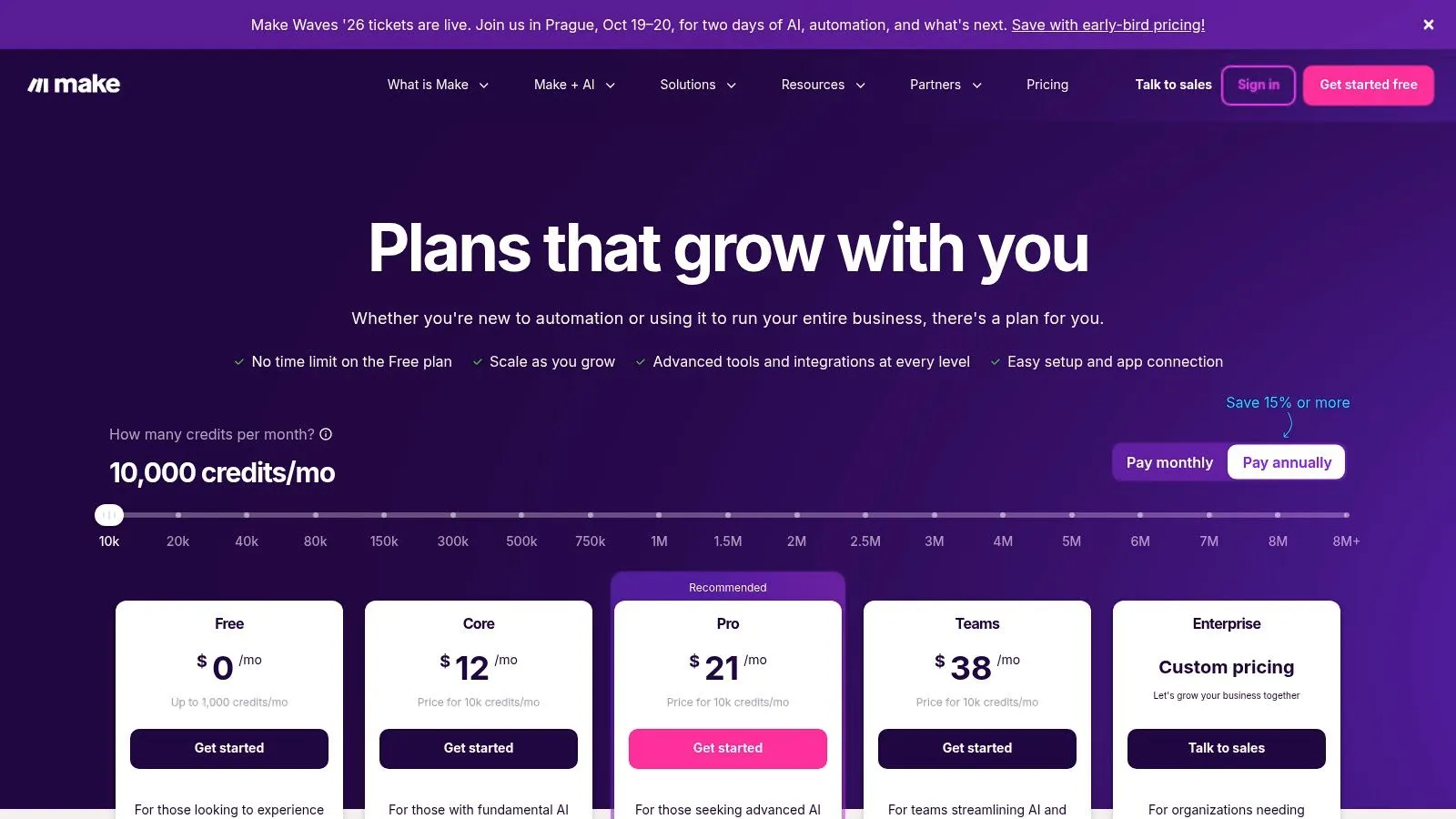
Make is what I recommend when Zapier starts feeling too linear. It gives you much better control over branching logic, filters, transformations, and multi-step scenarios, which matters once your workflow stops being “if this, then that” and starts becoming actual business process handling.
The trade-off is the learning curve. Make looks visual and approachable, but it expects users to think more carefully about data paths, execution order, and operational logic. That's good for power users. It can frustrate casual builders.
Best fit
Make works best for operations teams that handle slightly messy inputs. Leads from different forms, records with incomplete fields, requests that need branching based on category, or reports that combine multiple data sources. Its scenario builder is more flexible than beginner-first tools.
This also lines up with the broader market shift toward cloud-delivered automation platforms. ABI Research projected the AI software market at US$122 billion in 2024 and US$467 billion by 2030, with generative AI growing fastest, as reported in its AI market size outlook. In plain terms, more of these automation capabilities are showing up as cloud services you can deploy faster without a heavy infrastructure project.
Example workflow
A good Make workflow is inbound lead qualification. Pull in the form submission, enrich company information, classify lead type, route enterprise accounts to sales, route smaller accounts to self-serve nurture, and send a summary to Slack with a confidence note.
- Use routers intentionally: Don't create branches unless a different business action follows.
- Filter before AI steps: Clean data first, then spend AI actions where judgment adds value.
- Test failed paths: Error handling deserves as much attention as the happy path.
- Review auto-purchasing settings: Credits and overages need active monitoring.
Make is excellent for teams that want richer workflow design without moving into a more technical platform. It's weaker for casual users who want to build once a quarter and never think about workflow structure again.
4. n8n
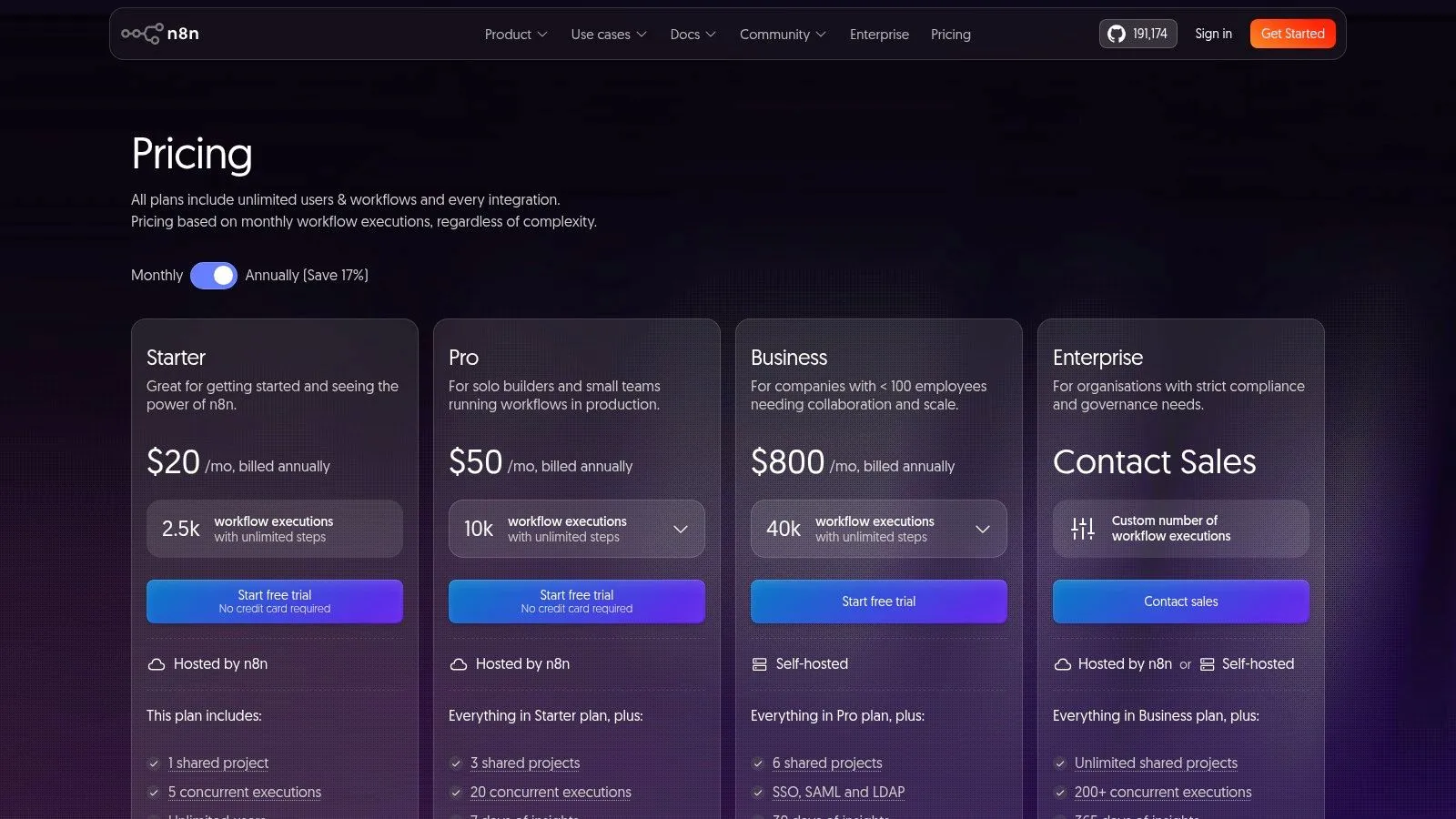
n8n sits in the middle ground between no-code convenience and technical flexibility. That makes it one of the most appealing AI tools for business automation if your team has some technical comfort, wants more control over cost and architecture, and doesn't want to be boxed into a purely managed platform forever.
The biggest practical difference is pricing logic and flexibility. If you build long workflows with lots of steps, n8n's model can be easier to reason about than platforms that meter every action in detail. Self-hosting also changes the lock-in conversation.
Where n8n earns its keep
Choose n8n when the workflow is important enough that you care about portability and control. Consultants, analytics teams, RevOps leads, and semi-technical operations managers tend to like it because they can push it further over time rather than rebuild later in another tool.
It's also a good fit when you need unlimited-step workflows and expect logic to evolve. You might begin with simple lead routing and end up layering in validation, AI classification, internal approval, database writes, and fallback notifications.
n8n is rarely the easiest first tool. It's often the tool teams wish they had chosen once their simple automations become core operations.
Implementation checklist
- Decide hosted vs self-hosted early: That affects security review, support expectations, and who owns uptime.
- Limit the first workflow scope: Don't make your first build a mission-critical process with six external systems.
- Create test data sets: n8n rewards disciplined debugging.
- Name every workflow clearly: You'll regret vague labels once you have multiple active automations.
- Build fallback alerts first: Failed executions need a clear owner.
A strong starter workflow is customer onboarding intake. Capture a signed deal, create project records, generate internal tasks, summarize implementation notes, and alert the account team. n8n handles this well because the flow often grows in complexity after launch.
Its weakness is obvious. For many non-technical teams, it feels more like a platform than a quick utility. If nobody on the team enjoys troubleshooting, adoption can stall.
6. UiPath Business Automation Platform
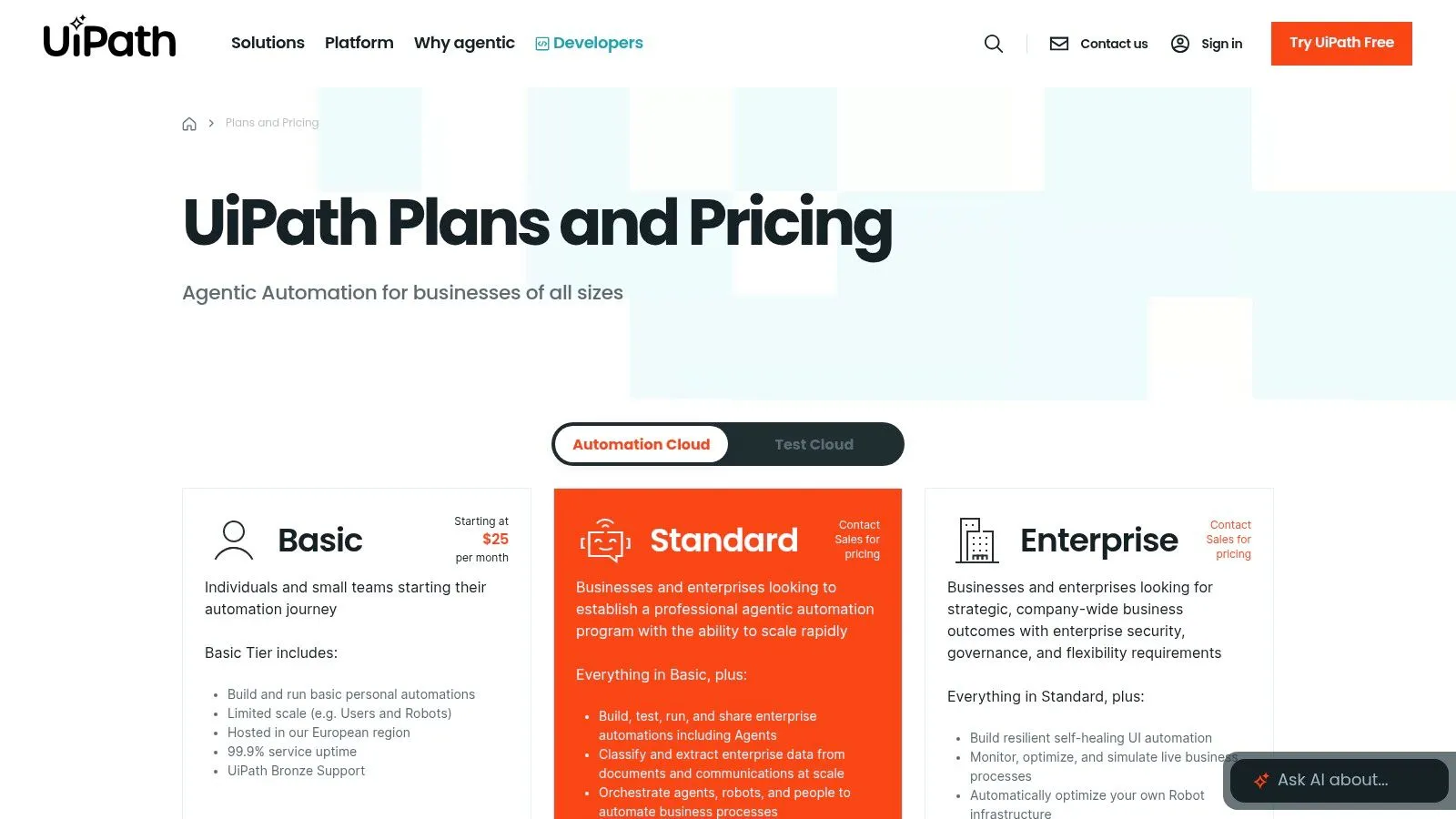
A common UiPath scenario looks like this. The finance team still works in an ERP from ten years ago, customer documents arrive by email as PDFs, approvals happen in Outlook, and a few steps still require someone to click through a desktop app. If that process runs hundreds or thousands of times per month, lightweight workflow tools start to show their limits.
UiPath fits companies that want automation to operate like a managed function with owners, controls, logs, and measurable throughput. It is a practical choice for shared services, finance operations, claims, healthcare administration, and other teams where process volume is high and systems are mixed.
The market has moved in that direction. Gartner estimates the worldwide robotic process automation software market grew 22.1% in 2023, reaching $3.5 billion, according to Gartner's RPA market research. That matters because UiPath is strongest when leadership is ready to fund automation as infrastructure rather than treat it as a side experiment.
When to choose it
Choose UiPath when a process crosses APIs, desktop interfaces, documents, approvals, and exception queues. It handles attended and unattended automation, document extraction, orchestration, and auditability in one stack. That combination is hard to replace with simpler tools once compliance, error handling, and queue management become real requirements.
I would not start here for a team that only needs a few SaaS-to-SaaS handoffs. UiPath carries setup cost, governance overhead, and a steeper learning curve. Those are reasonable trade-offs when one saved workflow can remove hours of repetitive work across a large operations team.
Example workflow
A strong first deployment is accounts payable intake. Bots collect invoices from email and shared folders, classify document types, extract fields, validate against purchase orders, route exceptions to a human reviewer, then post approved records into the ERP and update the audit log. That workflow shows where UiPath earns its keep. It manages both the straight-through path and the messy edge cases that break simpler automations.
If your team is still identifying repetitive work before choosing a platform, this guide on how to automate manual tasks with Codex is a useful precursor to tool selection.
Implementation checklist
- Pick one process with high volume and low policy ambiguity: Good UiPath projects start with stable rules, not constant exceptions.
- Map every handoff before building: Include inboxes, shared drives, desktop apps, approvals, and fallback owners.
- Separate straight-through automation from exception handling: Don't bury manual review inside the main bot flow.
- Confirm which steps need UI automation: If an API exists, use it. Reserve screen-based automation for systems that leave you no better option.
- Set queue, logging, and retry rules early: Enterprise automation fails at scale when operational ownership is vague.
- Measure before-and-after cycle time: UiPath gets budget support faster when the team can show hours saved, error reduction, and backlog cleared.
UiPath works best when the process is expensive enough to justify discipline. For the right use case, it can replace brittle manual work with a controlled operation. For the wrong one, it becomes an oversized platform that the team never fully adopts.
7. Automation Anywhere (Automation 360)
A common operations scenario looks like this. HR, IT, finance, and support all touch the same process, half the work still lives in legacy systems, and every manager wants automation without waiting on a long custom build. Automation Anywhere fits that environment well because it combines cloud delivery, RPA, document automation, and centralized control in one platform.
Its cloud-first model is part of the appeal, especially for teams that want faster setup than older on-prem RPA programs usually allow. Gartner describes the RPA market as shifting toward broader automation platforms that combine task automation with AI and process orchestration, which aligns closely with Automation Anywhere's product direction in Gartner's RPA market coverage. That does not settle the vendor decision, but it does explain why this platform often makes the shortlist for enterprise operations teams that need both governance and speed.
Best use case
Automation Anywhere works best for companies standardizing repeatable processes across departments, especially when the workflow mixes structured forms, document intake, approvals, and system updates. It is a practical option for teams that need unattended bots for background processing and attended automation for staff who still work inside the process.
I would look at it for shared services, HR operations, finance operations, and customer support back offices before I would use it for lightweight app-to-app automation. If your process mostly lives in modern SaaS tools with solid APIs, Zapier, Make, or Workato may get you live faster with less overhead.
Example workflow
A useful first deployment is employee onboarding.
The workflow starts when a candidate signs an offer letter. Automation Anywhere captures the intake data, checks the fields against required formats, creates records in the HR system, opens IT provisioning tasks, generates standard documents, and routes exceptions to the right owner when something is missing. If the company still depends on a legacy admin tool with no API, the bot can handle the screen-based steps while the rest of the workflow stays orchestrated in one place.
That combination matters in real operations. Teams rarely automate a clean process from end to end on day one. They automate the stable steps first, add document handling where manual entry is slow, then tighten exception routing so the process does not stall in someone's inbox.
Implementation checklist
- Start with one cross-functional workflow: Onboarding, vendor setup, claims intake, or account maintenance are better pilot choices than highly variable knowledge work.
- Confirm where document extraction is necessary: Do not pay for AI-driven document handling if the inputs already arrive in structured digital forms.
- Flag legacy-system dependencies early: UI automation can solve access problems, but it also raises maintenance work when screens change.
- Assign exception owners by department: HR, IT, finance, and operations need named handlers before the bot goes live.
- Set bot runtime, queue, and audit rules before launch: Enterprise automation breaks down when no one owns retries, approvals, or logs.
- Measure deployment speed and rework reduction: Time saved matters, but fewer handoff errors and cleaner compliance records often matter more.
Automation Anywhere is a good fit when you need a controlled automation program without assembling multiple tools yourself. The trade-off is platform weight. It usually makes sense once the process volume, compliance pressure, or system complexity is high enough to justify that structure.
8. Workato
A common trigger for buying Workato looks like this: sales closes a deal, finance needs the customer record cleaned up, IT has to provision access, and customer success wants the account live the same day. The work is not hard. It is scattered across too many systems and too many owners.
Workato fits that situation well. It is an integration-first automation platform for companies that need business process automation with tighter control than entry-level tools usually provide. Gartner describes the integration platform as a service market as a core layer for connecting applications, data, APIs, and events across the business in its iPaaS market guide. That framing matches how operations teams usually end up using Workato in practice.
Best use case
Workato is a strong choice for cross-functional workflows that touch SaaS apps, internal systems, approvals, and data sync rules at the same time. Good examples include quote-to-cash handoffs, employee lifecycle processes, support escalation routing, and product-led growth motions where usage events need to trigger CRM, billing, and customer success actions.
Its advantage is control without forcing every automation request into a full engineering queue.
Example workflow
Use Workato for lead-to-account handoff after a high-intent demo request. The workflow can enrich the lead, check for duplicates, create or update the account in the CRM, notify the account executive in Slack or Teams, open a finance review if billing terms are unusual, and push a clean record into downstream reporting tools.
That sounds straightforward until exceptions show up. Duplicate subsidiaries, missing owner fields, territory conflicts, and custom approval rules are exactly where lighter tools start to get messy. Workato handles those multi-step business rules better than many simpler automation products.
Implementation checklist
- Start with one process that already has a human owner: If no team owns the workflow today, no platform will fix the confusion.
- Map the systems and the decision points separately: Connecting apps is the easy part. Approval rules, exceptions, and field ownership usually decide whether the automation survives first contact with reality.
- Define who can build versus who can publish: Workato can support business-led automation, but release control still needs a clear operating model.
- Standardize data fields before building recipes: Cross-system automation breaks when account IDs, statuses, or owner rules mean different things in each app.
- Set alerting for failed jobs and retries on day one: Fast implementation only helps if someone sees failures before users do.
- Pilot on a workflow with visible business value: Customer onboarding, lead routing, and renewal operations usually show results faster than broad back-office redesigns.
Workato usually makes sense for mid-market and enterprise teams that want automations to stay organized as adoption grows. The trade-off is cost and setup discipline. If your needs are simple, Zapier or Make will get you live faster. If you expect many shared workflows across departments, Workato often holds up better after the first wave of enthusiasm wears off.
8. Workato
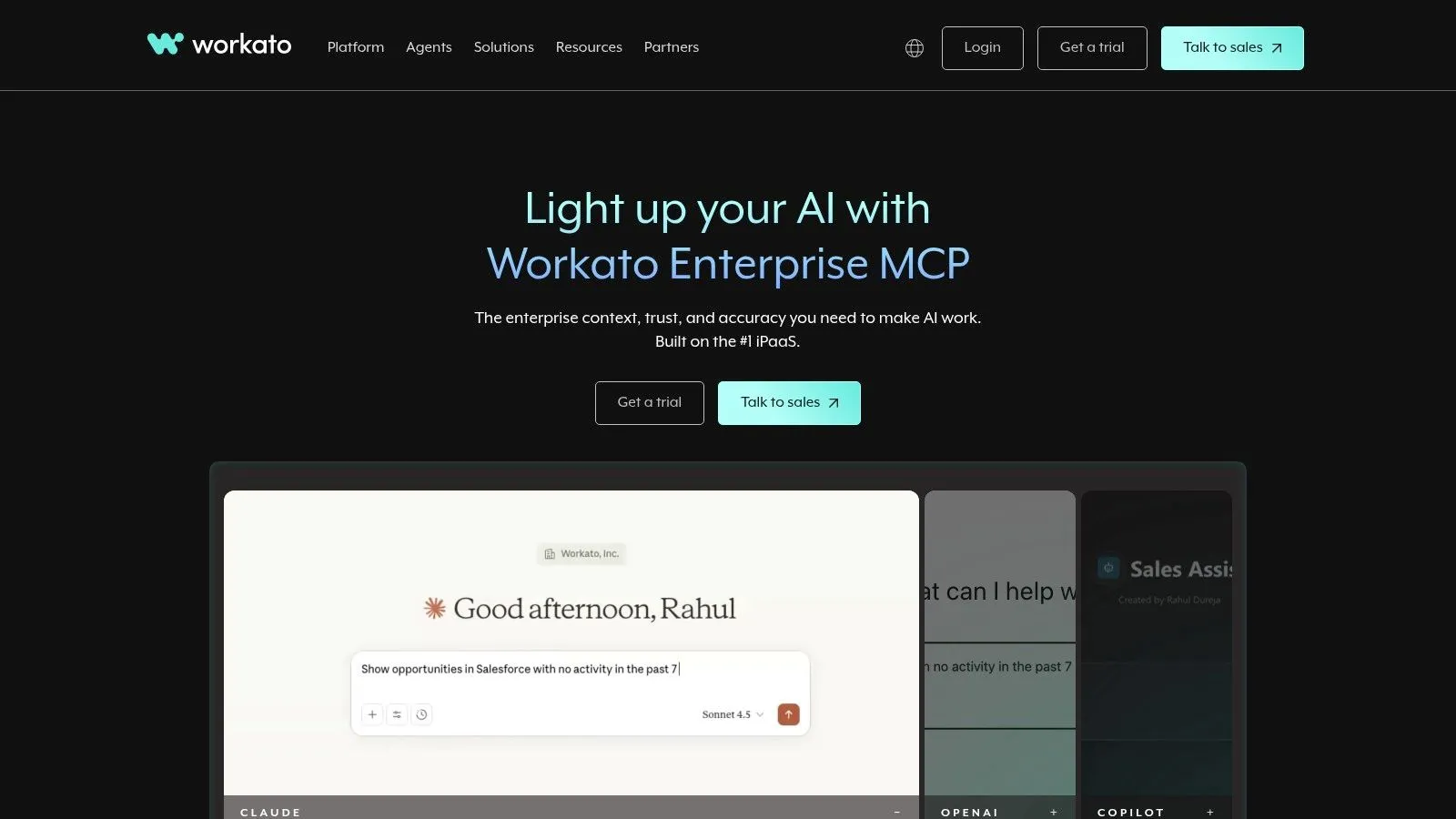
Workato is one of the cleanest enterprise integration and automation options for teams that prioritize governance. If you've outgrown lightweight automation tools and want something modern without reverting to a clunky legacy integration suite, Workato deserves a serious look.
I usually think of Workato as an ops-and-IT truce platform. Business teams can participate, but the environment still gives central teams the visibility and controls they need.
Why ops leaders buy it
Workato is strong when automations cross departmental boundaries and need to stay supportable. Order-to-cash updates, lead-to-account synchronization, HR provisioning, finance notifications, and customer lifecycle orchestration are all good examples.
This is also where a lot of AI adoption effort is heading. NICE highlights the under-served issue of governance, ROI, and accountability after deployment in its overview of AI automation for streamlined operations. That's exactly the conversation Workato fits. Not “what can AI do,” but “how do we operationalize it without creating a mess.”
Implementation checklist
- Choose one cross-functional process: Don't start with a single-team convenience workflow.
- Set workspace rules early: Naming, permissions, and deployment discipline matter.
- Define business owner and technical owner: Both are required.
- Monitor usage dashboards weekly after launch: Enterprise automation debt accumulates unnoticed.
- Audit AI-generated outputs: Especially when workflows affect external customers or financial records.
Workato usually isn't the best fit for one-off automations. It shines when you need durable, governed integrations and workflows that won't collapse under organizational complexity.
9. Pipedream
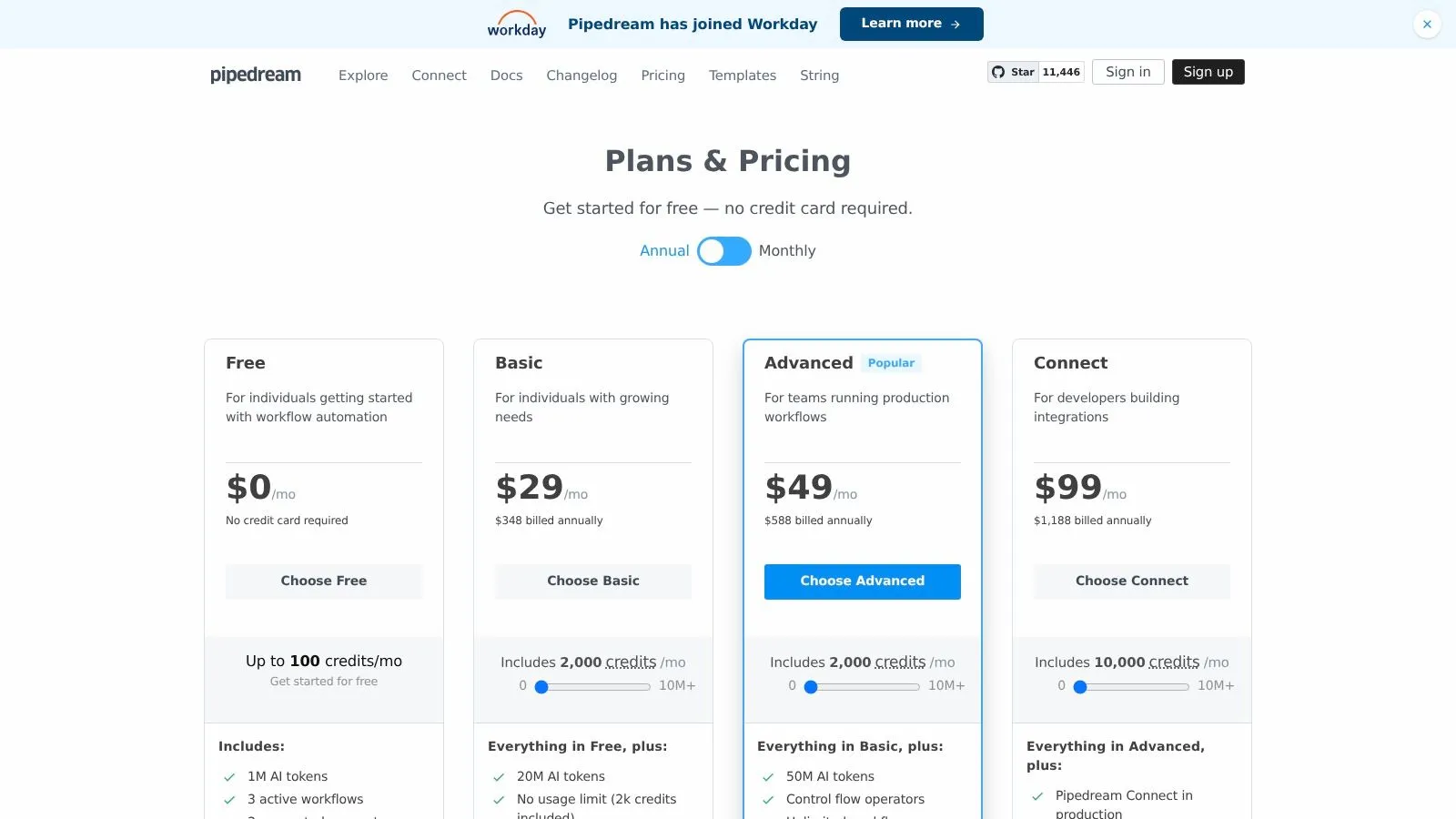
Pipedream is the most developer-friendly platform in this list. It's the option for teams that want low-ops workflow automation but don't want to give up coding flexibility, API control, or event-driven design.
That makes it a great fit for technical marketers, growth engineers, product ops, and data-adjacent teams. It's not ideal for a purely non-technical department looking for a drag-and-drop toy.
Who should use it
Use Pipedream when connectors alone won't cut it. If the workflow depends on APIs, webhooks, custom logic, or data shaping that no-code tools make awkward, Pipedream feels much cleaner.
It's also useful for teams building internal utilities around AI models, custom endpoints, and operational triggers without wanting to maintain servers.
Example workflow
A strong Pipedream use case is product-qualified lead routing. Listen for in-app events, enrich account context, score the event pattern, summarize account activity with an AI step, and push a clean alert to Slack or a CRM owner. That workflow gets ugly in beginner-first tools but feels natural in Pipedream.
- Confirm who can maintain code steps: This is the key staffing question.
- Use environment variables from the start: Don't hardcode credentials in early prototypes.
- Keep one repo or doc for workflow logic: Serverless convenience can become tribal knowledge fast.
- Reserve it for workflows that need flexibility: Don't use code where a simpler tool would do.
Pipedream's main downside is adoption risk. If the original builder leaves and the rest of the team can't read the logic, the workflow becomes fragile.
10. Bardeen AI
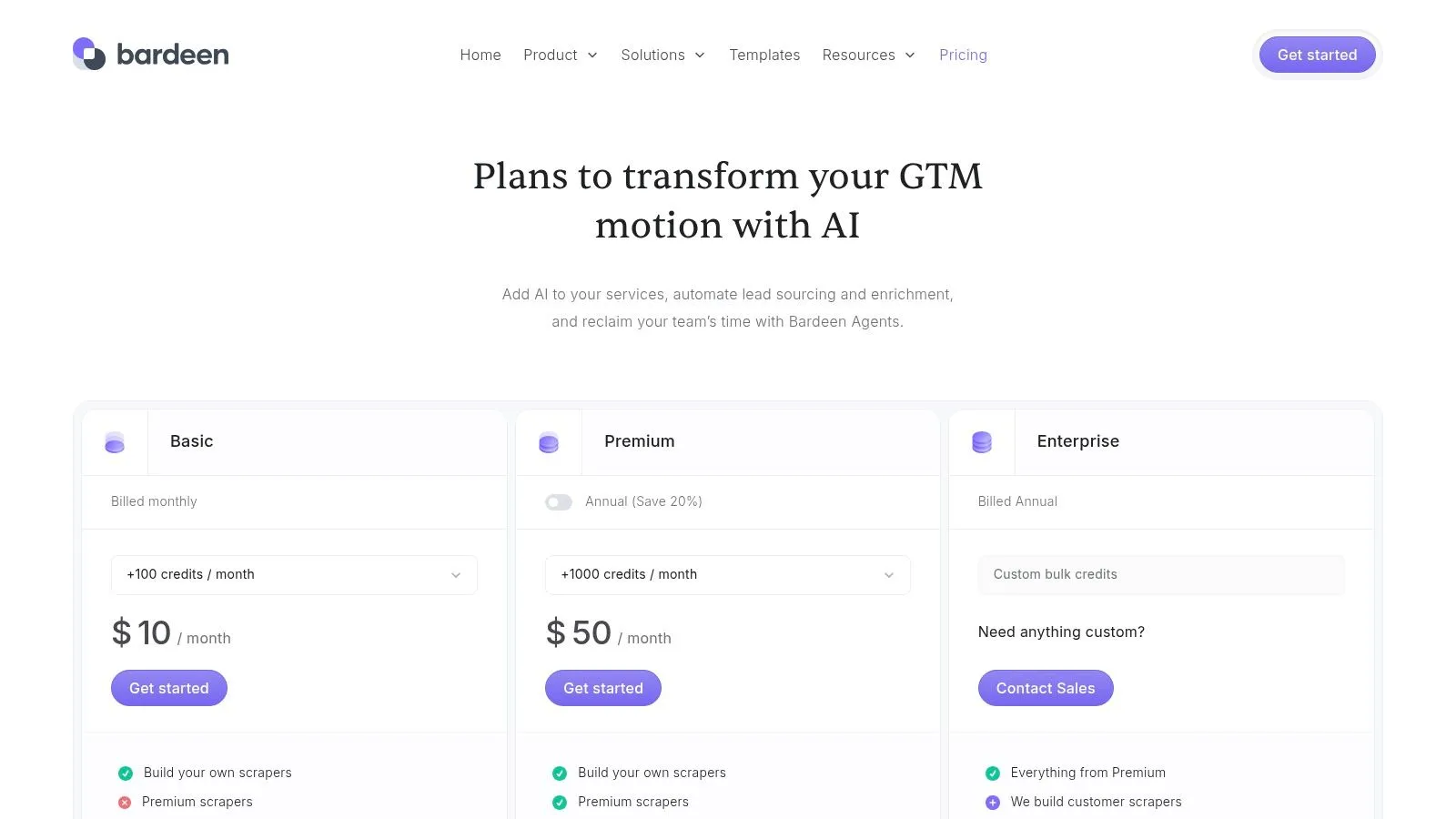
Bardeen AI is the browser-first specialist in this roundup. It's best for sales, marketing, recruiting, and research teams that spend much of the day moving between websites, CRMs, spreadsheets, and prospecting tools.
That focus is useful. A lot of automation opportunities don't start inside a back-office system. They start in tabs. Copying lead details, enriching accounts, logging competitor updates, and updating CRM records from web research.
Where it shines
Bardeen is strong when the work happens directly in the browser and the user wants help now, not after a long integration project. That makes it one of the more approachable AI tools for business automation for go-to-market teams.
It's also suited to workflows where scraping, enrichment, and quick AI summarization happen together in one motion.
Implementation checklist
- Pick one browser-native workflow: Prospect research, CRM updates, candidate sourcing, or market tracking.
- Set data-handling rules first: Browser automation can create messy records quickly.
- Test credit consumption on real use: Heavy enrichment and scraping can add up.
- Keep a review step for CRM writes: Bad data scales fast.
- Limit automation scope by role: What works for SDRs may not suit RevOps or finance.
A practical first workflow is lead sourcing. Pull company and contact details from a website or directory, enrich the profile, summarize relevance, and send approved entries into the CRM. That's where Bardeen feels fast and useful.
Its limit is depth. If your process depends on ERP logic, complex approvals, or advanced back-office orchestration, a browser-centric tool won't be enough.
Top 10 AI Business Automation Tools Comparison
A manager choosing between these tools usually has one real question: what can the team put into production this quarter without creating a maintenance problem next quarter?
The table below is built for that decision. It compares fit, trade-offs, and pricing posture so you can shortlist faster, then move into implementation with fewer surprises.
| Tool | Core focus (features) | Unique strengths ✨ | Quality ★ | Target audience 👥 | Pricing/value 💰 |
|---|---|---|---|---|---|
| AI Tools Directory, AI Academy 🏆 | Curated catalog + 90+ tool tutorials; 10-minute lessons | ✨ Large tutorial library, frequent updates, Deals Marketplace | ★★★★★ Practical, job-ready | 👥 Marketers, analysts, managers, working professionals | 💰 Monthly, annual, lifetime + free trial; deals can offset cost |
| Zapier | No-code automation; broad app integrations | ✨ Native AI features + large template library | ★★★★☆ Easiest on-ramp | 👥 Non-technical teams in marketing, sales, and ops | 💰 Task-based billing. Costs can rise fast with volume |
| Make (Integromat) | Visual scenario builder; credit-based usage; broad connector library | ✨ Advanced branching and stronger flow logic than basic no-code tools | ★★★★☆ Powerful, moderate learning curve | 👥 Ops, marketing, and data teams running multi-step workflows | 💰 Credit model. Often good value for light to medium use |
| n8n | Open-source automation; self-host option; flexible workflow design | ✨ Self-hosting and execution-based pricing for tighter cost control | ★★★★☆ Flexible but more technical | 👥 Consultants, freelancers, and semi-technical ops teams | 💰 Hosted or self-hosted options; predictable execution-based billing |
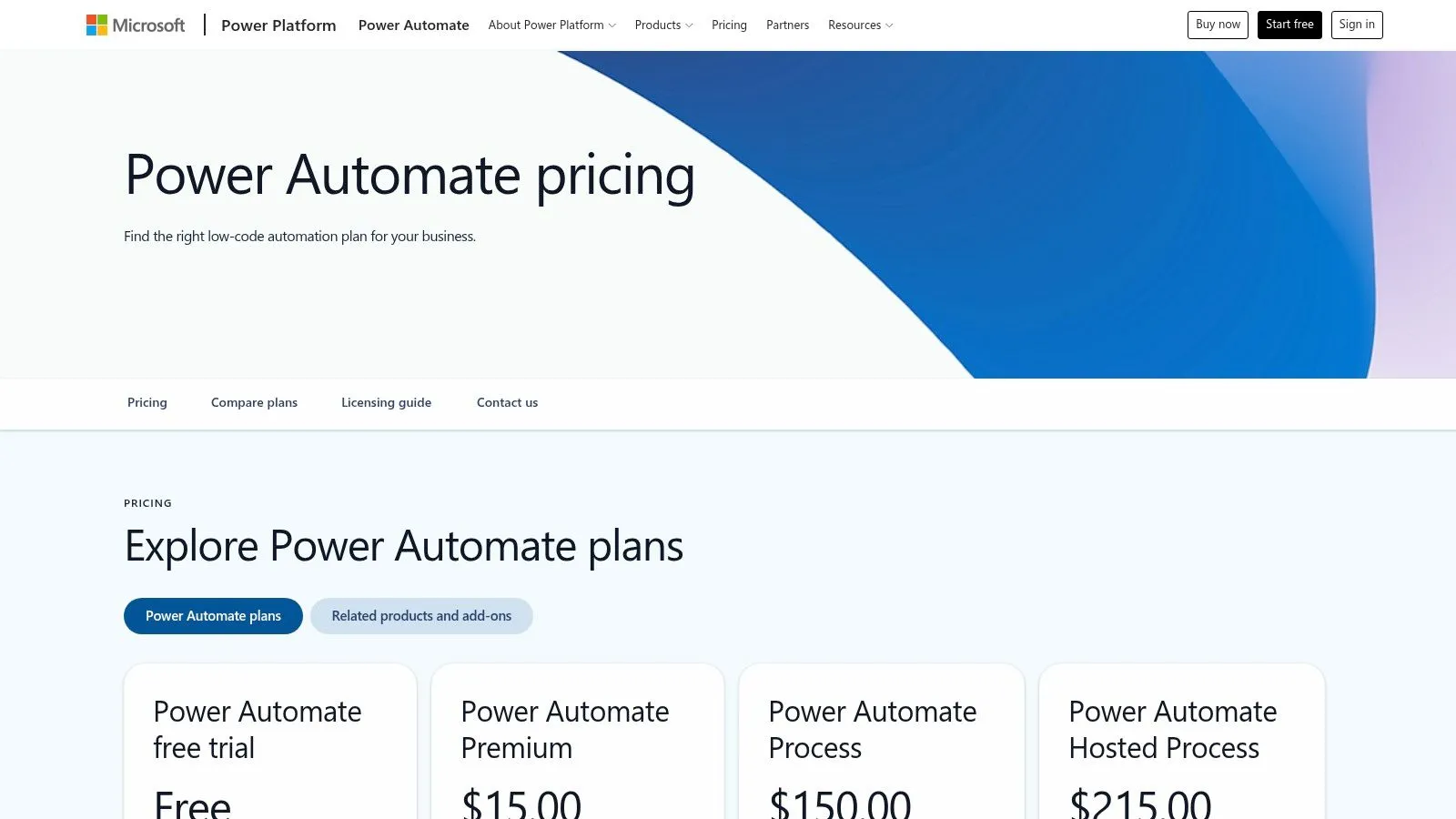
| Microsoft Power Automate | Cloud automation and desktop RPA with Microsoft integration | ✨ Strong fit for Microsoft governance, desktop automation, and enterprise controls | ★★★★☆ Enterprise-grade, licensing takes work to sort out | 👥 Microsoft-centric enterprises and IT teams | 💰 Licensing can be complex; stronger value inside Microsoft-heavy environments |
| UiPath | Enterprise RPA, document processing, orchestration | ✨ Strong governance, scale, and support for large automation programs | ★★★★☆ Market leader for large programs | 👥 Large enterprises and automation centers of excellence | 💰 Enterprise pricing; ROI improves with scale and process volume |
| Automation Anywhere | Cloud-native RPA + document processing | ✨ Cloud-first RPA with analytics and enterprise deployment options | ★★★★☆ Mature enterprise feature set | 👥 Enterprises prioritizing cloud RPA | 💰 Sales-led pricing; often expensive for smaller teams |
| Workato | Enterprise iPaaS for governed integrations | ✨ Strong governance features and mature cross-system integration design | ★★★★☆ Modern, secure enterprise UX | 👥 Integration-mature teams and IT leaders | 💰 Custom pricing through sales; aimed at enterprise budgets |
| Pipedream | Developer-friendly serverless workflows with code support | ✨ API-first approach with code and connectors for precise automations | ★★★★☆ Fast for developers; technical user experience | 👥 Developers, engineers, and data-adjacent marketers | 💰 Usage-based pricing; verify current tiers before rollout |
| Bardeen AI | Browser automation + scraping + AI playbooks | ✨ Fast prospecting playbooks & enrichment tools | ★★★☆☆ Browser-centric, fast to set up | 👥 Sales, growth, researchers | 💰 Credit-based pricing; heavy scraping uses credits quickly |
Final Thoughts
A good automation rollout usually starts the same way. A team has one process everyone complains about, status updates get buried in Slack or email, handoffs slip, and someone still fixes the same errors by hand every week. The right tool is the one that gets that process under control fast, with clear ownership and maintenance your team can handle.
That is the practical test. Tool selection matters, but implementation discipline matters more. In real operations work, automation projects usually stall for predictable reasons: the workflow was never mapped cleanly, exceptions were ignored, nobody owned the system after launch, or the team chose a platform that was more complex than the use case required.
If you need a fast decision framework, use this:
- Choose Zapier for quick deployment across common business apps with minimal setup burden.
- Choose Make when the workflow needs more branching, logic, and visibility into each step.
- Choose n8n when flexibility, self-hosting options, or lower platform lock-in matter.
- Choose Power Automate when your team already runs on Microsoft 365, Teams, SharePoint, and Dynamics.
- Choose UiPath or Automation Anywhere for high-volume, rules-based enterprise processes that span legacy systems and require tighter control.
- Choose Workato when IT governance, auditability, and cross-functional reliability matter more than self-serve speed.
- Choose Pipedream when technical teams want API-first automation and the option to add code where no-template tools fall short.
- Choose Bardeen AI for browser-based research, prospecting, and lightweight GTM automation.
- Choose the AI Tools Directory from AI Academy when you are still narrowing the field and want tutorials plus concrete workflow examples that shorten the path from evaluation to deployment.
A simple checklist helps avoid expensive detours. Define the trigger. Map the handoffs. List the systems involved. Decide who owns errors and exceptions. Set one success metric before launch, such as hours saved, faster response time, or fewer manual touches. Then test the workflow with real edge cases, not the clean version everyone uses in a demo.
Keep the first rollout narrow. A lead-routing flow, invoice approval path, support triage rule, or reporting workflow is usually a better starting point than a broad "AI transformation" project. Once one automation runs reliably, the next decision gets easier because your team has a working pattern for design, approval, monitoring, and upkeep.
If you want a practical place to learn these tools without sitting through bloated theory, AI Academy is a solid option for working professionals. Its step-by-step tutorials, short lessons, prompt templates, and structured learning paths are built for marketers, analysts, managers, consultants, and operators who want to automate real workflows fast.