You're probably in one of two situations right now. Either your company has started pushing AI into meetings, dashboards, and software decisions, and you don't want to be the person nodding along without a clear opinion. Or you've opened ChatGPT, Claude, or Perplexity a few times, gotten mixed results, and wondered whether learning AI for business is worth your time.
It is. But not for the reason most articles give.
The point isn't to become “an AI person” in the abstract. The point is to get better at your actual job. That means using AI to draft faster, analyze more clearly, automate repetitive work, and make better operating decisions without creating chaos, risk, or low-quality output. The professionals who win with AI usually aren't the most technical. They're the ones who can spot a strong use case, give clear instructions, check the output, and connect tools to measurable business outcomes.
Beyond the Hype How to Start Learning AI
A lot of non-technical professionals approach AI the wrong way. They start by asking which tool is best, which prompt framework is trending, or whether they need to learn Python first. None of those questions should come first.
Start with work. Start with the tasks that absorb time every week and don't require deep human originality every single time. That's where AI becomes useful, and that's also where learning sticks.
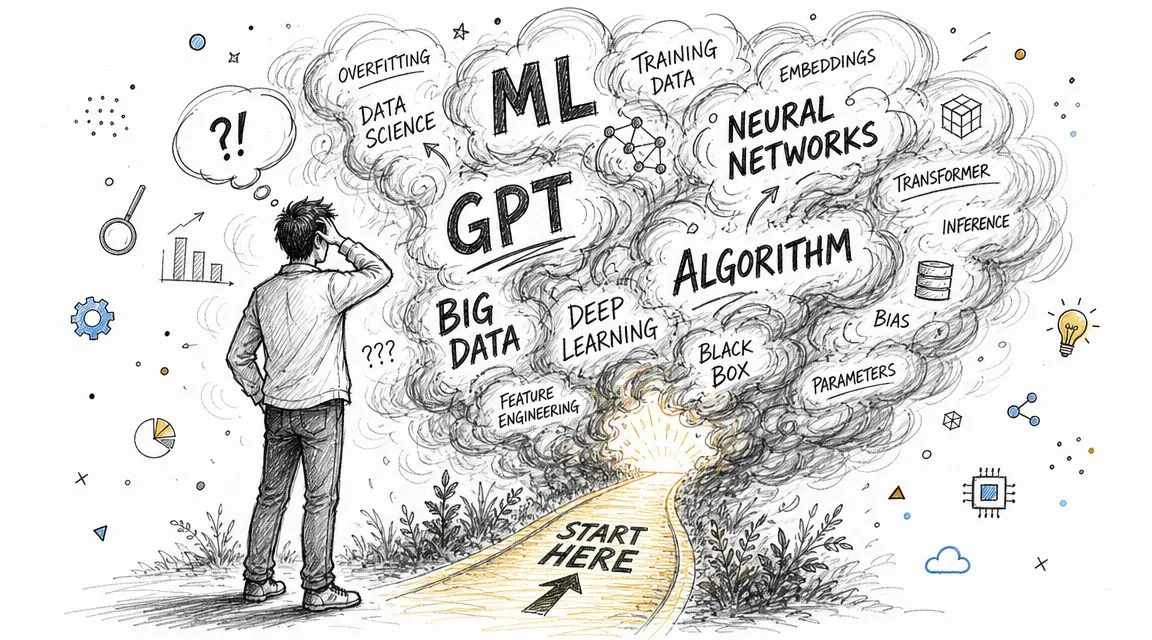
In practice, the overwhelmed marketer, sales manager, operations lead, or founder usually needs the same thing. Not a grand AI transformation plan. Just a reliable path to one useful result. A better weekly report. Faster customer reply drafts. Cleaner meeting summaries. More consistent campaign ideas. Less manual copy-paste work.
That mindset matters because business adoption has already moved well past curiosity. McKinsey's 2025 Global Survey on the state of AI found that 88% of respondents' organizations use AI in at least one business function, up from 78% the year before. But only 39% attributed any EBIT impact to AI, and only about 6% qualified as high performers. The gap isn't access. The gap is application.
Practical rule: Don't learn AI as a software category. Learn it as a way to improve one workflow you already own.
If you're non-technical, that's good news. You don't need to become a model builder. You need to become good at four things:
- Seeing the task clearly so you know what part should be assisted, reviewed, or automated
- Giving better instructions so the tool produces something usable
- Checking quality fast so bad output doesn't spread into live work
- Measuring the result so you can prove the change mattered
That's the path for people who want to learn AI for business. Not hype. Not theory for its own sake. A small win, then a second one, then a repeatable system.
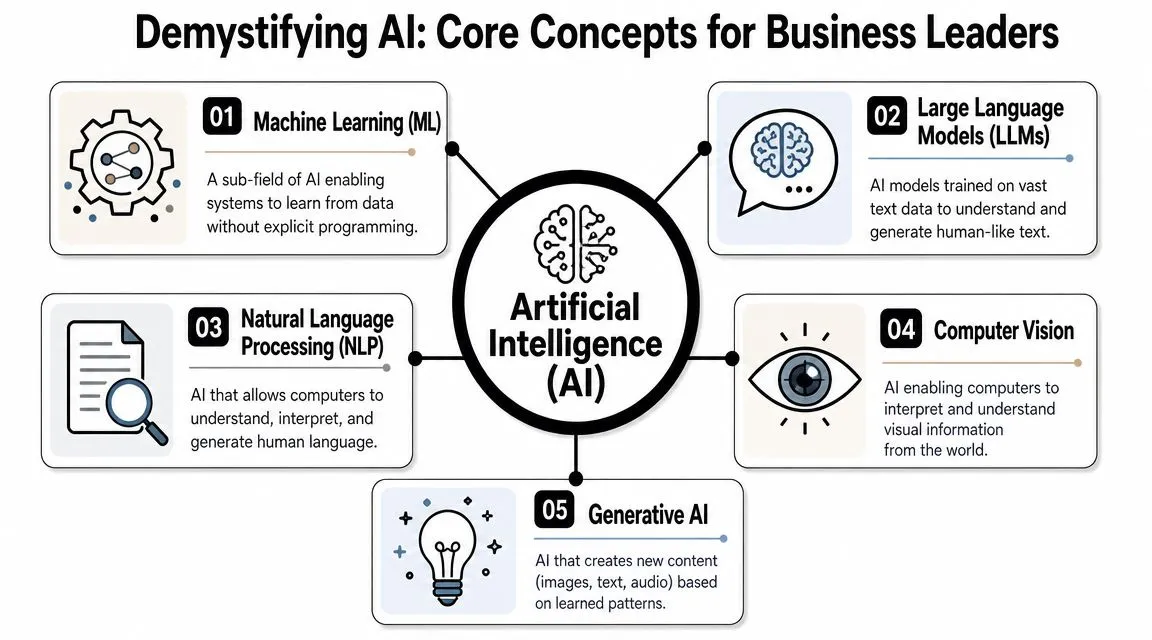
Demystifying AI Core Concepts for Business Leaders
Most business people don't need a technical definition of AI. They need a working mental model. If you can understand what kind of tool you're dealing with, what it's good at, and where it tends to fail, you can use it much more effectively.
What each term means in business language
Artificial intelligence is the broad category. It covers systems that perform tasks that usually require human judgment, pattern recognition, or language handling.
Machine learning is a subset of AI. In business terms, think of it as a system learning patterns from past data so it can help with prediction or classification. In formal research, methods such as decision trees, random forest, support vector machines, regression, and k-nearest neighbors are used for prediction and decision tasks, while approaches such as PCA and Apriori help with pattern discovery and dimensionality reduction, as outlined in this research overview of AI and machine learning methods.
Large language models, or LLMs, are the systems behind tools like ChatGPT and Claude. The easiest business analogy is this: they're like very fast interns with broad exposure to language patterns but no built-in understanding of your company, your customers, or your standards unless you provide that context.
Generative AI creates content. That includes text, images, summaries, drafts, ideas, and structured outputs.
Natural language processing focuses on working with human language. For business users, that often shows up as summarization, extraction, categorization, question answering, and sentiment-style analysis.
If you want a structured starting point before going deeper, a practical fundamentals library like AI Fundamentals at AI Academy helps non-technical learners build the vocabulary without getting buried in technical detail.
The mistake most beginners make
Most beginners think tool quality is the main issue. It usually isn't.
The bigger issue is data readiness. If your inputs are messy, outdated, incomplete, contradictory, or unlabeled, AI won't rescue the workflow. It will amplify confusion faster. That's why strong business use starts upstream. Before you automate anything, check whether the information going in is trustworthy.
A simple checklist helps:
- Completeness. Is the source information present, or are key fields missing?
- Consistency. Do names, categories, and formats stay stable across records?
- Label quality. If you're classifying or routing work, are the examples correct?
- Leakage risk. Are you accidentally feeding the model information it wouldn't have during operation?
- Review path. Who checks the output before it affects customers, forecasts, or decisions?
Weak prompts create mediocre drafts. Weak data creates broken workflows.
That distinction matters because many business tasks look easy to automate until you inspect the source material. A sales summary is only as good as the CRM notes. A support assistant is only as good as the knowledge base. A forecast aid is only as good as the reporting inputs.
Learn the concepts, but keep them tied to work. That's how they become useful.
The Essential AI Toolkit for Workplace Productivity
Organizations don't need more tools. They need a smaller stack with clear jobs. The fastest way to learn AI for business is to map each tool to a job to be done, then practice on real work.
Text strategy and thinking partners
ChatGPT is strong for drafting, restructuring, brainstorming, and turning loose ideas into working documents. It's useful when the job is speed plus range. Good examples include first-pass email campaigns, internal memos, meeting summaries, messaging variations, and interview question banks.
Sample prompt:
You are helping a B2B marketing manager. Rewrite this webinar follow-up email for a CFO audience. Keep the tone direct, reduce fluff, and give me three subject line options plus one version under 120 words.
Claude is often a better fit when you're working with longer documents and want cleaner reasoning, synthesis, or policy-style writing. Use it for report analysis, strategy memo drafts, contract comparison support, and summarizing dense material into executive language.
A simple rule works well in practice: use ChatGPT when you want more divergence, and Claude when you want more disciplined synthesis.
Research analysis and finding answers fast
Perplexity is useful when the work starts with a question rather than a blank page. It helps with market scans, competitor checks, topic briefings, and quick research assembly before you write or present anything.
That makes it a strong front-end tool for analysts, consultants, operators, and content teams. Instead of asking a chatbot to guess from memory, you use a research-oriented workflow first, then bring the output into a drafting tool.
For a broader comparison of current business-use tools, this AI tools list for workplace use is a practical reference.
Visual content and workflow tools
Midjourney is useful when teams need concept visuals, ad variations, style exploration, or presentation graphics. It's less about “making art” and more about compressing the ideation cycle for campaigns, brand exploration, and creative direction.
Zapier and Make matter for a different reason. They connect systems. If ChatGPT or Claude helps generate output, workflow tools help move that output into a usable business process. That can mean taking form responses, summarizing them, and routing the summary into a CRM or project board. Or turning inbound requests into categorized tickets.
Here's a simple way to choose:
| Tool | Best use | Weak fit |
|---|---|---|
| ChatGPT | Drafting, ideation, restructuring | High-stakes factual work without review |
| Claude | Long-document analysis, synthesis | Fast research across many live sources |
| Perplexity | Research, source discovery, quick market scans | Final polished writing |
| Midjourney | Visual ideation and creative concepts | Precise brand-safe production without design review |
| Zapier or Make | Connecting steps across tools | Replacing judgment-heavy review |
What works is picking one tool per category and getting competent before expanding.
What doesn't work is opening six products, testing random prompts, and calling that a strategy.
A better learning loop looks like this:
- Pick one recurring task you do every week
- Match one tool to that task
- Run the same task three times with improved instructions
- Keep the best prompt in a reusable template
- Document the time saved or output improved
That's how a useful toolkit gets built.
Your Four-Week AI Learning Roadmap
A good AI learning plan for business people should feel like a sprint, not a semester. The goal is not broad exposure. The goal is one measurable improvement in under a month.
Start with the visual roadmap, then use the weekly plan below as your operating checklist.
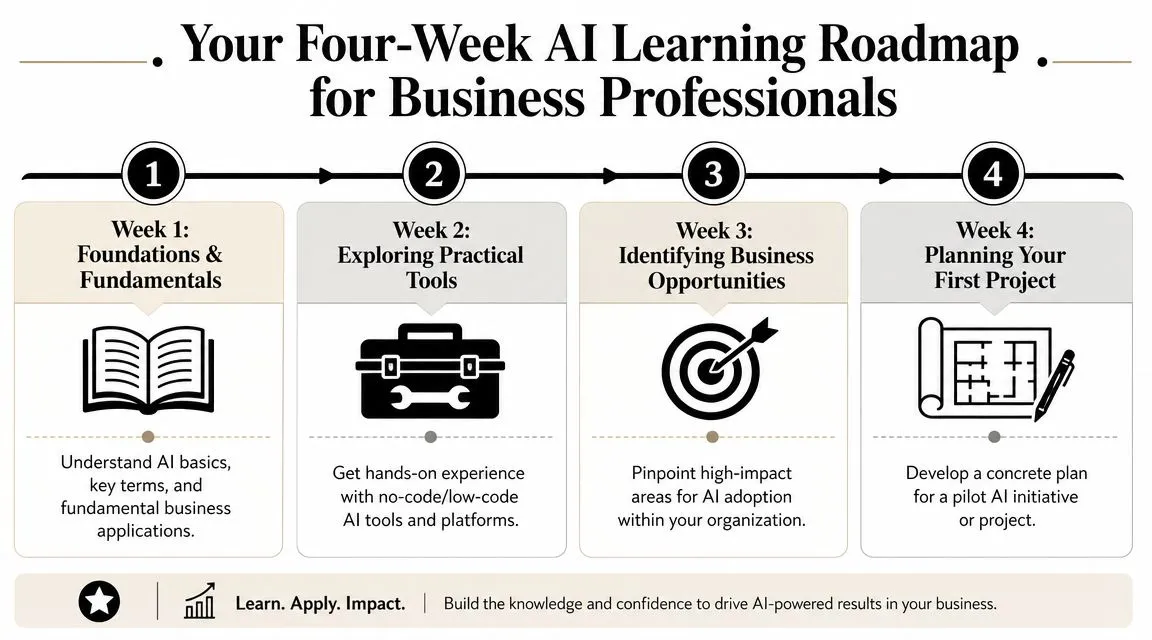
A staged path works because non-technical learners don't need coding depth first. They need fundamentals, then strategic use, then governance and workflow thinking. That mirrors the structure of executive-style programs such as Wharton's AI for Business specialization, which emphasizes fundamentals, deployment strategy, and ethics rather than model building alone.
Week by week plan
| Week | Focus Area | Key Objective | Example Task |
|---|---|---|---|
| Week 1 | Foundations | Understand core concepts and prompt basics | Summarize a meeting transcript into decisions, risks, and next steps |
| Week 2 | Tool practice | Test core tools on real work tasks | Compare ChatGPT, Claude, and Perplexity on the same report or brief |
| Week 3 | First project | Complete one small role-based workflow improvement | Build a repeatable prompt template for weekly reporting or customer replies |
| Week 4 | Workflow design | Add review rules, measurement, and light automation | Create a simple assisted workflow with handoff and approval steps |
In Week 1, learn enough to stop using tools randomly. Focus on prompt structure. Give the model a role, a task, relevant context, constraints, and an output format. Don't chase clever prompt tricks yet. Most people improve dramatically just by being specific.
Use small repetitions:
- Rewrite work you already have instead of generating from nothing
- Ask for structured outputs such as bullets, tables, or decision logs
- Test one variable at a time like audience, tone, or length
- Save winning prompts in a simple note or document
In Week 2, run a side-by-side test. Take one task, such as summarizing a client call, analyzing survey responses, or drafting a campaign outline, and try it in two or three tools. You'll quickly see differences in tone, reasoning, and source handling.
This is a good point to watch a practical walkthrough before you keep building:
What success looks like by day thirty
In Week 3, complete one actual project. Not a demo. Not a practice prompt. A real work output that someone on your team could use.
Good examples include:
- Marketers creating a reusable campaign brief generator
- Sales teams turning call notes into follow-up drafts and CRM summaries
- Operations managers converting weekly status updates into executive summaries
- Analysts turning raw notes or exports into first-pass insight memos
Keep the project narrow. If the workflow touches too many stakeholders, systems, or approvals, it's too large for a first month.
In Week 4, add operating discipline. That means deciding where human review happens, what output should never be published without checking, what input sources are approved, and what success metric matters most. For a first project, the cleanest metrics are often time saved, turnaround speed, consistency, or reduced manual rework.
The goal for the first month isn't sophisticated automation. It's controlled usefulness.
By the end of this roadmap, you should be able to do three things reliably: choose the right tool for a task, produce output that needs less editing, and explain why the workflow is better than the old one.
How to Choose Your First High-Impact AI Project
The wrong first project kills momentum. Teams pick something flashy, broad, and politically visible. Then they hit data issues, quality issues, approval issues, or simple confusion about what success looks like.
The better first move is smaller and less glamorous.
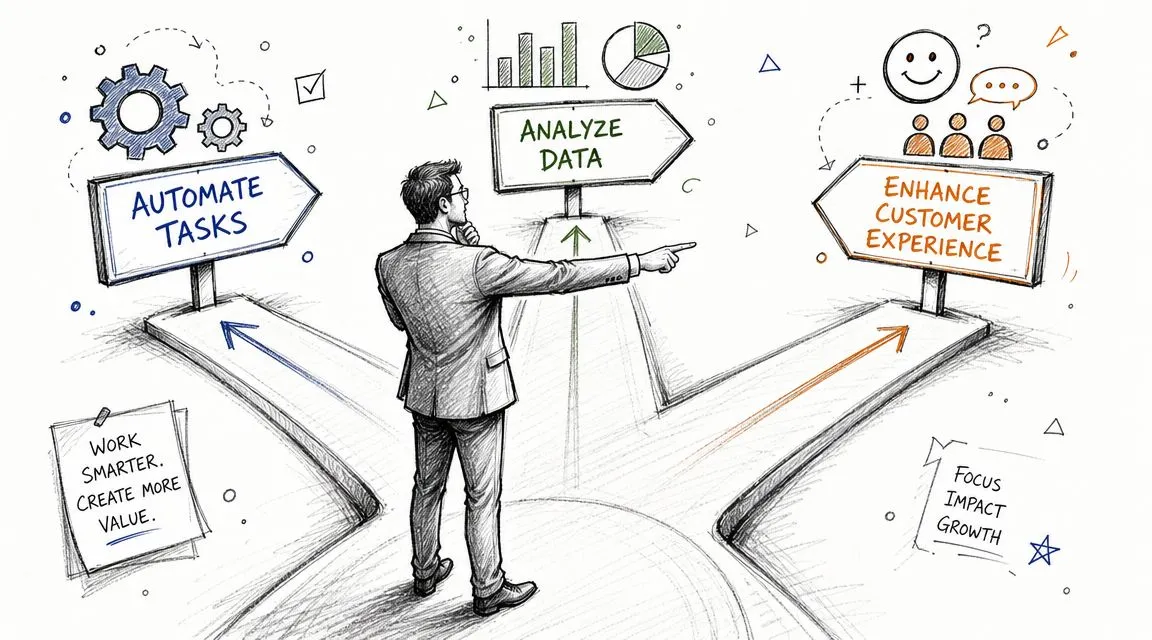
Guidance for small businesses and practical workplace adoption keeps landing in the same place. The SBA's AI guidance for small business emphasizes repetitive, data-driven work such as reporting, billing, bookkeeping, email responses, and customer support. That's the right instinct for any non-technical professional. The best early win is often a boring workflow with clear baseline performance.
Use the boring workflow test
Run every project idea through three filters:
- Repetitive. Does this task happen often enough to matter?
- Data-driven. Does it rely on text, records, notes, forms, tickets, or structured inputs rather than pure originality?
- Measurable. Can you compare the old process and the new process without guesswork?
If a project fails one of those tests, it's probably not a strong starting point.
A useful fourth filter is reversibility. If the AI output is wrong, can a person catch it before it causes damage? Early projects should have a safe review layer.
Start where the work is high volume and low drama. That's where confidence and ROI usually show up first.
If your team is also dealing with search, documentation, and internal information sprawl, AI can help there too. This guide to AI for knowledge management is relevant when your first project involves support content, SOPs, or internal documentation retrieval.
Role-based first project ideas
For a marketer, don't start with fully autonomous brand content. Start with campaign support work. Have AI turn a brief into draft headlines, audience angles, email variants, and a first-pass content calendar. A human still selects, edits, and approves. The measurable win is faster production and fewer blank-page delays.
For a sales manager or rep, use AI on call prep and follow-up. Feed in account notes, prior emails, product positioning, and call transcript excerpts. Ask for next-step recommendations, objection handling drafts, and CRM-ready summaries. The measurable win is reduced admin load and more consistent follow-up quality.
For an analyst, use AI to compress synthesis time. Drop in survey responses, interview notes, meeting transcripts, or internal updates. Ask for themes, anomalies, open questions, and executive summaries. The measurable win is speed to insight, with human validation before any decisions are made.
For an operations lead, target recurring internal reporting. AI can transform scattered team updates into standardized summaries with blockers, owners, and deadlines. The measurable win is cleaner reporting and less time spent chasing format consistency.
For a founder or general manager, use AI to prepare first drafts of decision memos, customer response frameworks, or internal FAQ content. The measurable win is less time spent producing version one of routine communication.
The pattern is consistent. Start with assisted drafting, synthesis, categorization, or summarization. Delay fully automated customer-facing execution until the review process is mature.
Becoming the Go-To AI Expert on Your Team
You don't become the AI person at work by knowing the most jargon. You become that person by making AI useful, safe, and repeatable for other people.
That's a different standard.
Move from user to operator
Once you've completed one solid project, document it. Write down the task, the old workflow, the new workflow, the prompt or sequence used, the review step, and the result you observed. Neglecting this step often leads to the repeated rediscovery of the same lessons.
Build a small operating system for yourself:
- Create a prompt library for recurring tasks like summaries, drafts, analysis, and brainstorming
- Label prompts by job rather than by tool, such as “weekly report summary” or “sales follow-up draft”
- Keep examples of weak output and corrected output so colleagues learn faster
- Define review rules for where human approval is mandatory
- Share one workflow at a time instead of trying to evangelize AI broadly
Credibility comes not from saying AI matters, but from showing that a specific workflow is cleaner, faster, or more consistent because you redesigned it properly.
Stay current without drowning in updates
The AI market is moving fast. One industry summary reports the global AI market at about $208 billion in 2023 and projects it to exceed $1.8 trillion by 2030, with a 36.6% CAGR from 2024 to 2030. The same roundup says 77% of companies are already using or exploring AI, which is why these skills are becoming a general business capability rather than a niche specialty, as noted in these artificial intelligence market and adoption statistics.
That doesn't mean you should chase every launch.
Use a simple filter:
- Follow workflow changes, not just model releases
- Care about reliability more than novelty
- Test new tools on an existing task
- Ignore products that don't improve a real business process
- Keep your stack small unless a new tool clearly earns its place
A lot of professionals get stuck in spectator mode. They read daily AI news, save threads, watch demos, and still don't improve any actual work. The stronger move is narrower. Pick one process. Improve it. Share it. Then repeat.
If you want a structured way to keep building those skills, AI Academy offers short, practical lessons for working professionals on tools such as ChatGPT, Claude, Midjourney, Perplexity, and workflow automation, with an emphasis on job-based application rather than technical theory.
The long-term career advantage is straightforward. Teams need people who can translate AI into operating decisions. That means choosing sane use cases, reducing waste, setting review rules, and helping colleagues adopt tools without breaking quality. Those are management skills as much as AI skills.
If you want a faster path to learn AI for business without wading through bloated courses, AI Academy is built for that. It gives non-technical professionals short, step-by-step lessons, practical prompt templates, and structured learning paths focused on real workplace outcomes like reporting, research, content, and automation.