You're probably not trying to create a playlist just to kill time. You need one that does a job.
Maybe you're building a focus soundtrack for deep work, a client-facing playlist for a brand event, a welcome mix for a community, or a team playlist that makes a workshop feel less sterile. In those moments, taste matters, but structure matters more. A playlist can shape attention, mood, pace, and recall in ways slide decks and email copy usually can't.
That's why professional playlisting deserves more respect than it gets. It sits at the intersection of curation, user experience, search behavior, and now AI-assisted workflow design.
Playlists as a Modern Superpower
A playlist used well can do more than fill silence. It can hold a room together, help a team focus, make a brand feel more coherent, and give repeated moments a recognizable emotional signature. That matters in offices, events, creator businesses, consulting work, and customer experiences where atmosphere shapes perception.
The scale of playlist behavior shows this isn't niche. As of 2024, Spotify alone hosts over 8 billion distinct playlists, with roughly 4 million new playlists created daily in the first half of the year, according to Soundplate's Spotify playlist statistics roundup. That tells you something important. People don't just consume music anymore. They organize it, label it, sequence it, and share it as a working layer of daily life.
For non-technical professionals, that creates an opening. If everyone can make a playlist, it is common for people to stop at basic assembly. They'll drag in tracks they like, accept the default order, and leave the title as something forgettable. That's fine for private listening. It doesn't work when the playlist needs to support a meeting, a campaign, a retail space, a newsletter, or a client touchpoint.
Practical rule: A useful playlist starts acting like a product the moment other people rely on it.
That means you need three things at once. First, taste. Second, intentional sequencing. Third, a workflow that makes creation fast enough to repeat without turning into manual busywork. That's where strategy and AI become useful, not flashy.
Foundation First Define Your Playlist's Mission
Before you add a single track, decide what success looks like. The strongest playlists aren't built from songs outward. They're built from purpose inward.
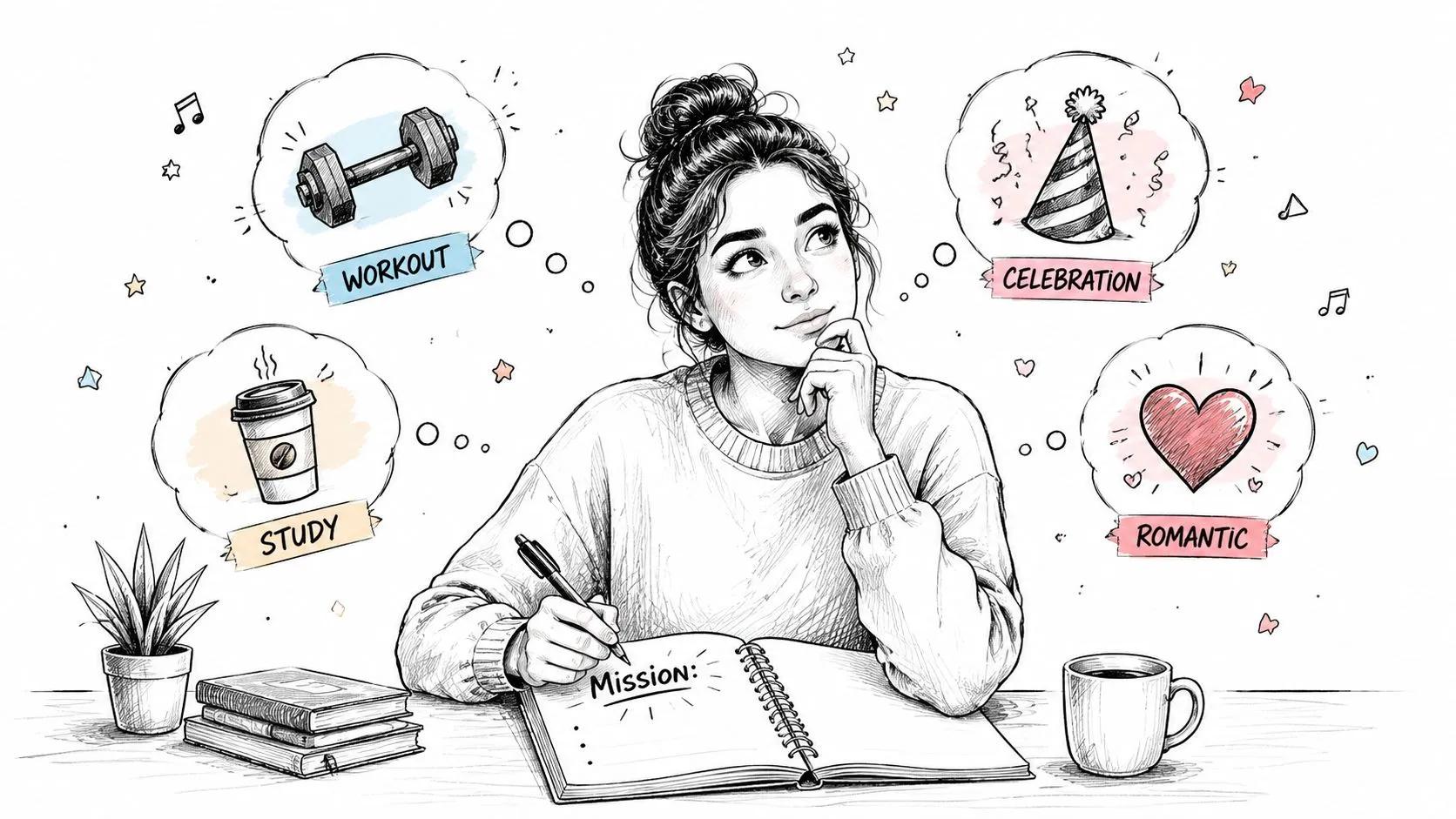
Start with a brief not a song
A simple playlist brief can fit in a note app. You don't need anything fancy. You just need enough clarity to prevent the most common mistake, which is choosing tracks that are individually good but collectively confused.
A useful brief answers five questions:
- Who is it for: You, your team, clients, customers, event guests, or a public audience.
- What job does it do: Focus, warm-up, background energy, social proof, brand mood, recovery, or celebration.
- Where will people hear it: Headphones, office speakers, a store, a webinar waiting room, a YouTube page, or an embedded website player.
- What should listeners feel: Calm, alert, confident, nostalgic, curious, energized.
- What should never happen: Jarring transitions, lyrical distractions, explicit tracks in the wrong context, energy spikes at the wrong time.
This level of intent matters because playlist listening is deeply personal. Analysis shows that 46% of all playlist listening happens on playlists users created themselves, as noted in Comes With Fries' playlist analysis. People return to playlists that match a specific need. If your playlist's purpose is fuzzy, repeat listening usually is too.
Write the mission in one sentence
A one-sentence mission keeps your curation honest. Try formats like these:
- For a consulting team: “A low-lyric focus playlist for two-hour analysis sessions that keeps energy steady without becoming sleepy.”
- For a wellness brand: “A soft, modern reset playlist that makes the brand feel calm, premium, and human.”
- For an event: “A pre-session mix that lowers social stiffness and gives the room momentum before the speaker starts.”
The mission should tell you why a track belongs, not just whether you like it.
Once the mission is clear, track selection gets easier. Songs stop competing on popularity and start competing on fit. That changes your standards. A famous song with the wrong lyrical density or emotional tone becomes a bad pick. A lesser-known non-vocal track with perfect pacing becomes the right one.
If you want a quick working test, ask this: if I remove the title and artist names, would this track still feel right for the mission? That question filters out vanity choices fast.
Building Your Sonic Journey With Track Selection and Flow
Good playlists don't feel assembled. They feel guided.
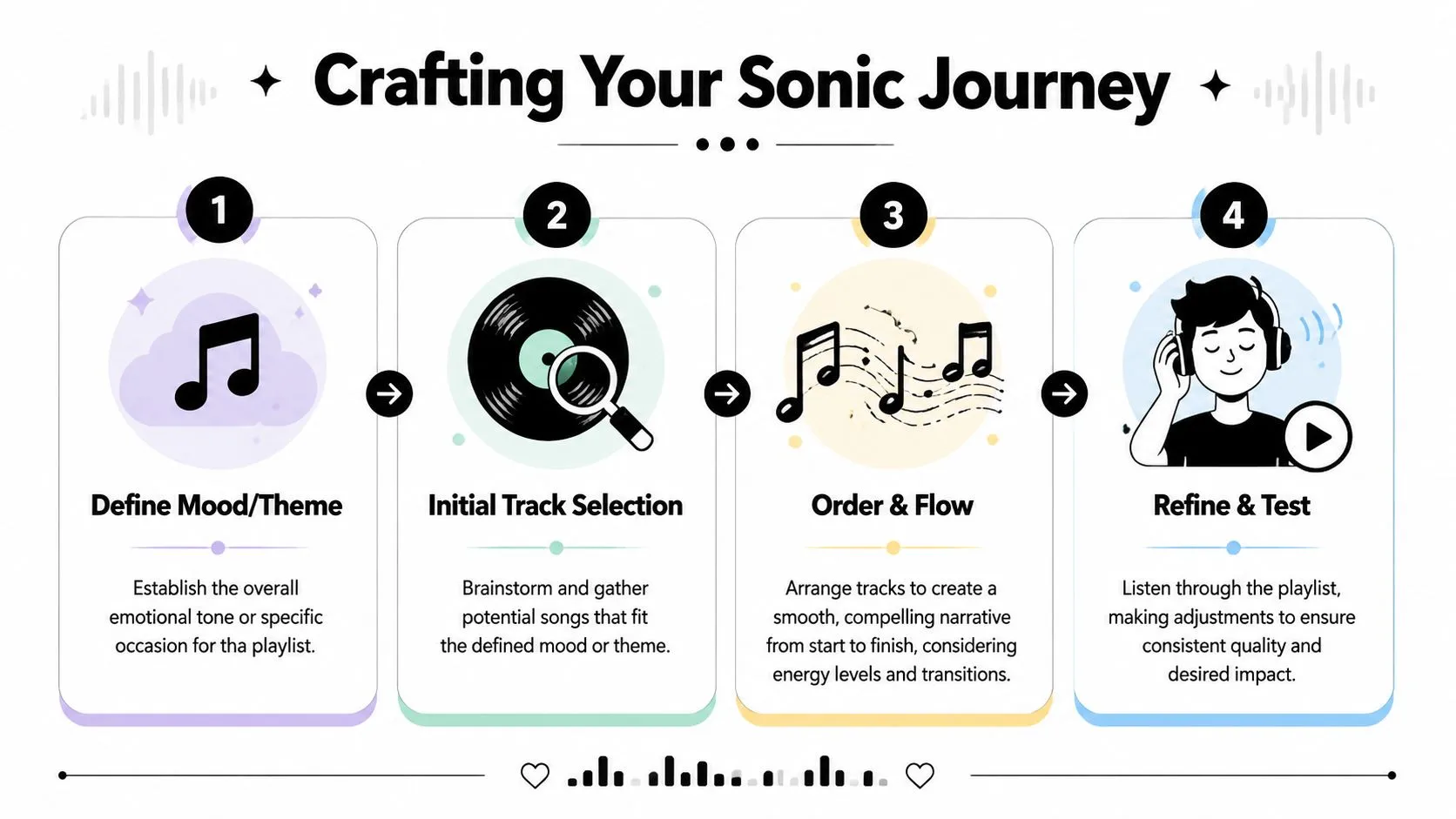
Build an arc not a pile
Think like a DJ, even if the playlist is for quiet work. The listener still experiences sequence, contrast, buildup, and release. That's true whether the end use is a café set, a startup offsite, or a personal focus block.
A simple structure works well in practice:
-
Opener Pick a first track that signals the world the listener is entering. For focus, that may be clean and unobtrusive. For a brand playlist, it may be stylish and instantly on-message. For a party or social setting, it should establish confidence quickly.
-
Early trust-building Follow with tracks that confirm the promise of the opener. Don't get too clever too soon. Listeners need to feel they understand the playlist before you stretch it.
-
Middle expansion Here, add variety without breaking cohesion. Shift texture, tempo, or familiarity level carefully. The middle allows for the introduction of discovery tracks.
-
Peak and release Even a mellow playlist needs contour. Give the listener a high point, then let the final stretch resolve naturally rather than collapse.
What doesn't work is random alternation. Fast, slow, loud, soft, novelty, sincerity, and then back again feels algorithmic in the bad sense. Human curation should feel intentional.
If a transition makes you notice the edit, there's a good chance the flow needs work.
One practical habit helps more than people expect. Listen to the first 20 to 30 seconds of every transition in order. Most playlist problems reveal themselves there, not in the full track.
Where new tracks should come from
It's easy to over-rely on whatever the platform suggests next. Recommendations are useful, but they can narrow your sound into something predictable. A better approach is to mix sources.
Use platform radios and related-track features for convenience. Use creator communities, soundtrack digging, niche labels, and trend ecosystems for freshness. If you're building something with social energy, a curated feed of the best sources for TikTok music can help you spot tracks that already have cultural motion without relying only on mainstream charts.
For ideation, prompts can speed up discovery. A structured prompt library like these songwriting prompts for creative direction can help you describe mood, scene, and emotional arc more precisely before you hunt for tracks.
Here's the trade-off. Familiar songs increase immediate recognition. Unexpected songs give the playlist identity. The best professional playlists use both. They anchor with confidence, then earn trust to introduce something new.
Your Toolkit Creating Playlists on Major Platforms
Platform choice shapes workflow more than is commonly recognized. The right service depends on whether you care most about collaboration, ecosystem fit, discoverability, or flexible sharing.
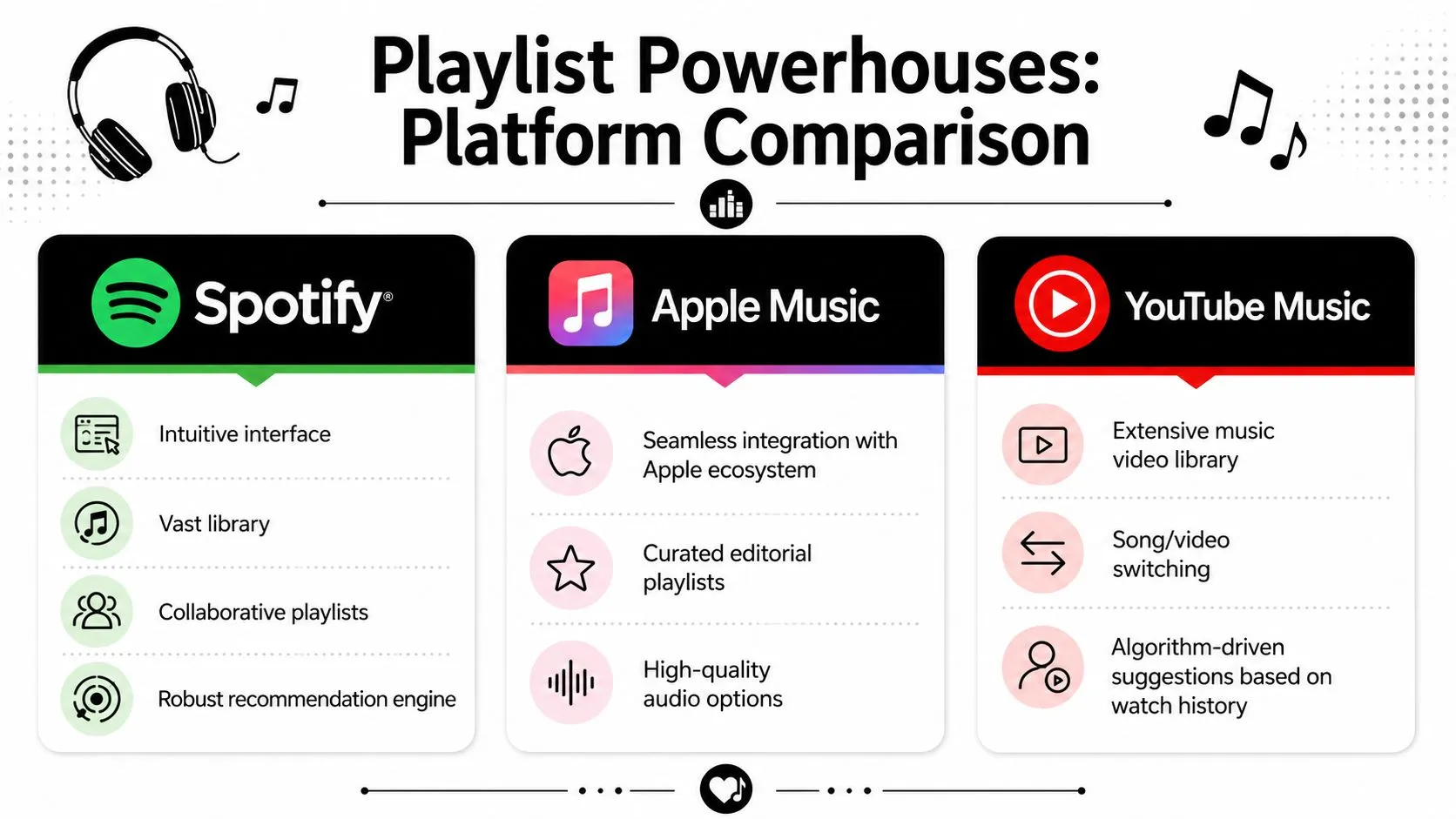
Playlist Platform Feature Comparison
| Feature | Spotify | Apple Music | YouTube |
|---|---|---|---|
| Core strength | Fast creation and collaborative culture | Tight integration for Apple-first users | Broad audio and video catalog |
| Best use case | Team playlists, public discovery, iterative curation | Personal and brand listening inside Apple workflows | Sharable curation with visual context |
| Workflow watch-out | Easy to over-trust recommendations | Auto-generated structure may need manual cleanup | Default sorting can undermine your intended opener |
| Sharing style | Native app links and collaborative options | Strong for users already in the Apple ecosystem | Direct-link workflows are useful for unlisted sharing |
Spotify for speed and collaboration
Spotify is still the easiest place to build quickly. The interface lowers friction, and collaborative playlists make it useful for teams, friend groups, event planning, and client contribution rounds.
What works well on Spotify is rough drafting in public or semi-public contexts. You can create a base playlist, invite comments or additions, then tighten the sequence later. Folder organization also helps if you're managing multiple contexts like “client lounge,” “deep work,” “presentation walk-in,” and “team social.”
What usually fails is leaving the list in draft mode forever. Spotify makes collecting songs so easy that many playlists become accumulation bins instead of finished listening experiences. If you create a playlist here for professional use, schedule a final pass where you remove duplicates in mood, fix transitions, and rewrite the metadata.
Apple Music for ecosystem-first listeners
Apple Music is often the better fit when your listening life already runs through Apple devices and you want a cleaner personal workflow. In practice, it feels less community-driven than Spotify but more integrated for users who stay inside the Apple environment.
A good method is to start in Library, choose Create New Playlist, and resist quick-save behavior that dumps tracks into generic holding spaces. If your app offers mood or genre guidance, use it as a draft assistant, not as the final editor. Auto-suggested sets can help you find direction, but they rarely understand your exact use case.
The manual reorder step matters here. When people leave the default sequence untouched, the emotional logic often drifts. For professional playlists, I'd always review the first five tracks, the midpoint, and the close before sharing.
YouTube for shareable curation and visual context
YouTube is underrated for playlist building, especially when you want a hybrid of music, live versions, visual identity, commentary, and easy browser access. It's useful for creative agencies, educators, curators, and brands that care about context as much as audio.
The better workflow runs through Studio Dashboard. Go to Content, then Playlists, then New Playlist. That helps you create a proper playlist instead of just hitting save on individual videos.
Use Unlisted when you want the playlist accessible by direct link without placing it on the public channel tab. That's handy for client reviews, internal event prep, and selective campaign distribution. If you need a practical walkthrough for distribution after setup, this guide to easy playlist sharing is useful because it focuses on reducing friction once the playlist exists.
The biggest YouTube mistake is sequencing. Curators need to switch sorting from the default setting to Manual because the first track determines 70% of listener retention, according to the verified workflow guidance provided for this topic. If you skip that step, YouTube may place the wrong video first and wreck the experience you meant to create.
On YouTube, the playlist isn't finished when the videos are added. It's finished when the first item is unquestionably the right one.
Also pay attention to title and description quality. On YouTube, metadata does double duty. It helps users understand the playlist and helps the platform understand where to surface it.
Beyond the Music Professional Polish and Promotion
A strong playlist with weak packaging gets ignored. That's the blunt truth.
Often, nearly all energy is spent on song selection and almost none on naming, cover design, description writing, and distribution. That's backwards if the playlist is meant to support a brand, a campaign, a publication, or a professional reputation.
Search is the gateway
For public playlists, discoverability starts with text. Spotify's 2025 Creator Report says 68% of playlist discovery happens via search, which is why titles and descriptions deserve as much care as the sequencing itself.
That changes how you should name things. Clever but vague titles may feel artistic, but searchable titles usually perform better in practice. A playlist called “Signals After Rain” may sound elegant. A playlist called “Deep Focus Electronic for Writing and Analysis” tells both the listener and the platform what it is.
Use language that reflects actual intent:
- Function-first titles for work contexts, such as focus, brainstorming, client lounge, retail ambience, or pre-event warmup
- Audience qualifiers when relevant, such as for designers, for study sessions, for morning planning
- Mood descriptors that are concrete enough to guide expectation, like cinematic, mellow house, non-vocal jazz, ambient piano
Treat the playlist like a product page
Descriptions matter because they provide context, keywords, and expectation-setting. Good descriptions don't stuff terms awkwardly. They explain the use case in clean language.
A simple format works:
- who it's for
- what it's designed to help with
- what kind of sound to expect
Cover art also does more work than people think. If your playlist sits inside a brand ecosystem, the artwork should look like it belongs there. Consistent typography, restrained color choices, and a readable title make the playlist feel maintained instead of improvised.
Embedding and cross-format reuse also help. A playlist can live inside a newsletter, onboarding flow, event page, or community hub. If you're already experimenting with audio formats more broadly, this AI-generated podcast course is relevant because it shows how audio assets can fit into a wider content workflow.
The playlist title gets the click. The cover earns the glance. The tracklist keeps the promise.
One caution. Don't over-brand the experience. If every element screams campaign messaging, people will sense the playlist is doing marketing at them. The best branded playlists still feel genuinely usable.
The Future is Now Using AI to Create and Refine Playlists
The old assumption is that serious playlist curation has to stay fully manual. That's no longer true, and it's not even the most effective approach for busy professionals.
Use AI as a curator's assistant
AI is best used as a structured assistant, not as your taste replacement. It can help you generate themes, draft candidate track pools, suggest sequencing logic, and rewrite descriptions in a more searchable format.
Useful prompts are specific. Don't ask for “good songs for work.” Ask for something like: build a playlist concept for analysts who need steady background energy for a ninety-minute reporting block, with a clean opening, a subtle mid-session lift, and a calm landing. Then refine from there.
You can also use voice and content tools around the playlist itself. If your playlist supports a branded experience, a tool like Cartesia Sonic AI can help you think about how audio identity extends beyond music into narration, intros, or supporting sound design.
For teams building visual campaigns around audio, a cinematic AI video platform can also be useful when you want a playlist-backed visual mood piece for launches, events, or social content.
Adaptive playlists are becoming practical
The more advanced shift is adaptation. A 2026 MIRA study found that 45% of top-performing playlists used AI to adjust track order in real time, while 99% of how-to guides still don't address the practice, according to the verified data for this article. As a projection of where playlist operations are heading, that matters.
In plain terms, the playlist can evolve based on behavior instead of staying fixed. A morning playlist may start softer on weekdays, a retail playlist may adjust its pacing by time block, and a campaign playlist may reorder around the tracks listeners don't skip. That's a big move from “set it once” curation to “monitor and refine” curation.
This walkthrough gives a useful visual reference before you start experimenting with AI-assisted workflows:
The practical takeaway is simple. Human judgment still sets the mission, taste, and boundaries. AI speeds up the repetitive parts and helps you test more versions without adding hours of manual work.
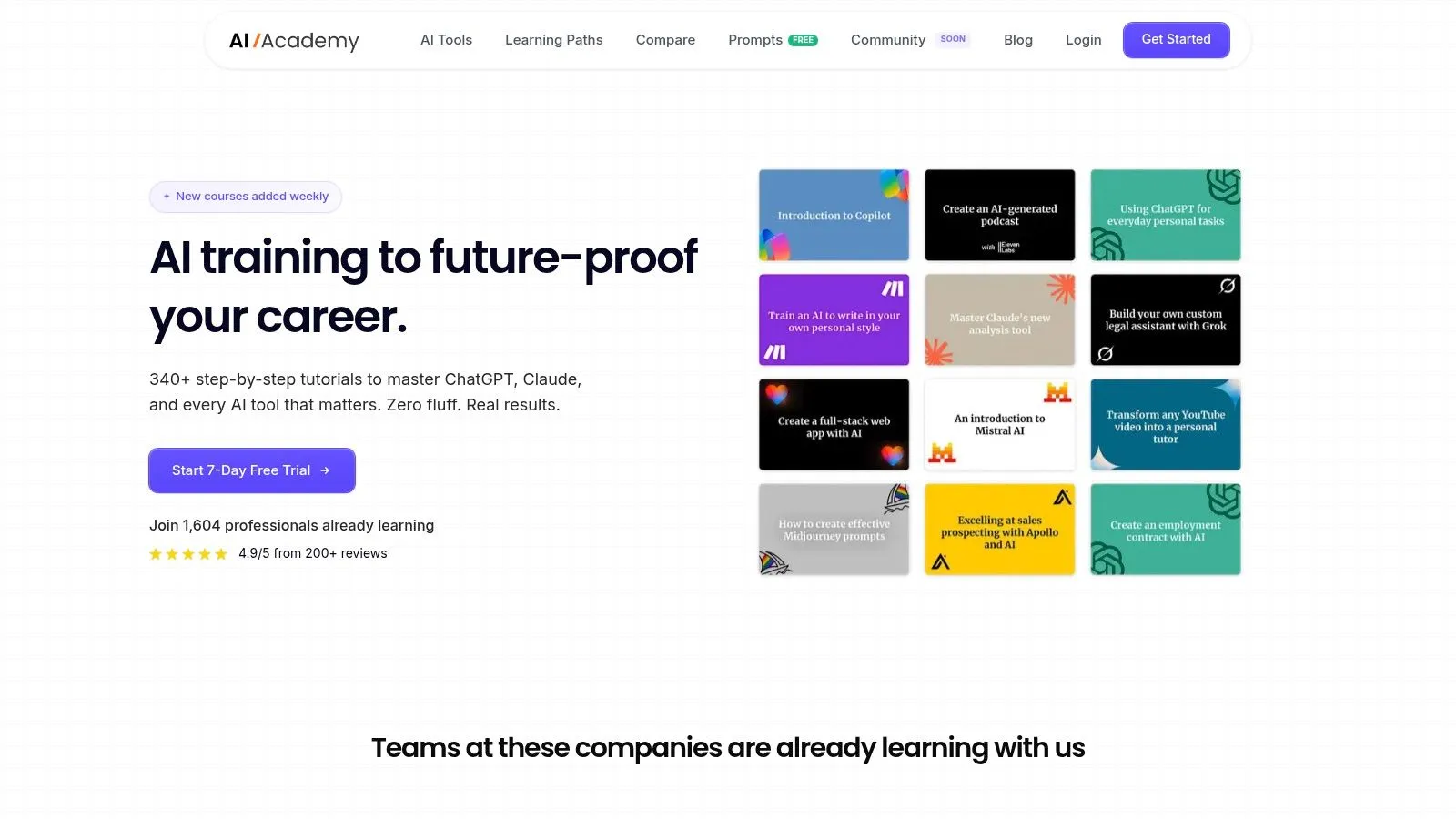
If you want to get better at workflows like this without wading through bloated theory, AI Academy is a strong place to start. It's built for working professionals who want practical AI skills they can apply right away, including prompting, automation, content systems, and time-saving workflows that make projects like playlist creation faster and sharper.