Your Slack workspace probably already contains the clues. A manager asks for the same weekly update every Friday. Sales wants new leads posted in one channel, not buried in email. Content reviews happen in scattered threads, then someone forgets to notify the editor. None of this is hard work. It's just repetitive work.
That's where Slack workflow automation earns its keep. Done well, it removes small manual steps that interrupt focus all day. Done poorly, it creates brittle processes that break the first time a field changes in another app. Most beginner guides stop at reminders and simple forms. Useful, but incomplete. The bigger win is learning how to build workflows that hold up under real team use, especially when AI steps and external apps enter the picture.
When to Use Slack Workflow Automation
The best candidate for automation is usually annoying, frequent, and easy to predict. Think status collection, review requests, handoff notifications, intake forms, recurring reminders, and routine approvals. If someone on your team repeats the same sequence of clicks and messages several times a week, that process belongs on your shortlist.
A useful rule is simple. If the work requires judgment, keep a human in the loop. If the work requires consistency, speed, and the same handoff every time, automate it.
Spot the tasks worth automating
Start with tasks that have these traits:
- Repetitive: The same prompt, reminder, or routing step happens again and again.
- Time-consuming: Nobody dreads the task because it's difficult. They dread it because it steals focus.
- Error-prone: People forget to mention the right person, post in the right channel, or copy the right details.
- Low judgment: The action doesn't need a strategic decision every time.
A significant survey of Slack users found that teams using automation were 47% more productive than teams relying on manual processes, and 77% of employees believe automation significantly enhances productivity, according to Question Base's overview of Slack automation for high-volume teams. That tracks with what most managers already feel day to day. The drag isn't only time. It's context switching.
Practical rule: Don't automate the biggest process first. Automate the most repeated annoyance first.
Where marketing managers usually get quick wins
Marketing teams often overcomplicate this. They go looking for a grand automation strategy when they'd get better results from fixing three recurring bottlenecks:
| Common task | Manual version | Better Slack automation use |
|---|---|---|
| Content review | Writer pings editor manually | Submission form routes draft to editor with context |
| Campaign updates | Manager chases status in DMs | Scheduled prompt collects updates in one thread |
| Lead alerts | Sales misses email notifications | New lead triggers channel post with key fields |
If your work also touches AI tools, it helps to Understand AI developments so you can judge which steps should stay deterministic and which can benefit from summarization or categorization. For smaller teams figuring out where to begin, this practical guide to AI automation for small business is a good companion because it keeps the focus on operational wins rather than theory.
What not to automate yet
Some workflows look easy but shouldn't be your first build:
- Messy processes: If nobody agrees on the steps, automation will just lock in confusion.
- Rare exceptions: A task done once a quarter won't teach your team much.
- Sensitive workflows without access rules: Approvals, HR, and finance flows need permissions thought through first.
Slack workflow automation is a skill worth learning because it's no longer only for operations people. It's part of modern team hygiene. The point isn't to replace work. It's to remove the low-value admin that keeps interrupting the work that matters.
Your First Automation with Triggers and Actions
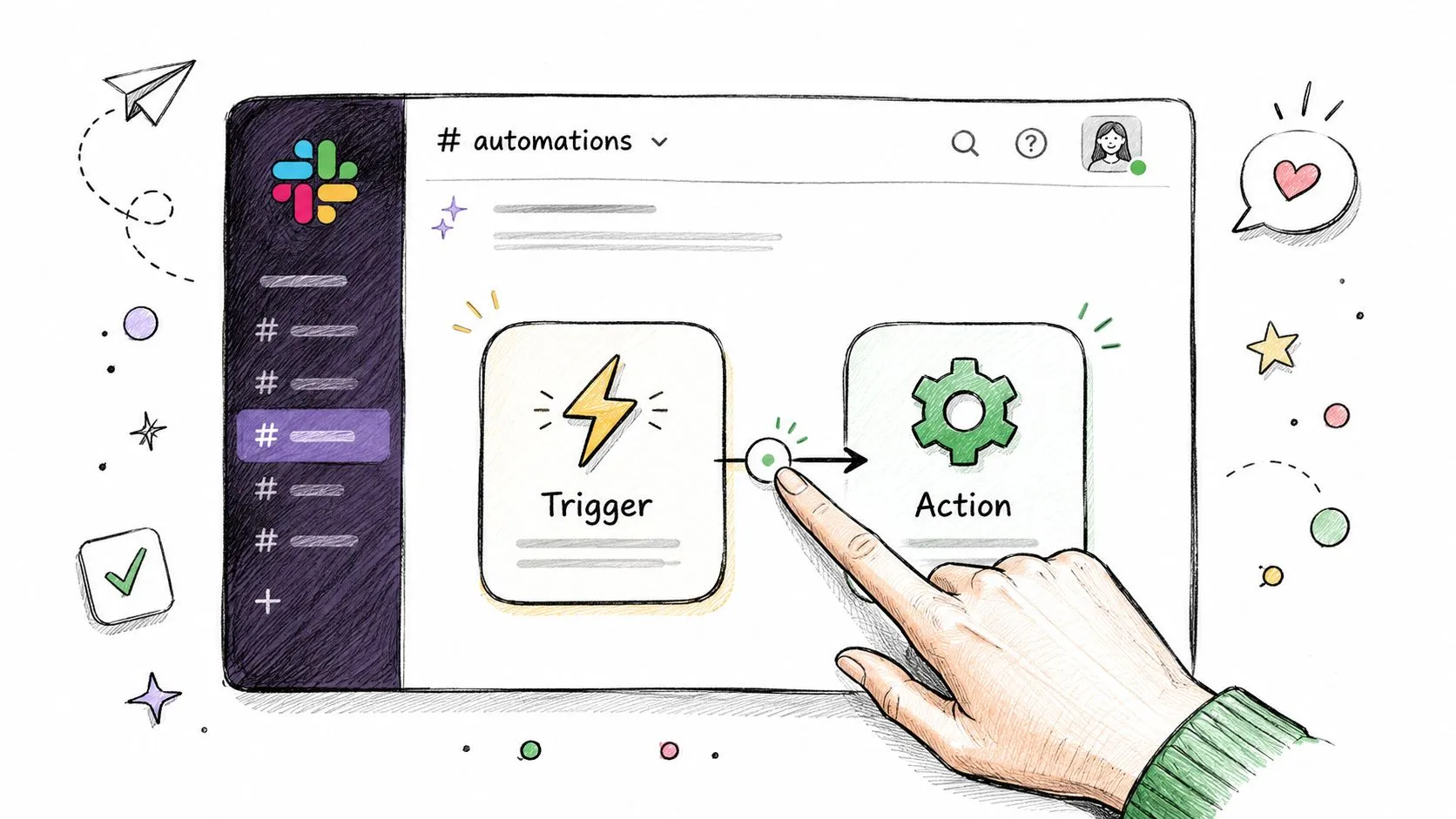
Individuals become comfortable with Slack workflow automation once they understand two building blocks: triggers and actions.
A trigger starts the workflow. That might be a schedule, a form submission, a button click, or an event inside Slack. An action is what happens next, such as posting a message, collecting information, or sending a notification.
Slack says more than 3 million workflows run per day, and 80% of users who build Slack workflows are non-technical, which is the clearest sign that this isn't a developer-only skill. That same update also notes users can connect over 65 third-party apps and create workflows with AI assistance in plain language, as described in Slack's Workflow Builder enhancements announcement.
Learn the pattern once
Here's the simplest mental model:
- Something happens
- Slack checks the rule
- Slack does the next thing
- Optional follow-up actions continue the chain
That pattern covers a surprising amount of useful work. A person submits a request. Slack posts it in a team channel. The manager gets notified. The requester gets a confirmation. One trigger, several actions.
Build a simple weekly wins digest
A strong first project is a weekly digest from a #wins channel. It's practical, visible, and low-risk.
Set it up like this:
-
Create the source habit
Ask your team to post customer wins, launches, positive feedback, or finished tasks in#winsduring the week. -
Choose the trigger
Use a scheduled trigger that runs at the same time each week. -
Add the first action
Post a message in a summary channel such as#team-updateswith a clear heading like “Weekly Wins Digest.” -
Add collection logic if available through your setup
Depending on your Slack plan and connected tools, you may either summarize channel activity with built-in steps or use a lightweight integration to pull posts into a digest. -
Decide the output format
Keep it simple. Date at the top, bullet list underneath, one line per win. -
Test it in a private channel first
Don't publish to a company-wide channel until formatting looks right.
A good first workflow should save time immediately and be easy to verify with your own eyes.
Why this workflow works
This example teaches the habits that matter later:
- It uses a clear trigger
- It produces a visible output
- It doesn't depend on sensitive data
- It gives your team a small success quickly
It also trains you to think operationally. The key question isn't “What can Slack do?” It's “What repeated team behavior can I make more reliable?”
For people who want a broader look at Slack's role in a modern tool stack, the Slack tool overview from AI Academy is a useful reference because it shows how Slack fits into everyday workflows rather than treating it like just a chat app.
Common mistakes on a first build
Beginners usually make one of three mistakes:
- Too many steps: They try to build approvals, branching, and app sync on day one.
- Unclear ownership: Nobody knows who should fix the workflow if it fails.
- Weak naming: A workflow called “Test 2 final new” becomes impossible to manage later.
Use plain names instead. “Weekly Wins Digest.” “Content Review Intake.” “Lead Alert to Sales.”
That sounds minor, but good naming is part of good operations.
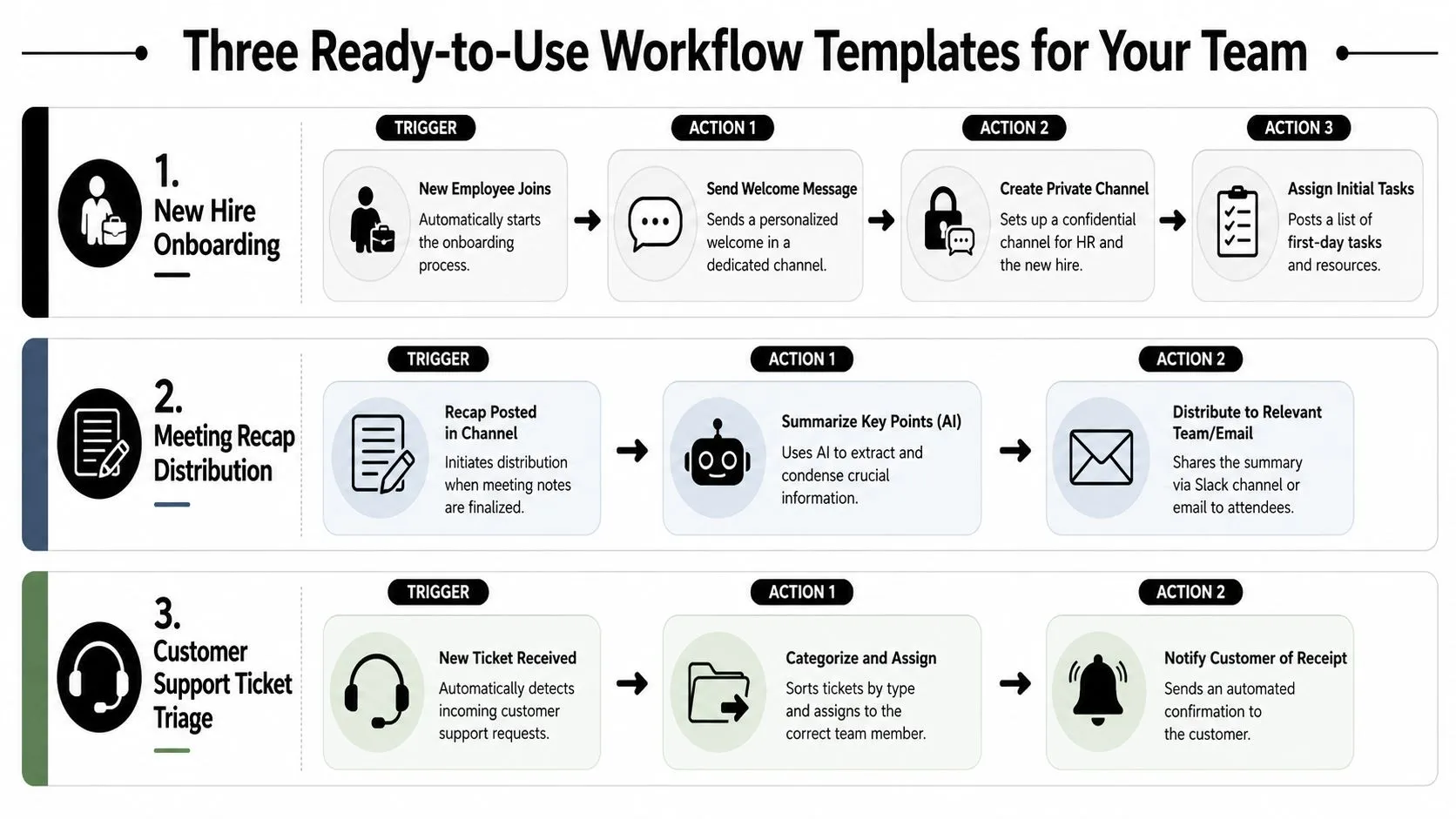
Three Ready-to-Use Workflow Templates for Your Team
The easiest way to understand Slack workflow automation is to picture a real team using it on a Tuesday morning, not a generic diagram full of boxes. These three templates solve ordinary coordination problems that waste attention when handled manually.
Slack's recommended method starts by identifying repetitive work, then defining the goal and measurable success criteria before you build, according to Slack's workflow management guide. That order matters. Teams that skip it tend to automate noise.
Template one Daily stand-up collection
A team lead wants updates in one place before a client meeting. Instead of chasing people in DMs, Slack sends a scheduled prompt each morning asking three questions: what you finished, what you're working on, and what's blocked.
Trigger
A scheduled message at the start of the workday.
Actions
- Prompt the team: Use a form or structured message to collect updates.
- Post responses to one thread: Keep answers together so nobody hunts across channels.
- Flag blockers: If someone reports a blocker, notify the lead or post in an escalation channel.
Why it works
This removes the social friction of reminding everyone manually. It also standardizes the format, which makes updates easier to scan.
Template two Instant lead notification
A new lead arrives from a CRM, webhook, or connected form. Without automation, that lead may sit in email until someone notices it. With Slack workflow automation, the sales team sees it where they already work.
A practical version looks like this:
| Part | Setup |
|---|---|
| Trigger | New lead enters connected system |
| Main action | Post lead details to #sales-leads |
| Follow-up | Mention owner or route based on region, product, or team |
Keep the message short. Name, company, source, and next action are usually enough. Dumping every CRM field into Slack creates clutter.
Later in the section, this walkthrough is worth watching because it shows how workflow thinking translates into actual interface decisions:
Template three Simple content approval flow
This one is especially useful for marketing managers. A writer finishes a draft and needs editorial review. Instead of sending a link in chat and hoping the editor sees it, the workflow handles intake and notification in a consistent way.
Trigger
The writer launches a workflow from a channel or shortcut.
Actions
-
Collect the essentials
Ask for the document link, content type, due date, and requested reviewer. -
Notify the editor
Send the request to the correct channel or person with all context included. -
Acknowledge the submitter
Confirm that the review request was logged so the writer isn't left guessing. -
Optional next step
Add a simple approval or revision-needed response path.
Keep approval workflows narrow at first. One submitter, one reviewer, one clear outcome.
Why these templates are better than random automation ideas
They share a useful discipline:
- A known trigger
- A small number of actions
- One owner
- An obvious success condition
That's what makes them reusable. You're not just building a one-off convenience. You're creating a repeatable team behavior with less chasing, less ambiguity, and fewer dropped handoffs.
Supercharge Workflows with AI and App Integrations
Basic Slack workflow automation is about routing and reminders. The next level is using Slack as the control layer between your people, your apps, and AI steps that help process information before a human acts on it.
That shift matters because many workflows fail for a simple reason. The useful data lives outside Slack. The conversation happens inside Slack. Good automation connects the two cleanly.
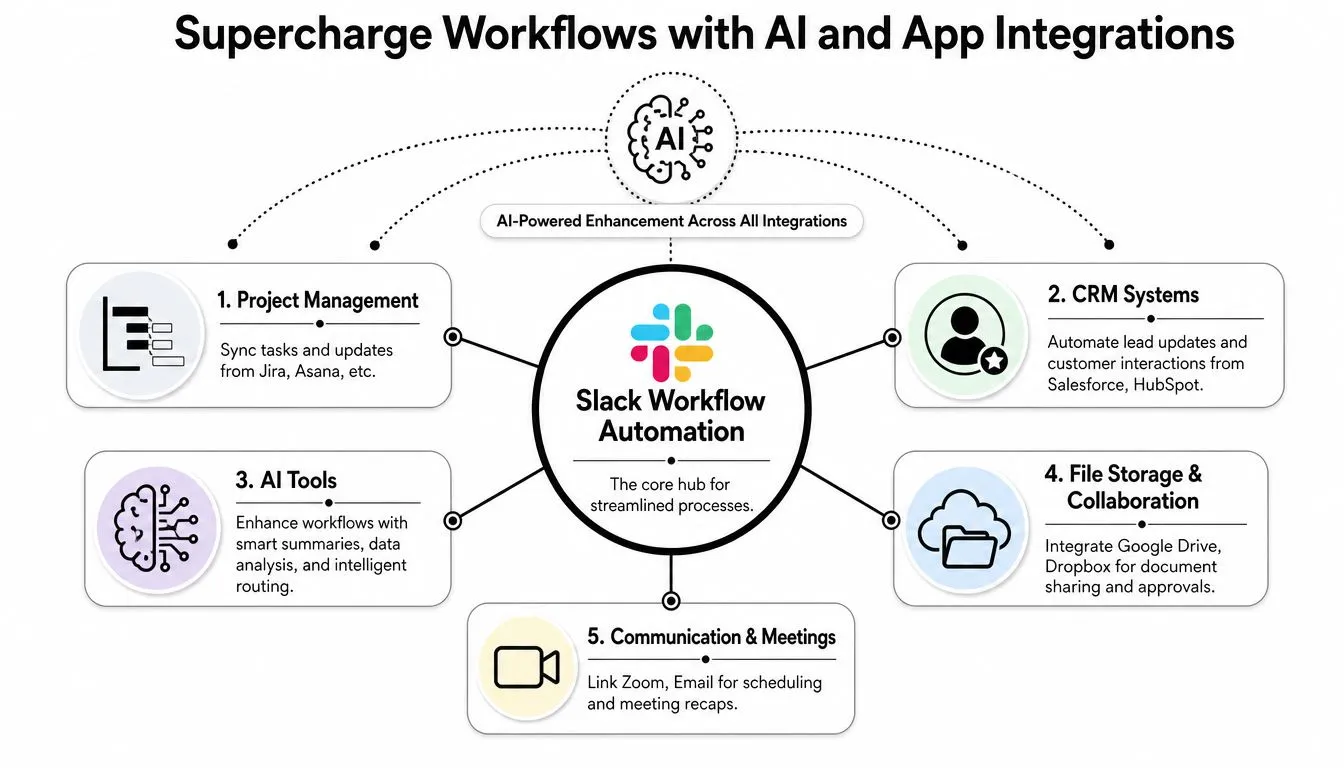
Think of Slack as the operating layer
When Slack sits at the center, each connected tool plays a specific role:
- Project tools like Asana or Jira: Create or update work after a form submission or approval.
- CRM tools like Salesforce or HubSpot: Push lead or account changes into the right sales channel.
- File tools like Google Drive or Dropbox: Support document review and content approvals.
- Meeting and comms tools: Trigger reminders, recap distribution, or follow-up requests.
The smart move is not connecting everything at once. It's connecting the one app that removes the most manual copying first.
Where AI actually helps
AI is most useful in workflows where people waste time turning raw information into a usable format. Examples include summarizing a busy thread, classifying incoming text, drafting a first response, or extracting action items from notes.
A practical support flow could look like this:
| Step | What happens |
|---|---|
| Trigger | A complaint appears in a support channel or arrives from a connected intake source |
| AI step | The text is summarized and categorized |
| Slack action | A private channel receives the summary, priority signal, and suggested reply |
| Human step | A support agent reviews and sends the final response |
That's a good AI use case because it speeds up triage without removing human judgment.
If you're designing AI-powered workflows, it's worth reading about Implementing AI safety in Obsidian. The tooling is different, but the principle is the same. Put guardrails around actions that could create risk, especially when AI outputs touch customer communication, internal records, or sensitive workflows.
The overlooked gap between simple and resilient
Many beginner guides often overlook a key area. They show onboarding messages and PTO requests, but not what happens when a more complex workflow needs to pass data between Slack and monitoring or operational tools. That gap matters in incident response, customer escalations, and multi-stage support flows.
According to Zapier's overview of Slack Workflow Builder, an underserved challenge is the jump from simple task triggers to true enterprise incident workflows, where non-technical users need resilient no-code logic for escalations, notifications, and logging across systems. In practice, that means you can't stop at “send alert to Slack.” You need fallback paths, clear ownership, and enough structure that the workflow doesn't collapse under real operational use.
For professionals who want to connect Slack, AI, and customer systems more directly, this hands-on course on using Slack and AI to chat with CRM data shows what that integrated model looks like in day-to-day work.
AI should prepare the work for people. It shouldn't quietly make final decisions where accuracy, compliance, or customer trust matter.
Best Practices for Testing and Troubleshooting
A workflow that posts the wrong information, routes requests to the wrong channel, or fails unnoticed isn't automation. It's operational debt.
The common mistake is assuming Slack workflow automation is “set it and forget it.” It isn't. Once external apps are involved, your workflow depends on field mappings, permissions, naming conventions, and the behavior of APIs you don't control.
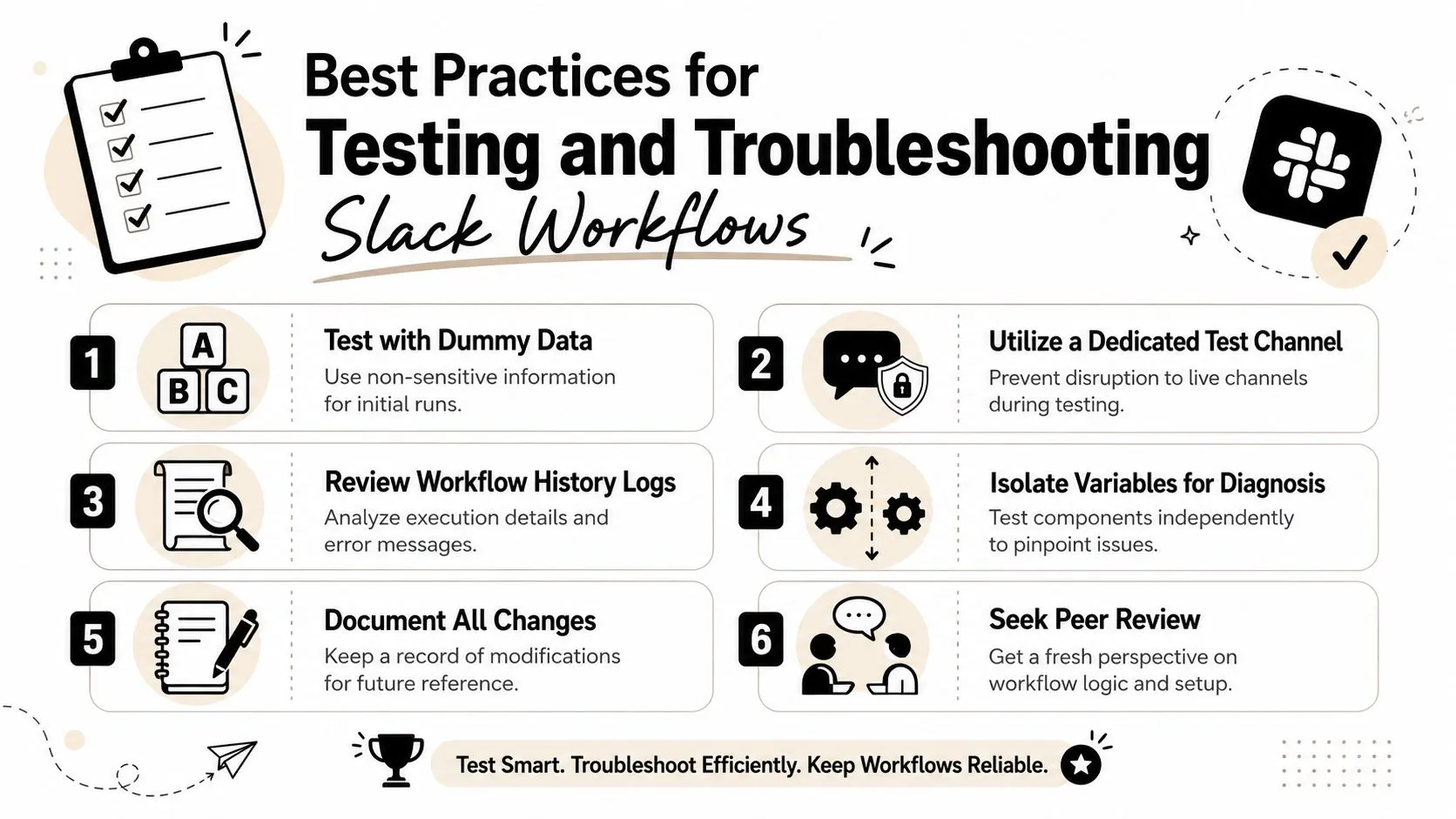
Test like a cautious operator
Workato highlights three recurring failure points: data mapping errors, API rate limits, and weak enforcement of security policies. The same guide notes that successful implementations can reduce approval time by up to 50% when objectives are clearly defined up front, as described in Workato's Slack workflow guide.
That tells you something important. Reliability starts before testing. It starts with a precise objective.
Use this pre-deployment checklist:
- Create a private test channel: Keep experiments out of live team spaces.
- Use dummy data: Don't test first with real customer or employee information.
- Check every mapped field: Verify that names, dates, owners, and statuses land where they should.
- Trigger edge cases: Test empty fields, unusual labels, and duplicate submissions.
- Confirm permissions: Make sure only the right users can launch or view sensitive steps.
- Review logs or execution history: Don't rely on “it looked fine once.”
What breaks most often
The ugly failures are usually mundane.
A field in Salesforce changes from “Owner” to “Account Owner.” A Google Sheet column gets renamed. A workflow sends too many requests too quickly and hits an API limit. A private approval message gets exposed in a broader channel because permissions were sloppy.
Here's the practical way to diagnose problems:
| Symptom | Likely issue | First check |
|---|---|---|
| Missing data in Slack message | Mapping error | Compare source field names to workflow variables |
| Delayed updates | API or connector throttling | Review timing, retry behavior, and batching |
| Wrong people notified | Routing rule or permission issue | Check conditions and channel access |
| Duplicate posts | Trigger fired twice | Inspect trigger logic and deduping rules |
Governance is part of reliability
Teams often treat governance like bureaucracy. It's how you avoid workflow sprawl.
Use a few simple rules:
- Name workflows clearly: Include function and owner.
- Assign an owner: Every workflow needs one person accountable for fixes.
- Document changes: Even a shared note is better than memory.
- Limit sensitive access: Approval, HR, finance, and legal workflows need tighter controls.
For teams in regulated environments, it can help to look at examples of structured QA and validation from adjacent fields. This overview of healthcare test automation expertise is useful not because Slack workflows are the same as healthcare systems, but because the testing mindset is disciplined, traceable, and risk-aware.
Reliable automation is less about clever logic and more about boring consistency. Clear inputs, tested branches, visible ownership.
If a workflow matters, test it like a system someone will depend on during a busy week. Because they will.
Conclusion Building Your Automation Mindset
The biggest change isn't learning where the Workflow Builder button lives. It's learning to notice repeatable friction. Once you start seeing that pattern, Slack workflow automation stops feeling like a side feature and starts looking like a practical management skill.
Start with one workflow that removes a recurring annoyance. A stand-up prompt. A lead alert. A clean content review handoff. Keep the logic narrow, test it properly, and let the team feel the benefit. That first win usually matters more than any ambitious automation map.
After that, raise the sophistication slowly. Add app connections where manual copying causes errors. Add AI where summarization or classification helps a human act faster. Keep judgment-heavy decisions in human hands. Keep sensitive workflows governed.
The teams that get the most from Slack aren't the ones with the most automations. They're the ones that build a habit of improving everyday operations, one reliable workflow at a time.
If you want practical help building that habit, AI Academy is a strong place to learn. It's built for working professionals who want short, actionable lessons on AI tools, automations, and real workflow use cases they can apply immediately.