Is Akiflow worth it in 2026?
What task and calendar planning costs, the trial conversion, and whether the meeting assistant is included.
The quick answer
Akiflow is worth considering if tasks arrive from several places and you plan time for them daily. Pro is $34 billed monthly or $19 a month billed yearly ($228 up front). There is no permanent free plan. The seven-day trial requires a card and becomes the selected subscription unless cancelled.
Short answer: Akiflow may be worth $34 a month for someone who consistently plans a busy calendar around tasks from several sources. A simpler calendar and task list may be enough for occasional planning. The $19 monthly figure requires an annual commitment.
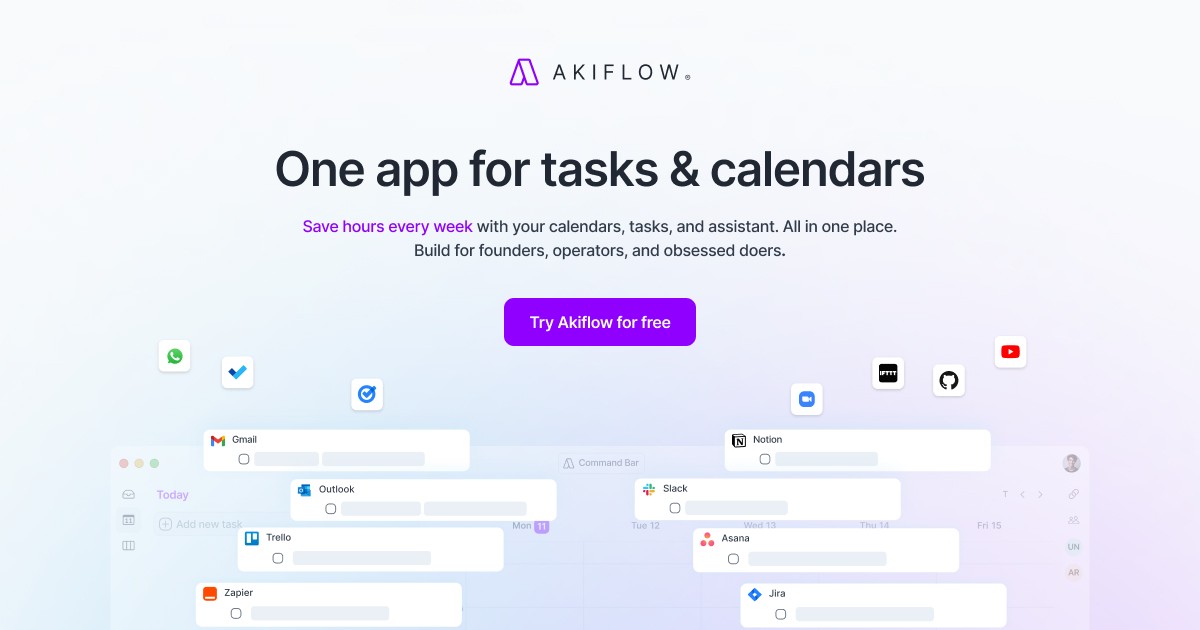
Akiflow combines tasks, calendar planning, integrations and an assistant called Aki. Its price is easier to evaluate once you distinguish the included assistant from the optional meeting-recording product and count the up-front yearly bill.
We examined Akiflow pricing, the privacy policy and the vendor's features information on 28 October 2026. This is a review of published information, not a hands-on test. Verify the current checkout and terms before subscribing.
Akiflow Pro options, checked 28 October 2026
The yearly rate is a monthly equivalent paid once per year. Regional checkout prices may differ.
| Feature | Seven-day trial | Pro monthly | Pro yearly |
|---|---|---|---|
| Price | $0 during trial | $34/month | $228/year ($19/month equivalent) |
| Card required | Yes, according to pricing FAQ | Check checkout | Check checkout |
| What happens next | Selected subscription starts unless cancelled | Recurring monthly | Yearly commitment |
| Aki and MCP connector | Full-access trial, per vendor | Included | Included |
| AI Meeting Assistant | Check add-on trial terms | Optional $19/month add-on | Optional $19/month add-on |
What you get
- ✓Tasks and calendar together: the vendor lists time blocking, quick capture and calendar integrations.
- ✓Clear annual total: its FAQ states the actual $228 yearly charge, not only a monthly equivalent.
- ✓Trial for real work: the vendor describes a seven-day full-access trial.
- ✓Aki and MCP included: both are listed in Pro, separately from the meeting add-on.
The trade-offs
- ✕No permanent free plan: the trial needs a card and converts unless cancelled.
- ✕High monthly commitment: an occasional user may not save enough time to justify $34 a month.
- ✕Annual price paid up front: the lower equivalent requires a year of billing.
- ✕Meeting recordings cost extra: the AI Meeting Assistant is an optional $19 monthly add-on.
- ✕Integration access needs review: test permissions and sync behavior for each connected system.
Worth it if…
- →A professional who plans work daily across several task sources and a crowded calendar.
- →A student or researcher who qualifies for the discount and has a year-round planning need.
- →A user who has tested the relevant integrations and values the consolidated workflow.
Skip it if…
- →A free calendar and task list already meet your needs.
- →You want to try a permanent free plan without adding payment details.
- →Your organization does not permit the necessary account connections.
What problem does Akiflow address?
An inbox, project app and calendar can each hold part of the workday. Akiflow puts tasks and calendar planning into one product, with time blocking, quick capture and integrations listed on its feature page. The buyer question is whether consolidating those steps is worth another subscription, not whether anyone can become productive by adding an app.
For an individual with one task list and a quiet calendar, moving the same work into another interface can add overhead. For someone switching between several sources, the potential benefit is a single place to decide what to do and when. During the trial, connect only the tools you actually use and check whether changes sync in the direction you expect; do not assume every integration has identical behavior.
The vendor lists Google Calendar and Outlook Calendar sync, desktop and mobile apps, keyboard shortcuts, time blocking and availability sharing. Feature lists do not establish how reliable each integration will be in your account. Test the specific task source and calendar that matter to you, including what happens when you reschedule or complete an item.
What does Akiflow Pro actually cost?
The published monthly plan is $34 per month. Twelve unchanged monthly payments add up to $408. Pro Yearly is listed at $19 per month billed yearly, with the FAQ giving the actual annual charge as $228 once per year. The difference is $180 over a full year, before tax and optional extras.
A short project changes the comparison. Three months on monthly billing would cost $102 at the listed rate. That is less money up front than a year, even though the effective monthly rate is higher. The annual rate is marked as a promotion on the pricing page; check the price and renewal amount in your own checkout rather than assume the current offer will remain.
The vendor says it may apply local purchasing-power pricing in selected countries. The displayed checkout price for your location is the one to verify. Team pricing is handled through sales, so multiplying the individual price by a team size is not a reliable quote for a team agreement.
The trial has an end date
Akiflow's pricing FAQ says it has no free plan. New customers receive a seven-day full-access trial, must provide a card, and begin the selected subscription after the trial unless they cancel. That is a material difference from a free plan you can keep using indefinitely. Review the selected billing period before starting and set a reminder with enough time to make a decision.
Use the week to test actual work rather than entering a sample to-do list and stopping there. Connect one calendar and one source of tasks, plan the next working day, then check what happens when priorities change. Try the mobile or desktop environment you actually use and verify whether the connection exposes information you are allowed to share.
The vendor says you can cancel, but this review does not assume a refund or a particular cancellation deadline beyond the trial information it publishes. Read the current checkout, renewal and refund terms before payment. If those terms are unclear, ask support before providing payment details.
Aki is included, meeting recordings are an add-on
The pricing FAQ says the Aki AI assistant and hosted MCP connector are included in Pro. The AI Meeting Assistant, for recording, transcripts, summaries and action items, is a separate optional $19 per month. A person buying the yearly Pro plan plus that add-on for twelve months at its listed monthly rate would pay $456 in the first year before tax, assuming neither price changes.
That calculation does not establish that the add-on is useful or that a meeting should be recorded. Verify current plan and recording terms and obtain the consent required by the meeting participants and your organization. If you already use another recorder, compare whether the extra subscription actually eliminates a step in your workflow.
An MCP connector can link compatible AI tools to information and actions in another app. Before connecting an assistant, inspect the permissions and test with non-sensitive data. An integration that can change tasks or calendar information should be treated differently from a read-only view.
Is the student discount enough to make it worthwhile?
Akiflow's pricing FAQ says eligible university students and researchers can receive 40% off Pro Yearly after academic-email verification. It does not make every student automatically eligible, and we do not know whether the discount combines with a particular promotion in your checkout. Ask the vendor for the exact total and renewal terms before deciding.
For a student, the relevant comparison is a paid planner against tools already available through a university or personal calendar. An exam period might justify a short monthly subscription; a permanent annual payment needs a longer-term use case. Include the effort of keeping the task list current as well as the price.
Academy data: the time-management collection contains 16 prompts in four categories, counted in our source on 28 October 2026. They can help a learner plan priorities, but they do not sync a calendar or replicate Akiflow's task integrations.
What should you compare before subscribing?
Write down the missing step in your current setup. If it is task capture from several apps, test that intake. If it is reserving calendar time, test the time-blocking workflow on a week with real commitments. If it is scheduling meetings for other people, check whether the available features cover that work rather than assume an AI label means a particular delegation capability.
The Academy's Todoist review, Motion review and Sunsama review cover other planning approaches. Their features and prices can change; check each vendor's current offer before comparing. Do not use an unsupported claim about hours saved as a substitute for measuring whether a tool fits.
Finally, calendar and task integrations can hold customer, colleague or personal information. Read the current privacy policy, verify permissions and follow your employer's rules. If the data cannot be shared with the service, use a permitted test account or choose a workflow that does not need that connection.
The verdict
Akiflow's strongest case is a repeatable daily planning workflow, not a one-off demonstration. Run a real week through the trial, verify your integrations and decide before the trial converts.
The annual offer can reduce the cost of a full year, but it asks for a larger payment up front. Aki and the meeting-recording add-on are different purchases; check the one you actually need.
Better alternatives?
If it is not the right fit, these are worth a look.
Frequently asked questions
Is Akiflow free?▾
There is no free plan. The vendor says new customers get a seven-day trial that requires a card and starts the selected subscription unless cancelled.
What does Akiflow Pro cost?▾
On 28 October 2026 the vendor listed $34 monthly or $228 once per year, equivalent to $19 per month. Regional checkout prices can differ.
Is Aki included in Pro?▾
The vendor lists Aki and the Akiflow MCP connector in Pro. The AI Meeting Assistant for recordings and transcripts is a separate optional add-on.
Does Akiflow have a student discount?▾
Its pricing FAQ says eligible university students and researchers can receive 40% off Pro Yearly after academic-email verification. Check the exact checkout and renewal terms.
How much does the meeting add-on cost?▾
The pricing FAQ listed the optional AI Meeting Assistant at $19 per month when checked on 28 October 2026.