Your team already knows AI could help. The problem is that nobody wants another vague initiative, another tool login, or another training session that sounds impressive and changes nothing on Monday morning.
That's where most AI adoption strategies stall. A marketing manager wants faster campaign drafts. An analyst wants help cleaning messy spreadsheets. An operations lead wants fewer repetitive status updates. They don't need a lecture on machine learning. They need a practical way to pick one problem, test one workflow, and prove that the change is worth keeping.
The good news is that this is fixable. Non-technical teams can adopt AI without waiting for a big transformation program, a perfect data stack, or a dedicated AI department. The teams that make progress usually do a few simple things well: they choose narrow use cases, define success before they start, train people inside real workflows, and put guardrails in place early.
Why Your 2026 AI Strategy Must Start Now
If AI still feels like something you'll “get to later,” the market has already moved. Enterprise AI adoption rates rose from 8.7% in 2023 to 20.2% in 2025, and 55% of large EU enterprises were using AI compared with 17% of small enterprises according to the OECD-based adoption reporting summarized here. That gap matters because larger firms can absorb trial and error more easily. Smaller teams usually can't.
For non-technical managers, the takeaway isn't “buy more tools.” It's simpler than that. Start before the capability gap inside your own company widens between early adopters and everyone else.
A practical way to think about this is its operational advantage. If you're responsible for marketing, sales ops, customer success, or reporting, AI is no longer a side experiment. It's becoming part of how teams handle first drafts, internal research, recurring summaries, and routine decision support. If you want a grounded example of what this looks like in practice, Samuel Woods' guide to scaling operations with AI is useful because it frames adoption around business processes, not hype.
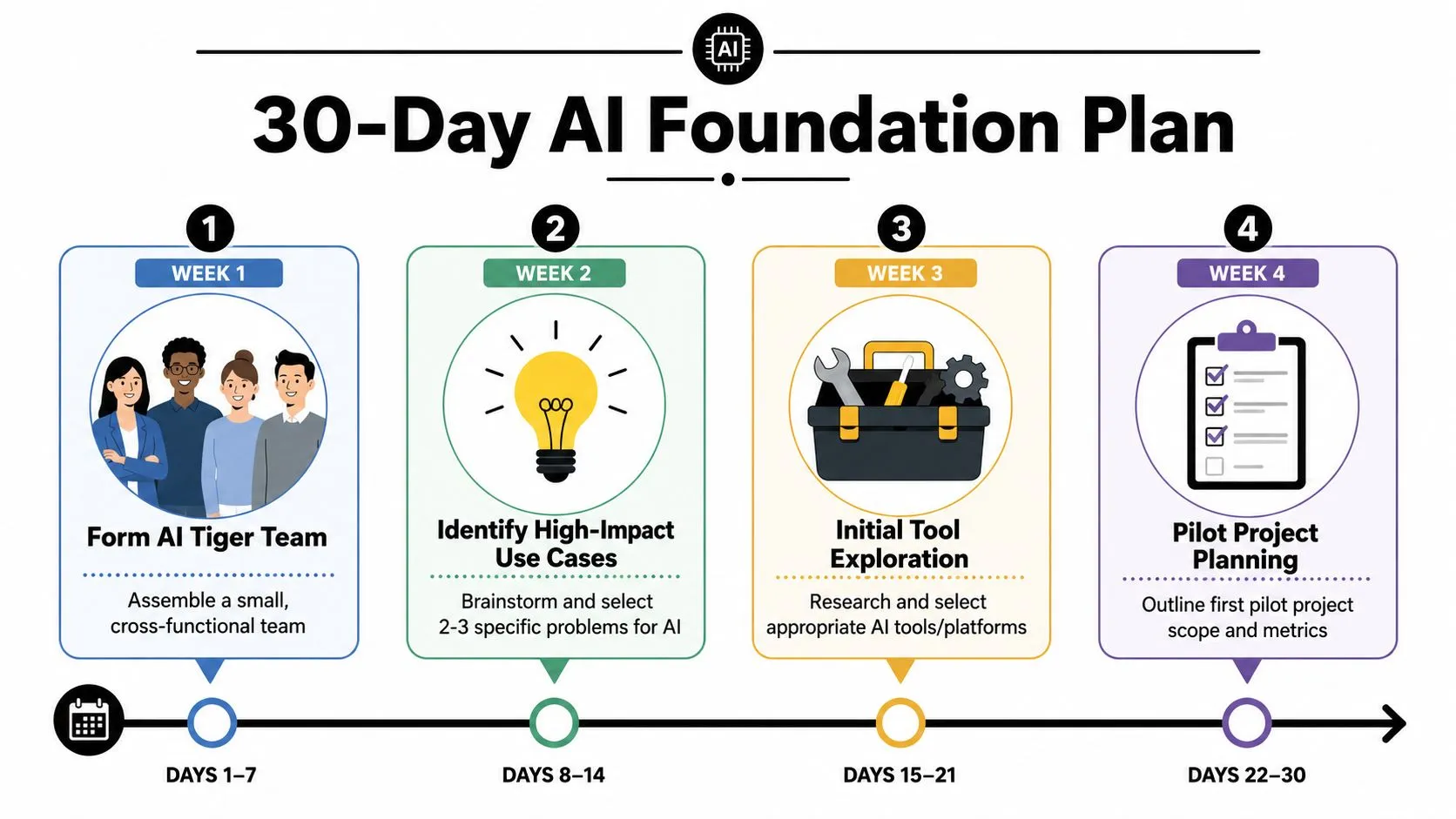
The first 30 days should be boring in the best way. You're not trying to transform the company. You're trying to create enough structure that one good pilot can happen without drama.
Practical rule: Don't start with “How should we use AI?” Start with “Which repeated task is wasting skilled time every week?”
A simple 30-day agenda works well:
- Name one executive sponsor. This person doesn't need deep AI knowledge. They need enough authority to remove friction.
- Choose two internal champions. Pick people who already improve processes, document workflows, and help others.
- List recurring work, not abstract ambitions. Reporting, summaries, draft creation, categorization, research, and meeting follow-up are usually better starting points than grand strategy.
- Set one learning goal. For example, decide that by the end of the month the team will have one pilot scoped, one policy draft, and one training session tied to a live workflow.
If your planning work is still disconnected from execution, this practical guide to AI for strategic planning helps connect leadership goals to actual team use cases.
Lay Your Foundation in the First 30 Days
Teams usually overcomplicate the first month. They hold too many meetings, evaluate too many platforms, and treat AI like a procurement exercise. That's backwards.
Gartner's phased view of adoption matters here because organizations that fail to secure early leadership buy-in and define 3 to 6 initial use cases face 40% to 60% higher project failure rates due to data and skills gaps, as summarized in this Gartner-based analysis. The practical implication is clear. Your first month should produce a small list of use cases and a decision-making structure, not a giant roadmap.
Start with a tiny operating group
Call it an AI Tiger Team if that helps internally, but keep it small. In most organizations, three to five people is enough:
- A team lead with authority: This person can approve time, remove blockers, and keep the work tied to business goals.
- A workflow owner: Usually a manager from marketing, operations, support, or analytics who knows where the friction lives.
- A hands-on tester: Someone curious, organized, and willing to document what works.
- Optional risk reviewer: If you work with sensitive data, include someone from compliance, legal, or IT for quick policy guidance.
This group's job isn't to become AI experts. Their job is to make sensible decisions fast.
A common early win is social media reporting. The marketing team spends hours every week gathering metrics, writing summary notes, and formatting slides. That process is repetitive, visible, and low risk if you avoid confidential inputs. It's also easy to compare old versus new workflow steps.
Use a simple prioritization matrix
Often, teams don't need a complex scoring model. They need a one-page worksheet that forces trade-offs.
Use this matrix for your first shortlist:
| Use Case | Business Value | Risk | Ease to Test | Data Access | Visibility |
|---|---|---|---|---|---|
| Weekly marketing report summary | High | Low | High | Easy | High |
| First-draft blog outlines | Medium to High | Low | High | Easy | Medium |
| Sales call recap notes | High | Medium | Medium | Controlled | High |
| Customer support response drafting | High | Medium | Medium | Controlled | High |
| Forecasting model redesign | High | High | Low | Hard | Medium |
Choose use cases that score well on value, low risk, and ease to test.
The best first pilot is usually a task people already hate doing, can describe clearly, and can evaluate without technical debate.
If you want a structured benchmark before choosing those use cases, tools for AI readiness assessment can help teams identify whether the blocker is skills, process clarity, or governance.
Use this copy-paste shortlist prompt in your first workshop:
“List the 10 most repetitive knowledge-work tasks our team completes each week. Mark which ones are time-consuming, error-prone, hard to standardize, or dependent on first-draft writing, summarization, classification, or research. From that list, identify three tasks that are low risk to test with AI within 30 days.”
Design a Pilot Project That Can't Fail
The phrase “can't fail” doesn't mean guaranteed success. It means the pilot is designed so that even a weak result teaches you something useful. That only happens when the scope is narrow, the owner is clear, and the success criteria are visible.
A practical AI adoption methodology starts by identifying high-impact, low-risk use cases and setting measurable objectives for a 6 to 12 month pilot, followed by iterative scaling and quarterly performance reviews, according to this AI adoption methodology guide. For non-technical teams, that long-term structure is helpful, but your first pilot should still feel small enough to run in weeks, not quarters.
Pick the kind of pilot that teaches fast
A content team is a good example. Suppose they want to use ChatGPT or Claude to create first drafts for blog posts. That can work well if they keep the objective specific.
Bad pilot: “Use AI to improve content.”
Better pilot: “Use AI to create first-draft blog outlines and opening sections for one content stream, with human editing required before publication.”
That version is easier to evaluate because everyone knows what the AI is and isn't responsible for.
Use these decision criteria:
- Choose one workflow, not one department. “Blog brief to first draft” is better than “content marketing.”
- Keep human review mandatory. Early pilots are for augmentation, not blind automation.
- Use a visible deliverable. If nobody sees the output, nobody cares about the result.
- Limit tool sprawl. One or two tools is enough. ChatGPT, Claude, Perplexity, Notion AI, or Gemini can all fit depending on the task.
If you're exploring multi-step automation later, this primer on agentic AI workflows is useful once your team has already proven one simpler workflow.
Pilot Project Selection Matrix
| Potential Pilot Project | Business Impact | Implementation Effort | Data Availability | Team Enthusiasm |
|---|---|---|---|---|
| Blog first-draft generation | Medium to High | Low | High | High |
| Social post variations from campaign brief | Medium | Low | High | High |
| Weekly executive summary from meeting notes | High | Low | Medium | Medium |
| CRM note summarization | High | Medium | Medium | Medium |
| Policy document review assistant | Medium | Medium | Low | Low |
The pattern to notice is this: your first pilot should usually sit in the top row or two. If effort is low and enthusiasm is high, adoption gets easier.
Copy paste pilot design canvas
Use this in a kickoff doc:
-
Pilot name:
AI-assisted first drafts for weekly content production -
Business problem:
Writers spend too much time getting from blank page to usable draft. -
Workflow boundary:
AI creates outlines, headlines, and rough opening sections. Humans revise, fact-check, and approve. -
Owner:
Content manager -
Participants:
Two writers, one editor, one reviewer -
Success criteria:
Faster draft creation, better consistency, easier editorial handoff -
Inputs allowed:
Approved content briefs, public source material, style guide, product messaging -
Inputs not allowed:
Confidential customer data, unpublished financial details, restricted legal material -
Timeline:
Four-week live test -
Review cadence:
Weekly check-in, end-of-pilot readout
Equip Your Team with Workflows Not Just Tools
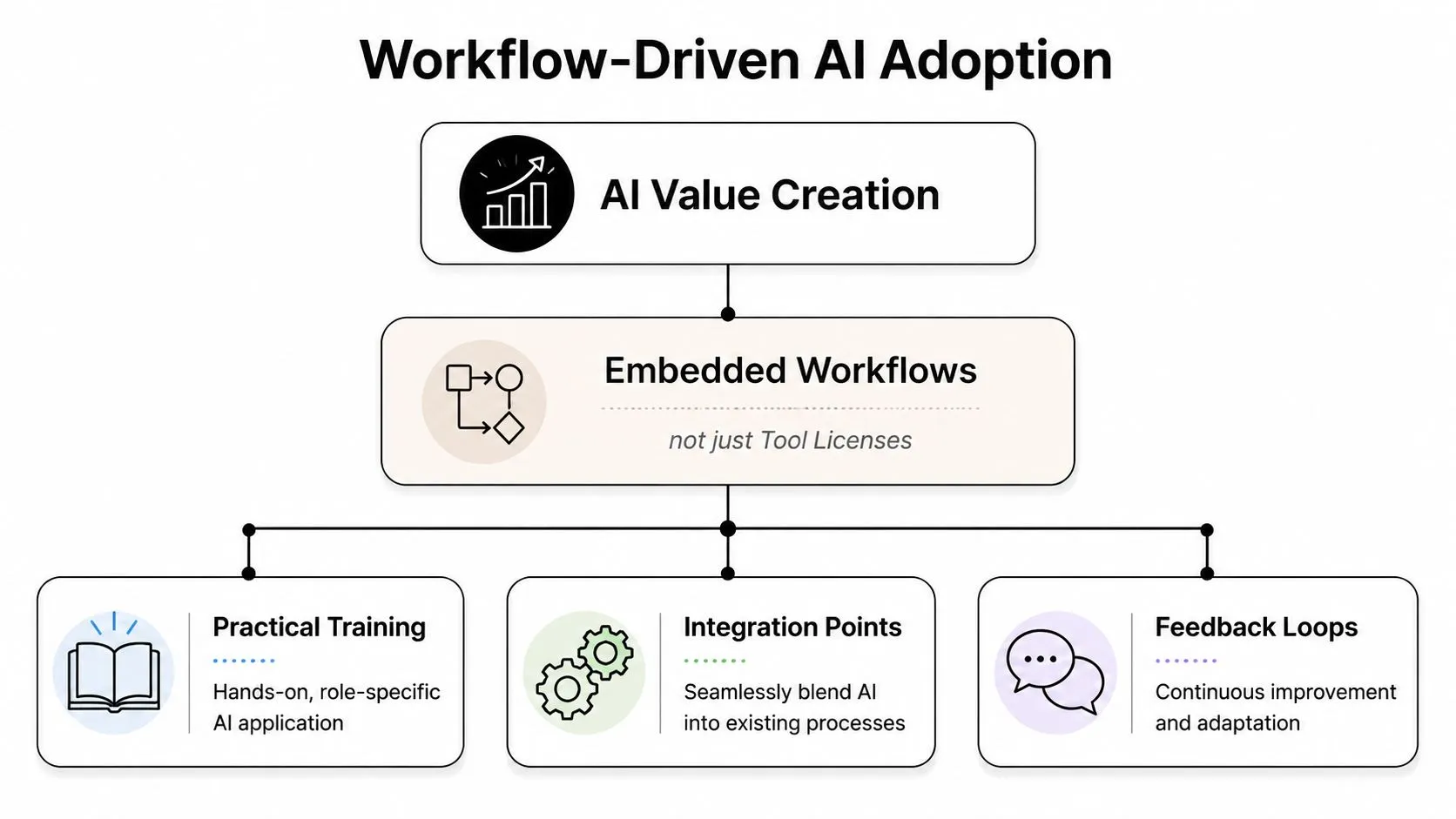
Most failed AI adoption strategies don't fail because the model is weak. They fail because the team never turns the tool into a repeatable workflow.
That's why the training question matters so much. 82% of non-technical professionals report frustration with AI tools due to poor integration into daily workflows, and only 12% of corporate AI training programs offer hands-on practice with real, job-specific examples, according to Grant Thornton's reporting on AI adoption strategies. Those numbers explain why so many teams have licenses and so little behavior change.
Why generic training falls apart
“AI 101” sessions sound responsible, but they rarely change how work gets done. A marketer doesn't need a broad lecture on prompt engineering. They need a tested way to turn a campaign brief into email variants, social post options, and a short performance summary. An analyst needs a repeatable method for turning messy notes into structured categories and draft commentary.
That's where change management and governance start to overlap. People trust AI more when they know three things:
- What task it helps with
- What inputs are approved
- Where human judgment still matters
Without those boundaries, training stays abstract and adoption stalls.
Here's a practical explainer worth sharing with managers before rollout:
A workflow model non-technical teams can use
Teach each role the same five-part structure:
-
Trigger
What starts the task? Example: campaign brief approved. -
Input pack
What approved material goes into the AI tool? Example: value proposition, audience notes, prior campaign examples. -
AI step
What exactly should the model do? Example: generate five headline options and three email openings. -
Human review
Who edits, checks tone, removes errors, and approves? -
Output destination
Where does the final result go? Example: Notion, Google Docs, HubSpot draft, slide deck, CRM.
If the team can't explain the workflow in five steps, they're not ready to scale it.
Role based quick win checklists
For marketers
- Campaign repurposing: Turn one approved campaign brief into social copy variations, email drafts, landing page headlines, and internal summary notes.
- Competitive digest: Paste public competitor updates and ask for positioning themes, message patterns, and likely audience targeting.
- Reporting help: Feed approved performance notes into AI and ask for a concise weekly summary in leadership-ready language.
For analysts
- Messy note cleanup: Convert raw meeting notes into themes, action items, and unresolved questions.
- Table interpretation: Ask AI to explain trends from cleaned spreadsheet exports in plain English before you draft commentary.
- Stakeholder summaries: Turn a long analysis into executive, manager, and team versions with different levels of detail.
For managers
- Meeting compression: Turn transcripts or notes into decisions, risks, dependencies, and owner lists.
- Draft feedback: Use AI to sharpen wording in review comments without changing the core decision.
- Policy first drafts: Create rough SOPs, FAQs, and onboarding docs from existing process notes.
Build Guardrails with Smart Governance and Change Management
Once a pilot starts working, a different problem appears. Leaders get interested and nervous at the same time. They want the productivity upside, but they also worry about data leakage, weak outputs, bias, and inconsistent use.
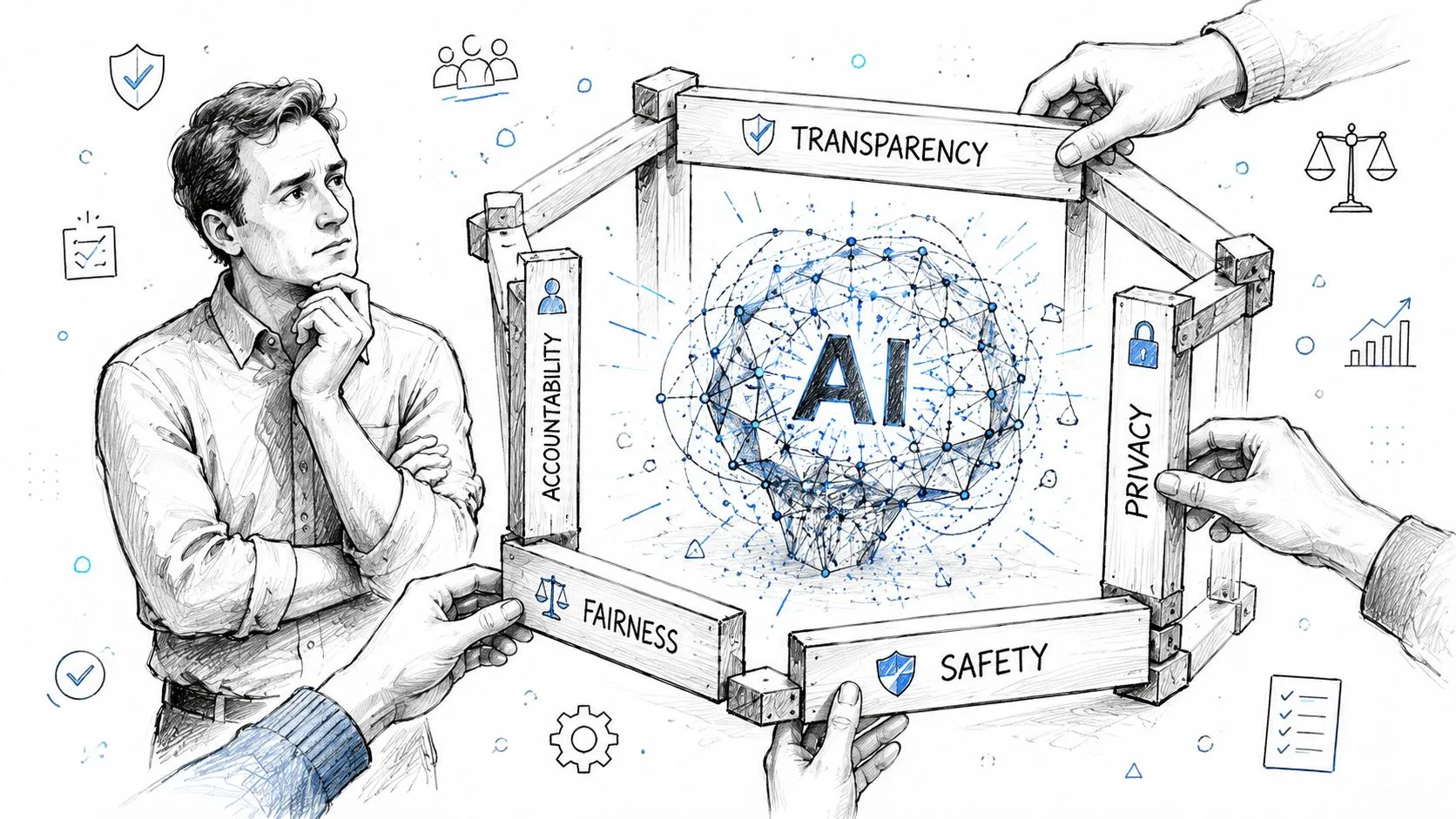
That concern is justified. In mission-driven settings, success depends on trust, bias awareness, and explainability, yet few organizations have established governance frameworks that oversee fairness and explainability from ideation to deployment, as discussed in this piece on building trusted AI for underserved communities. You don't need a massive governance bureaucracy to respond. You do need clear rules.
A lightweight policy beats no policy
Most non-technical teams can start with a one-page AI usage policy. Keep it readable. If it sounds like a legal memo, nobody will use it.
Minimum policy sections:
- Approved uses: Drafting, summarization, ideation, categorization, internal synthesis
- Restricted uses: Final legal advice, final HR decisions, sensitive customer communication without review
- Data rules: No confidential client data, regulated personal data, or restricted internal material unless explicitly approved
- Review rules: Human review required before anything external, public, or high-stakes
- Escalation path: Name the person or team who handles uncertain cases
That policy should live where people already work. Put it in Notion, Confluence, SharePoint, or your team wiki. Don't bury it in a policy portal nobody visits.
If you want a stronger baseline for responsible use, this guide to AI best practices is a useful reference for managers creating team-level rules.
How to talk about ROI without hype
You don't need inflated claims to justify AI work. In fact, hype usually makes experienced leaders more skeptical.
Use a simple ROI conversation:
| Question | What to capture |
|---|---|
| What task changed? | Name the exact workflow |
| What was the old process? | Steps, time, handoffs, friction |
| What is the new process? | AI step plus human review |
| What improved? | Speed, consistency, quality, turnaround, team capacity |
| What risk was controlled? | Input policy, review rules, approval path |
Use business language, not AI language. “We cut time spent on weekly reporting prep” is stronger than “We implemented generative AI capabilities.”
Good governance doesn't slow adoption. It removes the fear that makes teams avoid using the tools they've been given.
Copy paste AI usage policy starter
Use this as a first internal draft:
Purpose
Our team uses AI tools to support drafting, summarization, research assistance, and workflow efficiency.Approved use
Team members may use approved AI tools for internal first drafts, synthesis of approved materials, and repetitive administrative work.Restricted input
Do not enter confidential customer information, sensitive employee data, legal privilege material, or any restricted company information unless formally approved.Human responsibility
AI output is always reviewed by a human before it is shared externally or used in a decision that affects customers, employees, or business commitments.Quality standard
Team members must check factual accuracy, tone, bias concerns, and completeness before relying on AI-generated output.Escalation
If a use case feels sensitive, unclear, or high impact, pause and ask the designated reviewer before continuing.
Measure What Matters and Scale Your Success
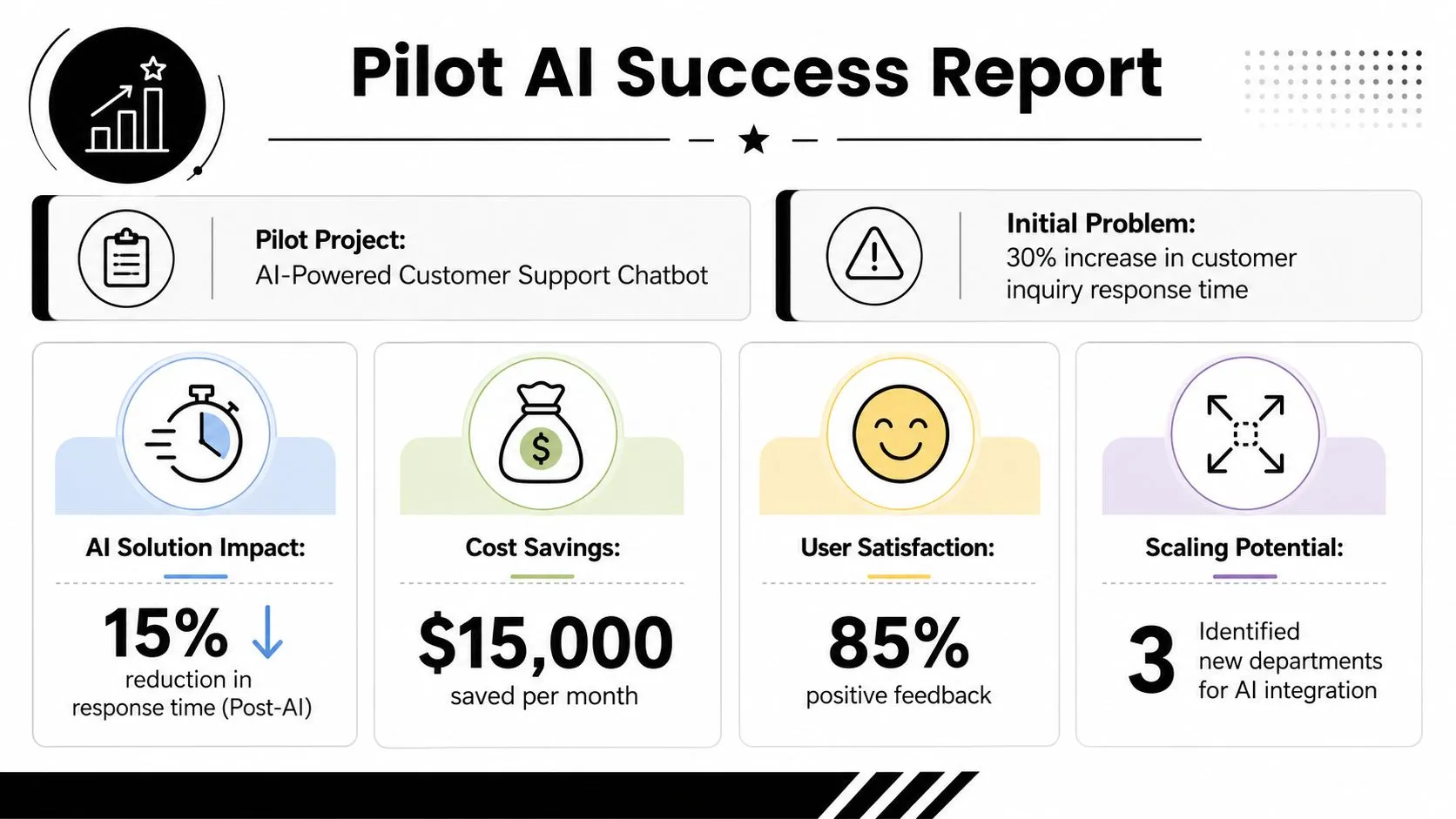
A pilot becomes valuable when you can explain the result in plain business terms. Leadership doesn't need a screenshot of prompts. They need evidence that the workflow improved and a reason to back the next rollout.
In marketing, the upside can be substantial. Companies implementing AI marketing solutions reported an average 300% ROI within six months, while marketing teams became 44% more productive and saved an average of 11 hours per week, according to this AI marketing ROI summary. Those figures are useful because they frame AI as an operational advantage, not experimentation for its own sake.
What to include in a pilot ROI report
Keep the report to one page if possible. Busy stakeholders should grasp it in two minutes.
Include:
- Pilot summary: What workflow changed and who used it
- Original pain point: Slow drafting, inconsistent reporting, manual summarization, long review cycles
- New workflow: One sentence describing the AI-assisted process
- Observed impact: Time saved, smoother handoff, higher throughput, reduced repetitive work
- Controls used: Human review, approved inputs, policy compliance
- Recommendation: Expand, refine, pause, or stop
A simple presentation format works well:
| Section | Example content |
|---|---|
| Team | Lifecycle marketing |
| Workflow tested | Weekly campaign reporting summary |
| Pain point | Repetitive manual synthesis and formatting |
| AI role | Drafts summary from approved notes and metrics |
| Human role | Reviews, edits, approves final language |
| Result | Faster reporting cycle and more manager capacity |
| Next step | Extend workflow to monthly reporting |
A practical scaling path
Don't scale because the pilot looked exciting. Scale because the workflow is stable enough that another team can repeat it.
A sensible sequence looks like this:
-
Standardize the winning workflow
Save the prompts, the input format, the review checklist, and the tool settings. -
Train the next adjacent team
If marketing solved campaign summaries, maybe content or demand generation can adopt the same pattern. -
Create a mini playbook
Include use case, approved inputs, sample prompts, common mistakes, and review standards. -
Review quarterly
Keep a light checkpoint to confirm the workflow still performs well and still fits policy. -
Retire weak experiments
Not every pilot deserves to scale. Some should stay local. Some should end.
The best AI adoption strategies are selective. They scale what works, ignore what doesn't, and document both.
From Adoption to Advantage Your Continuous AI Journey
The companies that get real value from AI don't treat adoption like a one-off launch. They build a habit of choosing useful workflows, testing them carefully, training people in context, and tightening the process over time.
That's good news for non-technical teams because it means you don't need to solve everything at once. Start with one repeated task. Give it an owner. Define what “better” means. Add guardrails early. Then document the win so the next team doesn't start from zero.
AI advantage rarely comes from having access to the same tool everyone else has. It comes from turning that tool into a reliable way of working.
If you want practical help building those habits, AI Academy is a strong place to learn the workflows that non-technical teams use on the job. It focuses on short, step-by-step lessons, prompt templates, and role-specific use cases for marketers, analysts, managers, and other operators who need copy-paste guidance instead of theory.