Most customer success teams hit the same wall at some point. The team has more data than ever, but less clarity. Product usage lives in one tool, support history in another, renewal notes in a spreadsheet, and customer signals get reviewed only when someone has time. So the work becomes reactive by default. A CSM notices a problem after a stakeholder goes quiet, after adoption slips, or after a renewal call gets tense.
That's the moment many leaders start looking seriously at AI for Customer Success. Not because they want a futuristic overhaul, but because the current operating model doesn't scale. They need earlier warnings, better prioritization, and less time spent on summaries, handoffs, and manual health checks.
The good news is that AI is no longer a fringe experiment in CS. By 2025, it had become a mainstream operating model, with over half of CS organizations using AI in some form, mostly for drafting, summarizing, and analysis according to Time to Reply's review of AI adoption in customer success. The harder question isn't whether to use AI. It's where to use it, where not to, and how to prove it changed retention instead of just making dashboards look busier.
From Reactive Firefighting to Proactive Success
A familiar CS week looks like this. Monday starts with a renewal risk that “came out of nowhere,” even though usage had been soft for weeks. Tuesday disappears into call notes and follow-up emails. By Thursday, the team is manually reviewing account health for a QBR deck instead of talking to customers needing help.
That isn't usually a people problem. It's an operating model problem. Teams often still ask humans to stitch together signals from product analytics, support tickets, CRM fields, billing history, and meeting notes, then make judgment calls under time pressure. Good CSMs can do it. They just can't do it consistently across a large book of business.
AI changes that when it's applied with discipline. At its best, it doesn't replace customer judgment. It clears out the repetitive work and surfaces the accounts that need attention now, not next month. It catches patterns across systems that a CSM would otherwise have to assemble by hand.
A healthy AI rollout in CS feels less like “automation” and more like giving every CSM a better morning brief.
The shift matters because the role of Customer Success has changed. CS is no longer just a relationship team that checks in before renewals. It's expected to influence retention, expansion, onboarding quality, and adoption. A reactive motion can't carry that weight for long.
What works is a move from review-based management to signal-based management. Instead of asking, “Which accounts should I inspect this week?” the team asks, “Which accounts are changing, and why?”
Three practical changes usually mark that shift:
- Priorities get ranked automatically. CSMs stop scanning a long book of accounts and start with a focused queue.
- Routine outputs get drafted for them. Meeting summaries, follow-ups, and internal handoff notes stop consuming so much of the day.
- Intervention starts earlier. Teams act on behavior changes, not just renewal dates or escalations.
AI for Customer Success becomes useful. Not as a shiny layer on top of chaos, but as a way to make the function more proactive, more consistent, and more scalable.
What Is AI for Customer Success Really
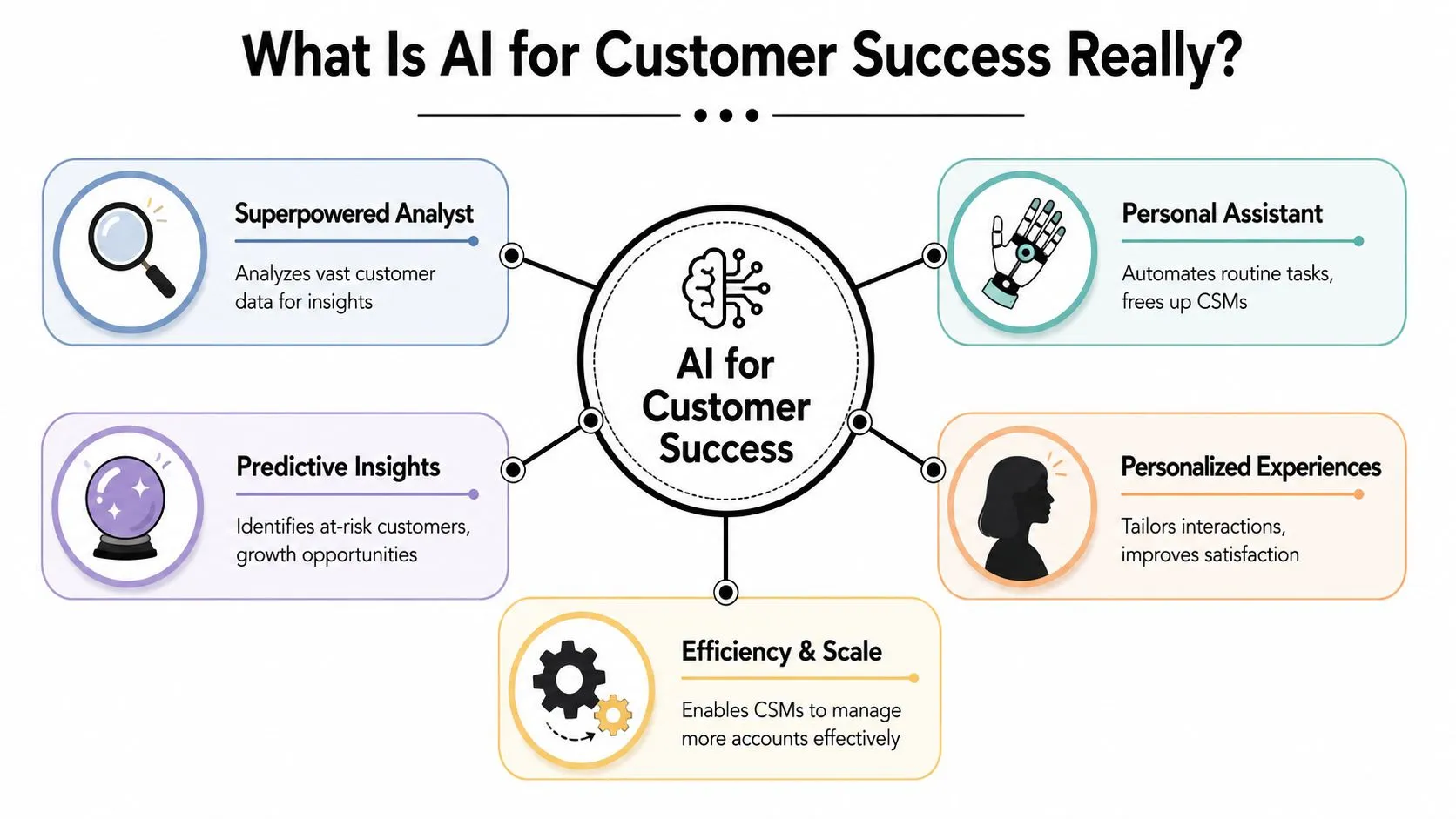
The simplest way to think about AI for Customer Success is this. It's a superpowered analyst plus assistant inside your CS workflow. One part helps you detect patterns and predict outcomes. The other helps you execute repetitive work faster.
That distinction matters because teams often confuse AI with standard automation. Traditional automation follows fixed rules. If a renewal date is 90 days away, send a reminder. If a ticket is high priority, create a task. Useful, but static.
AI goes further. It evaluates combinations of signals, detects patterns, and helps teams decide what matters most. In practice, that means two broad categories.
Predictive AI and generative AI do different jobs
Predictive AI looks for outcomes. It helps rank accounts by churn risk, expansion potential, stalled onboarding, or urgency of intervention.
Generative AI creates and summarizes. It drafts follow-up emails, turns meeting transcripts into action items, summarizes account history, and helps CSMs prepare faster.
Both are useful, but they solve different problems. If your team is buried in admin work, generative AI usually delivers the first visible win. If your team struggles to know where to focus, predictive AI tends to create the larger strategic shift.
Practical rule: Don't call a workflow “AI-powered” just because it sends an automated email. If it isn't improving prioritization, prediction, or contextual assistance, it's probably just workflow automation.
The timing also makes sense. The customer success software category is large enough now that scaling post-sale work has become an operational issue, not just a team habit. The global Customer Success Platforms market was estimated at $1.86 billion in 2024 and projected to reach $9.17 billion by 2032, with a 22.1% CAGR from 2025 to 2032 according to Custify's customer success market overview.
Why this matters to CS leaders now
That market growth reflects a deeper shift. CS teams are expected to support personalized engagement without adding headcount in a straight line. AI is one of the few levers that can help teams do that without degrading customer experience.
A practical definition I use internally is simple:
- If the task is repetitive and low-risk, AI should handle most of it.
- If the task needs judgment but benefits from context, AI should assist.
- If the task is politically sensitive, commercially complex, or relationship-critical, AI should stay in the background.
That's the frame too many teams skip. They start with generic use cases and tool demos, then wonder why adoption stalls. AI for Customer Success only becomes valuable when it is tied to a clear operating decision.
Five High-Impact AI Use Cases for Your CS Team
Some AI use cases sound good in demos and go nowhere in production. Others change how the team works in a week. The difference is usually whether the use case helps the team decide, respond, or scale.
Early in any rollout, I look for use cases that reduce manual effort while also improving customer timing. If the tool only saves internal time but doesn't improve customer action, it rarely keeps momentum.
AI is most useful when it changes prioritization
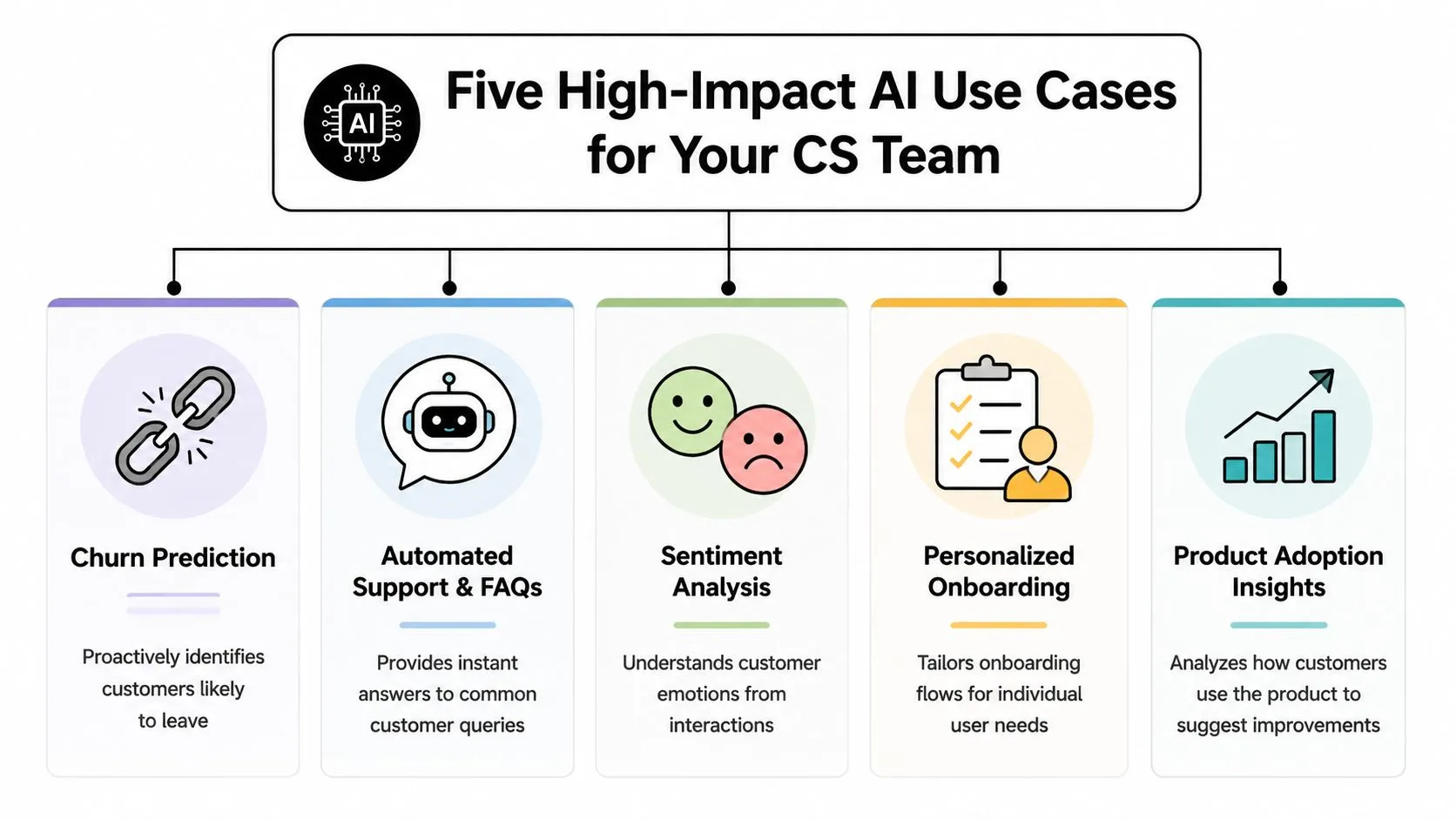
The strongest use case is predictive prioritization. Zendesk describes it as the most impactful application because it moves teams from reactive support to proactive intervention by ranking accounts through multivariate signals such as usage intensity, ticket volume, sentiment, and communication frequency in its guide to AI for customer success productivity.
That's the use case that changes the day-to-day motion of the team. It tells CSMs which accounts need human attention now, which ones can be handled through automation, and which ones are showing healthy momentum.
For a deeper practical view on churn inputs and how signal patterns often show up before cancellation, SigOS insights on churn are a useful companion read.
A short explainer is worth watching before you map these workflows into your own stack:
Five use cases worth real attention
Churn prediction
This is the first place many teams start, and usually for good reason. The model watches for combinations that humans often miss in time. A drop in feature usage by itself may not matter. Combined with rising support friction, fewer stakeholder replies, and a stalled onboarding milestone, it becomes meaningful.
What works is routing low-confidence risk flags to a CSM for review and letting high-confidence patterns trigger tasks or escalations.
Automated triage
Incoming customer signals often arrive unevenly. Some come through tickets, some through email, some through product alerts. AI can classify these signals, summarize them, and route them to the right owner or playbook.
This is especially useful for teams with shared inboxes, pooled books, or handoffs between support, onboarding, and account management.
Personalized onboarding
Not every customer should receive the same sequence. AI can help adapt onboarding based on role, product behavior, goals, and friction points. That can include adjusting resource recommendations, surfacing likely blockers, or nudging customers toward milestones they're at risk of missing.
If your team is building content-driven onboarding at scale, some of the workflow ideas in VideoLearningAI customer education features are relevant to how education and adoption can connect.
Dynamic health scoring
Static health scores usually decay into reporting theater. They get updated too slowly, rely on a few blunt inputs, and become easy for the team to ignore.
AI-supported health scoring works better when it updates as customer behavior changes. If you're also working through qualitative feedback inputs, this lesson on automatically evaluating product reviews and feedback is one example of how teams can structure unstructured signals into something operational.
Upsell and cross-sell opportunity detection
Expansion is often treated as an account manager instinct. AI can support it by spotting accounts that are approaching plan limits, adopting advanced features, or showing patterns associated with readiness for additional value.
The mistake here is pushing offers too early. Expansion signals should inform a conversation, not replace it.
The Data and Metrics AI Models Crave
Bad data doesn't become strategic because you ran it through an AI tool. It just creates faster confusion.
Most failed AI projects in Customer Success aren't really AI failures. They're data model failures. The team tries to predict churn or automate health scoring, but account identity is inconsistent, product telemetry is shallow, support data is disconnected, and nobody agrees on what “engagement” means.
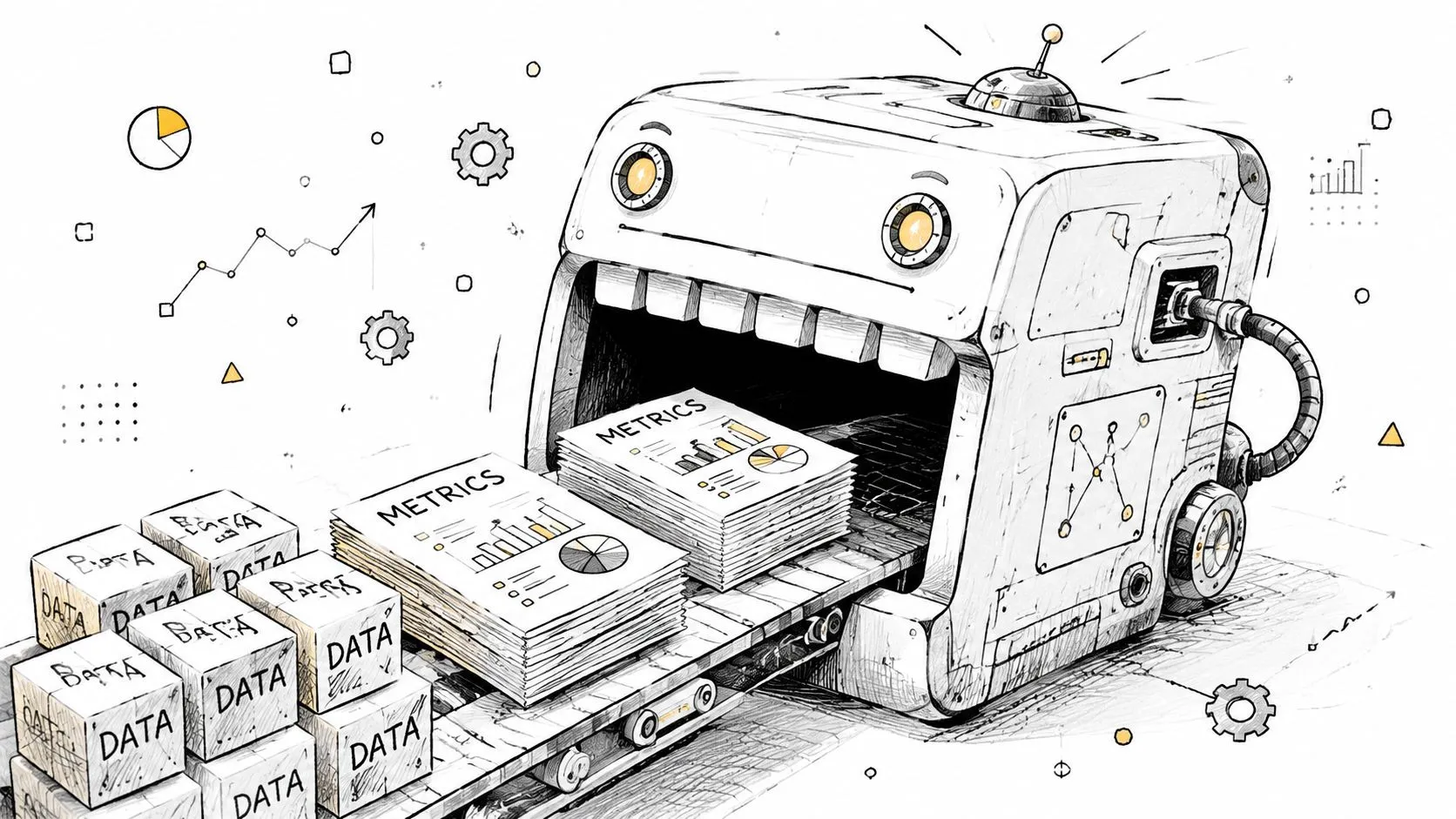
According to Planhat's guide to AI in customer success, successful models depend on high-granularity event data that combines product usage, CRM records, support history, and lifecycle events into a single layer. That's what gives the model enough signal to distinguish healthy, at-risk, and expansion-ready accounts.
What your model actually needs
A workable AI foundation in CS usually includes four categories:
- Product telemetry: Feature usage, login activity, adoption depth, and meaningful in-product milestones.
- CRM context: Account ownership, segment, contract context, goals, and stakeholder structure.
- Support history: Ticket volume, issue themes, escalation patterns, and unresolved friction.
- Lifecycle events: Onboarding stage changes, renewals, plan shifts, stakeholder turnover, and implementation milestones.
The key isn't just having these sources. It's joining them reliably. If one customer appears under multiple account IDs or timestamps aren't aligned, the model sees fragments instead of a story.
If your data can't answer “who did what, when, and in what customer context,” the AI will struggle to tell you what matters next.
A quick readiness check
Before buying another tool, ask your team these questions:
| Readiness area | What to check | Why it matters |
|---|---|---|
| Account identity | Can you match users, accounts, and parent entities consistently? | Prediction fails when customer records are split |
| Event timestamps | Are product, support, and CRM events time-aligned? | Timing matters for detecting changes early |
| Engagement definition | Do teams share one definition of meaningful usage? | Mixed definitions produce noisy scores |
| Outcome history | Can you tie past behavior to renewals, churn, or expansion? | Models need feedback loops to improve |
If you're also documenting internal knowledge for CSMs, structured information design matters here too. A practical starting point is this guide on AI for knowledge management, especially for teams trying to make fragmented CS knowledge usable inside daily workflows.
Your Practical Adoption Roadmap
Teams often don't fail because they moved too slowly. They fail because they tried to automate everything at once. The better pattern is narrower and more deliberate. Start where the workflow is repetitive, visible, and easy for the team to validate.
That approach lines up with practitioner guidance highlighted by Dock's overview of AI for customer success, which argues companies see better returns when they decide where AI should replace, assist, or stay out of the workflow, and redesign only two or three core processes around AI instead of attempting blanket automation.
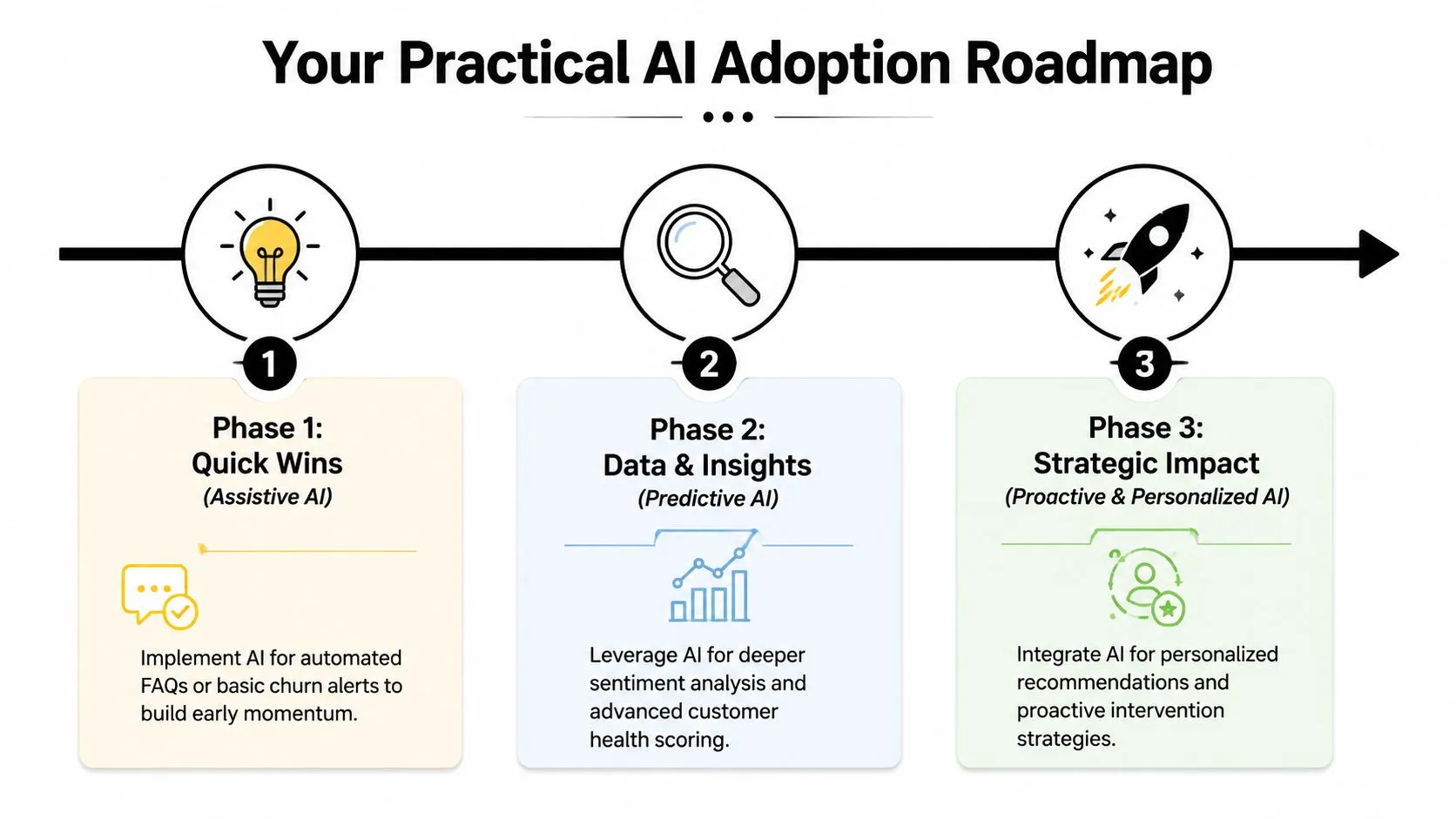
Phase 1 starts with assistive AI
Start with tasks your team already does every day and already complains about.
Typical examples include meeting summaries, follow-up drafts, QBR preparation, account handoff notes, and pulling recent activity into a clean recap. These are low-risk because a human still reviews the output. They're also visible. Reps feel the time savings immediately, and managers can spot where the output is good enough versus where edits are still needed.
This is also the easiest place to build trust. The team learns what the models are good at and where they need prompting or correction.
A focused first phase often includes:
- Call and meeting summaries: Turn transcripts into action items and next steps.
- Drafting assistance: Create follow-up emails, renewal recaps, and stakeholder updates.
- Account context briefs: Assemble recent product, support, and communication history for faster prep.
If your team is still building AI literacy, one option is AI Academy, which offers practical lessons on AI tools and workflows for non-technical professionals.
Phase 2 introduces prediction carefully
Once the team trusts assistive workflows, move into one predictive use case. Usually that's churn risk, onboarding risk, or health-score prioritization.
Don't start with full automation. Start with ranked recommendations and require human validation. A CSM should be able to say, “Yes, this risk flag makes sense,” or, “No, the model missed important context.” That feedback matters because customer behavior shifts, and stale models drift.
A good pilot has three traits:
- Clear scope: One segment, one use case, one success definition.
- Known action path: Every alert should route to a playbook, owner, or review queue.
- Review discipline: Teams should examine false positives and false negatives, not just celebrate the wins.
The first predictive model shouldn't be impressive. It should be teachable, reviewable, and tied to a real action.
Phase 3 scales by segment, not by blanket automation
This is the strategic layer many teams skip. Not every customer tier should get the same AI treatment.
Here's the model that tends to work best:
| Segment | Best AI role | Typical approach |
|---|---|---|
| Low-touch SMB | Replace | Automated nudges, self-service guidance, triggered outreach |
| Mid-market | Assist | AI prioritization plus CSM review and selective intervention |
| Strategic enterprise | Stay in background | AI briefs, risk flags, and recommendations for human-led relationships |
Customer complexity is uneven. A small account with a standard use case can often succeed with touchless motions and smart self-service. A strategic account with multiple stakeholders, procurement friction, and custom goals should never be handed to automation just because the tooling exists.
What doesn't work is forcing one universal AI policy across the portfolio. The core design question is not “Where can we use AI?” It's “Where does automation improve the customer experience, and where does it strip out needed judgment?”
Measuring Real Impact and Managing Team Change
Most AI rollouts get stuck at the same point. The team can show time saved, meetings summarized, or emails drafted, but the leadership team asks a harder question. Did any of this improve retention?
That's the right question. Guidance from Employ's CX perspective on AI in customer success stresses that the hardest part is proving business impact beyond pilots, and that success should be measured through customer outcomes like retention, not just CSM efficiency.
Measure customer outcomes first
Productivity still matters. It just isn't enough on its own.
I'd split measurement into leading indicators and lagging indicators. Leading indicators tell you whether customer behavior is improving before renewal arrives. Lagging indicators tell you whether those changes translated into retention or growth. If you need a broader benchmark for selecting the right retention KPIs, this customer retention metrics guide is a solid reference.
KPIs for Measuring AI Impact in Customer Success
| Metric Type | KPI Example | What It Measures |
|---|---|---|
| Leading | Onboarding milestone completion | Whether customers are progressing early enough |
| Leading | Product adoption depth | Whether customers are using the product in meaningful ways |
| Leading | Engagement changes | Whether stakeholder activity is improving or stalling |
| Leading | Playbook response time | Whether the team is acting faster on risk signals |
| Lagging | Gross retention | Whether customers are staying |
| Lagging | Net revenue retention | Whether retained customers are also expanding or contracting |
| Lagging | Renewal rate | Whether interventions hold through contract decisions |
| Lagging | Expansion conversion | Whether opportunity signals lead to revenue outcomes |
A useful governance habit is to review each AI workflow with one customer outcome attached. If the workflow can't plausibly move a customer outcome, it may still be a nice productivity improvement, but it shouldn't carry strategic weight.
Bring the team with you
The human side is usually less about fear of AI itself and more about fear of hidden evaluation. CSMs worry that every action is being scored, or that the system will replace judgment with formula.
Address that directly. Tell the team what AI is for, what it isn't for, and where human override is expected. Show examples of when the model is wrong. Invite disagreement. That's how trust gets built.
Three practices help:
- Train for interpretation, not just usage. CSMs need to understand why a signal appeared and what to do next.
- Protect judgment-heavy moments. Executive escalations, renewal negotiations, and politically sensitive accounts still need experienced humans in front.
- Document standards early. A simple operating guide on prompts, review steps, and escalation rules prevents chaos. This piece on AI best practices is useful for building that foundation.
The strongest teams don't use AI to turn CSMs into faster admins. They use it to make CSMs more strategic.
Becoming an AI-Powered Customer Success Organization
The promise of AI for Customer Success isn't fewer people doing more busywork. It's a team that spends less time assembling context and more time improving customer outcomes.
The two decisions that matter most are the ones many teams delay. First, decide where AI should replace work, where it should assist, and where it should stay out of the way. Second, measure success through retention, adoption, and expansion, not just internal throughput.
That's what separates a useful rollout from a noisy one. Good AI programs don't automate for the sake of automation. They redesign a small number of workflows around better timing, better prioritization, and better judgment.
Customer Success leaders who get this right won't just run a more efficient team. They'll build a more predictive, more credible, and more resilient post-sale function. Start with one workflow, one segment, and one outcome that matters. Then build from there.
If you want hands-on help applying these ideas, AI Academy is a practical place to build the skills. It's designed for working professionals, includes short lessons on real AI workflows, and fits well for Customer Success leaders or operators who want to test, implement, and manage AI tools without a technical background.