You open your laptop on Monday morning and inherit a research brief that should have had a week of lead time. Instead, you have two days. There are customer interviews to review, competitor pages to scan, analyst reports to compare, and a summary deck due before anyone has fully agreed on the question.
That's where many organizations are right now. They're not asking whether AI matters. They're asking whether it can help them get through messy, real work without lowering the quality bar.
It can, if you use it correctly.
I've watched market analysts, consultants, and non-technical managers make the same discovery: AI for research works best when you stop treating it like a magic answer machine and start treating it like a thinking partner. It can help you narrow a question, sort source material, pull themes from documents, and draft a first pass. You still decide what matters, what's credible, and what should never make it into the final report.
That shift is what makes AI useful. You don't need to code. You don't need to understand model architecture. You need a practical workflow, a few reliable prompts, and the confidence to review output like a researcher rather than accept it like a finished product.
Your Research Just Got a Powerful New Assistant
A few months ago, a market analysis team I advised got a request that sounded simple and turned out to be anything but: “Can you summarize how buyers are evaluating AI vendors this quarter?” The team had sales notes, webinar transcripts, product pages, internal call recordings, and a pile of PDFs. The problem wasn't lack of information. It was too much information, spread across too many formats.
The senior analyst did what most smart professionals do first. She opened a blank document and tried to impose order by hand. After an hour, she had headings, scattered notes, and rising frustration.
Then we changed the approach. Instead of asking AI to “do the research,” we asked it to help with one narrow job at a time: cluster sources by topic, flag repeated claims, extract objections from transcripts, and draft a list of unanswered questions. Once the work was broken down, the bottleneck eased.
That's the promise of AI for research. It doesn't replace the analyst. It reduces friction in the parts of research that slow analysts down.
One useful way to think about this is workflow support. If your team wants to connect intake, document review, and assignment logic, tools built for automatic AI task routing can help map work to the right step instead of leaving everything inside one chat window.
Practical rule: Start with the task that feels repetitive, not the task that feels important. AI earns trust fastest when it handles the grunt work well.
If you're new to this, aim for one practical win. Use AI to clean notes, compare sources, or draft a research outline. Once that feels reliable, expand from there.
Understanding AI for Research What It Is and What It Isnt
AI for research feels confusing when people treat it as one thing. It isn't. In practice, it's a collection of tools that can search, summarize, classify, compare, draft, and organize information in different ways.
That's why teams often get poor results at first. They ask one broad question, get a polished answer, and assume the system “understands” the topic. It doesn't. It predicts useful text based on patterns. Sometimes that produces strong assistance. Sometimes it produces confident nonsense.
A helpful framing for non-technical teams is simple: AI is a powerful assistant, not an authority.
Think of AI as a super-fast intern
The best analogy I know is this: AI is like a brilliant, infinitely fast intern who has read a massive amount of material but has no lived experience, no judgment, and no accountability unless you provide it.
That intern is great at:
- Scanning quickly: It can process long documents far faster than a human can.
- Finding structure: It can group themes, compare wording, and extract repeated patterns.
- Creating first drafts: It can turn rough notes into a usable starting point.
That same intern is bad at:
- Guaranteeing truth: It can state false information with complete confidence.
- Understanding organizational context: It doesn't know which internal source your team trusts most unless you tell it.
- Replacing fieldwork: It can't conduct real interviews, observe customers, or validate a market claim on its own.
AI adoption in research is no longer niche. Wiley reported that 62% of researchers use AI for publication-related tasks in 2025, up from 45% in 2024, a 17-point increase in one year, which shows how quickly these tools have entered normal scholarly workflows according to Wiley's 2025 AI study findings.
What AI is good at and where it breaks
When analysts get value from AI, they usually use it in one of two modes.
First, they use it as a compression tool. They feed it a dense source and ask for structure: main claims, methods, open questions, contradictions, and missing evidence.
Second, they use it as a thinking partner. They ask it to challenge assumptions, propose alternative explanations, or suggest ways to segment a problem.
That's different from blind automation. If you're trying to get better at understanding AI in your workflow, the key idea is orchestration. You decide where AI helps generate options and where a human must make the final call.
AI is strongest when the human provides the question, the context, and the quality check.
If you remember one rule, make it this one: never ask AI for “the answer” when you really need help with framing, synthesis, or evaluation.
The Four Pillars of AI-Augmented Research
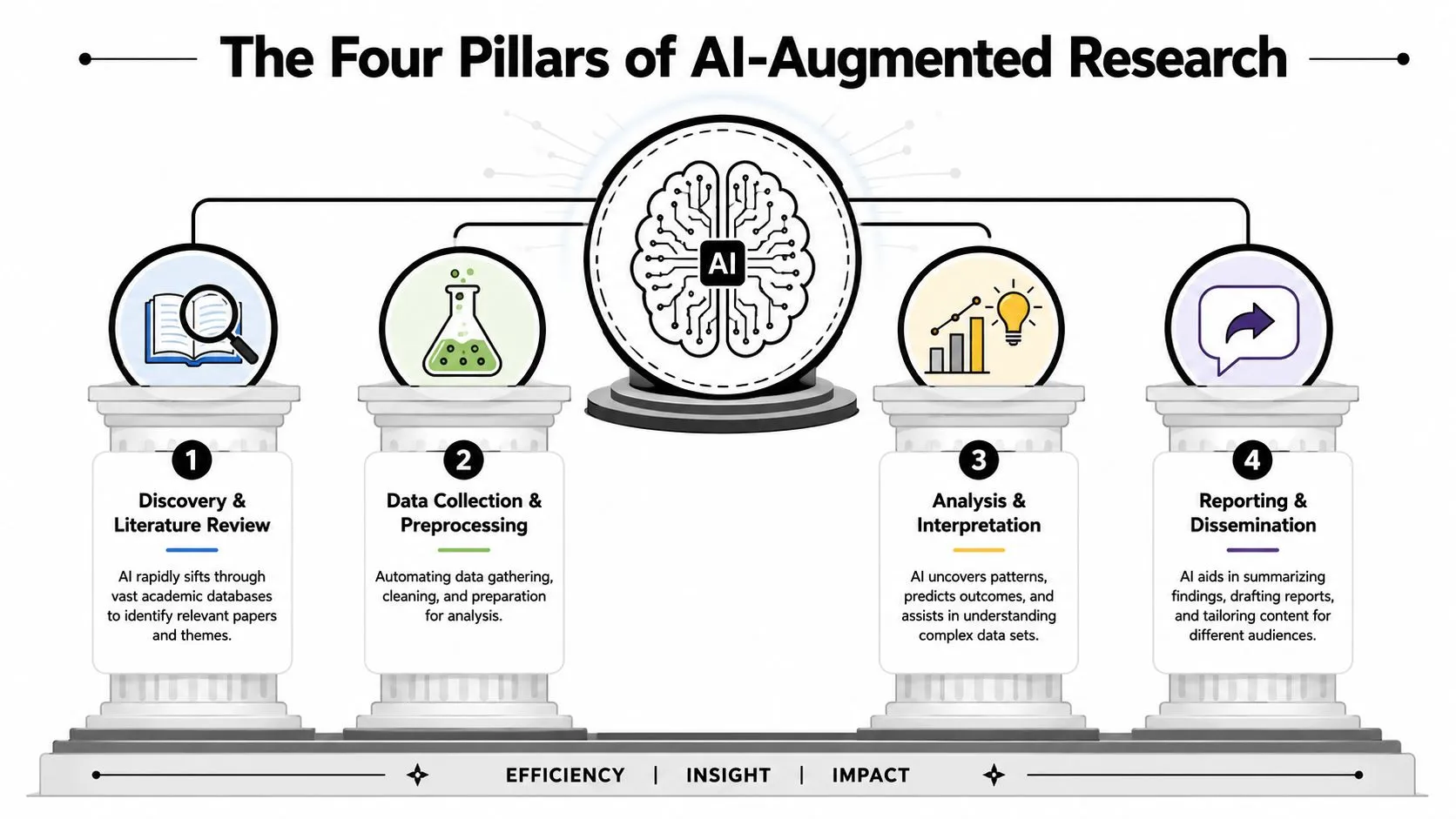
Most research work looks overwhelming because people treat it as one big activity. It's easier to manage when you split it into parts. In practice, AI for research tends to be most useful across four pillars.
A 2025 survey found that 73.6% of students and researchers use or are exploring AI tools for research, with 51% using them for literature reviews and 46.3% for writing and editing, according to Zendy's 2025 research AI trends summary. Those numbers line up with what practitioners see every day. Teams start where the information load is highest.
Discovery and literature review
Most beginners should start here.
Research usually stalls at the source-gathering stage because the question is broad, the search terms are weak, and the reading list grows faster than anyone can process it. AI helps by expanding query terms, suggesting adjacent topics, and summarizing documents so you can decide what deserves closer reading.
A market analyst studying customer churn, for example, might ask AI to generate:
- likely synonyms for churn drivers
- adjacent terms used in analyst reports
- a reading plan grouped by theme
- a list of source gaps
The benefit isn't that AI “knows” the literature better than you. It helps you get oriented faster.
Data extraction and synthesis
Once sources are collected, the next headache is consistency. One PDF uses formal terminology. Another uses industry shorthand. Interview notes are messy. Decks hide useful claims inside bullets.
AI is good at pulling comparable fields from inconsistent material. You can ask it to extract:
- target audience
- claimed benefits
- recurring objections
- methodology notes
- evidence cited versus evidence missing
Field note: If ten documents are saying similar things in different words, ask AI to normalize the language first. Pattern recognition gets easier immediately.
Hypothesis generation and brainstorming
This is the most underused pillar.
Teams often assume AI is only for speed. In reality, it can be useful during the thinking phase when you want to test angles before committing to one interpretation. You might ask it to propose competing explanations for a trend, identify segments you've ignored, or challenge your working assumptions.
Used well, this doesn't weaken your judgment. It sharpens it.
Drafting and summarization
Drafting is where AI saves emotional energy as much as time. Starting from zero is hard. Editing a rough draft is easier.
You can feed AI a structured outline, selected notes, and a target audience, then ask for a first pass. The human role is critical here. You tighten claims, remove unsupported language, add nuance, and confirm every key fact against source material.
Practical AI Workflows for Faster Insights
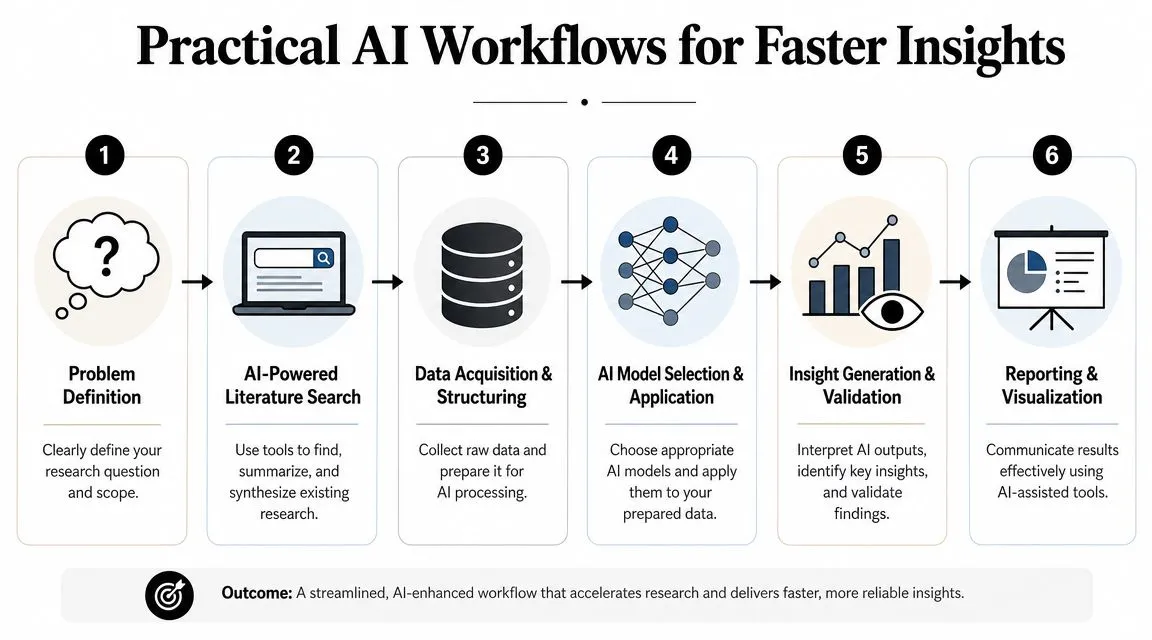
The fastest way to learn AI for research is to run a repeatable workflow on a real project. Don't start with abstract theory. Start with a task you already do.
The economics now make this much easier to test. A 2025 analysis citing Stanford AI Index findings says LLM inference prices dropped by 9x to 900x per year depending on the task, with one example showing a drop of more than 280x in about 18 months, as summarized in this 2025 AI cost analysis. That matters because iterative prompting, document triage, and repeated refinement are no longer limited to teams with big budgets.
A fast literature review workflow
Use this when you need to understand a topic quickly without pretending you've completed deep expertise in one sitting.
Start with a narrow question. Not “Tell me about AI in healthcare.” Try “What barriers affect adoption of AI tools in public-interest research workflows?”
Then follow this sequence:
-
Define the scope
- time range
- geography if relevant
- type of sources
- what counts as out of scope
-
Ask for a search map Prompt:
I'm researching [topic]. Generate a structured search map with core themes, related subtopics, likely synonyms, opposing viewpoints, and terms that may appear in practitioner language rather than academic language.
-
Collect source notes As you read, paste short excerpts or summaries into the model instead of trusting it to invent sources.
-
Ask for comparison, not conclusion Prompt:
Based only on the material below, group the sources into themes. For each theme, list the main claim, any disagreement between sources, missing evidence, and questions I should investigate next. If a claim is unsupported by the text I provided, label it unclear.
Here's a useful supplement if you want a guided lesson on moving from question to output faster: accelerate your research to get insights faster with AI.
Later in the workflow, if you need help pulling structured findings from uploaded documents, a tool like an AI research data analyst can be useful for extracting patterns from reports, tables, and long PDFs without forcing you to manually copy everything into notes.
A short explainer can also help if your team wants to see the workflow visually before trying it:
A qualitative synthesis workflow
This one works well for interview notes, call transcripts, survey comments, or open-ended feedback.
First, anonymize anything sensitive. Then load a manageable batch of text and ask the model to code the data.
Prompt:
You are helping me analyze qualitative research notes. Read the text below and identify recurring themes, specific pain points, emotional language, requested outcomes, and contradictions. Return your answer as a code table with theme name, definition, example excerpt, and confidence level based only on the text provided.
After that, run a second prompt:
Now act as a skeptical research reviewer. Which themes appear well supported, which seem weak or ambiguous, and what additional evidence would I need before presenting these findings to stakeholders?
That second step is where the thinking-partner model becomes valuable. You're not asking AI to summarize only. You're asking it to challenge its own summary.
A simple rule for prompt chains
Most weak results come from asking one oversized question. Break the job into stages instead.
Use this pattern:
- Stage 1: Organize the material
- Stage 2: Extract themes
- Stage 3: Compare and challenge
- Stage 4: Draft a clear output for a real audience
Good research prompting sounds less like “tell me everything” and more like “sort this, compare that, challenge this conclusion, then draft for this audience.”
Building Your AI Research Toolkit
A lot of beginners ask, “What's the best AI tool?” That question usually leads nowhere useful. The better question is, “What combination of tools covers my research workflow?”
Microsoft's analysis of 2025 AI trends points toward agentic workflows, where AI systems do more than chat back. They help route tasks, summarize sources, and draft outputs while still allowing human evaluation, as described in Microsoft's 2025 AI trends analysis. For researchers, that means your toolkit should behave like a small system, not a single magic box.
Choose categories not just brands
Think in categories.
Some tools are best for discovery. These help you search, ask follow-up questions, and gather candidate material. Examples include Perplexity or Elicit.
Some are better for document handling and synthesis. These tools help with PDFs, tabular extraction, or structured review across long files.
Others are strongest in analysis and notebook-style exploration. If you work with messy datasets, transcripts, or repeated comparisons, these tools can help you iteratively inspect patterns.
Then there are writing and reporting assistants. These are useful after you already have evidence and need to turn it into a brief, deck, or stakeholder memo.
If you want a broader overview before choosing, this roundup of AI tools for different work tasks is a practical way to compare categories without assuming one app should do everything.
AI Research Tool Categories
| Tool Category | Primary Function | Example Tools | Best For |
|---|---|---|---|
| AI search tools | Finding and narrowing sources | Perplexity, Elicit | Early-stage discovery and question refinement |
| Document analysis tools | Reading, extracting, and comparing files | PDF-based AI assistants, notebook tools | Long reports, PDFs, and structured extraction |
| General LLM assistants | Brainstorming, synthesis, drafting | ChatGPT, Claude | Prompt-based analysis and first drafts |
| Data analysis platforms | Organizing and inspecting data | Julius AI, Notable | Dataset exploration and pattern finding |
| Writing support tools | Editing and polishing outputs | Grammarly, Scrivener | Final reports, memos, and stakeholder-ready writing |
A simple stack for a non-technical analyst might be one search tool, one document tool, and one general LLM. That's enough to get real value without creating tool sprawl.
Navigating the Ethical and Practical Pitfalls of AI
Research groups don't get into trouble because they used AI. They get into trouble because they used it casually.
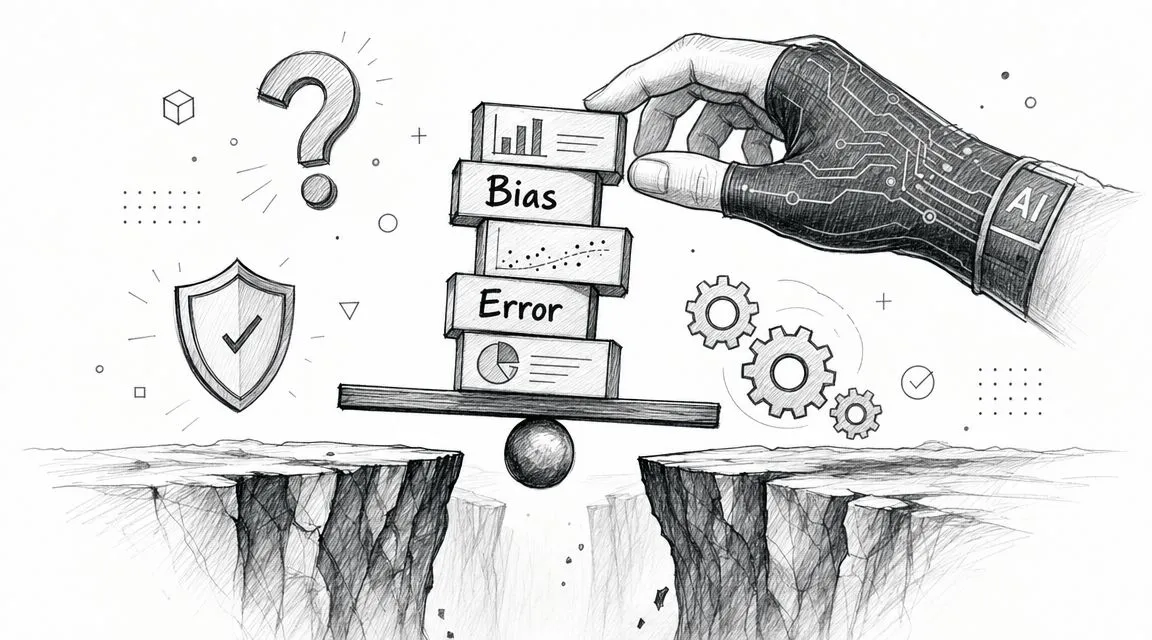
Recent research on trustworthy AI keeps returning to the same operational reality: teams need transparent methods, continuous monitoring, and clearer rules for validation and human review, especially because the practical guidance is still developing, as discussed in this research overview on trustworthy and inclusive AI governance. That gap is why responsible use has to be built into your workflow, not added at the end.
Four mistakes teams make early
The first mistake is accepting polished language as evidence. AI often produces neat wording that sounds researched even when the support is thin.
The second is pasting sensitive material into public tools without checking privacy settings or internal policy. Customer notes, employee data, and confidential strategy documents need a higher bar.
The third is using AI writing as if it were original thinking. If the system drafts a paragraph, you still own the accuracy, attribution, and integrity of that paragraph.
The fourth is ignoring bias in inputs and outputs. If your source material underrepresents some populations, markets, or viewpoints, AI can reinforce that imbalance rather than fix it.
Use this response checklist:
- For factual accuracy: Verify every important claim against the original material. If a statistic or quotation matters, check the source directly.
- For privacy: Remove names, account details, or confidential identifiers before upload.
- For integrity: Treat AI drafts as working notes until a human revises them thoroughly.
- For bias: Ask what voices are missing, what assumptions are embedded, and which outputs deserve a second review.
One practical aid is to build a formal review step around AI fact-checking in everyday workflows, especially when your team presents findings to clients or executives.
A usable review routine
You don't need a massive governance program to start responsibly. You need a repeatable habit.
Try this five-part review before any AI-assisted output leaves your desk:
- Trace the claim back to the source
- Inspect the wording for overstatement
- Check for omissions that could change interpretation
- Confirm confidentiality is protected
- Mark human-reviewed sections in your notes
If a finding could affect a real decision, a human should be able to explain where it came from, why it's credible, and what uncertainty remains.
That standard keeps AI in its proper role. Helpful, fast, and scalable. Never self-authorizing.
Your Quick-Start Checklist for Using AI in Research
If you want to start tomorrow without overcomplicating it, keep the first project small. Choose one narrow research task and one tool. The goal is trust through repetition, not instant transformation.
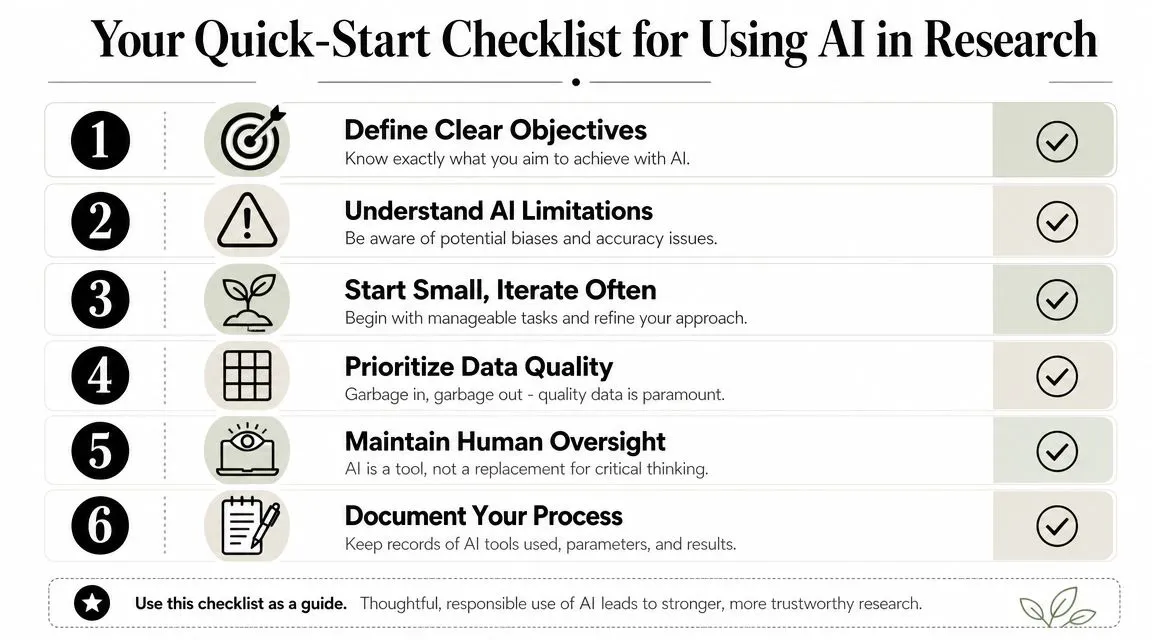
Use this checklist:
- Define one clear question: Don't ask AI to solve the whole project. Ask it to help with one precise task such as clustering interview themes or comparing source claims.
- Pick the right workflow: Start with literature review, document extraction, or qualitative synthesis. Those are usually the easiest entry points.
- Bring your own material: Paste notes, excerpts, and source summaries into the prompt so the model works from your evidence base.
- Prompt in stages: Organize first, analyze second, critique third, draft last.
- Verify one key claim manually: Build the habit early. Check an important statement against the original source before using it.
- Protect sensitive data: Anonymize whenever possible and follow internal policy.
- Keep a research log: Record what tool you used, what prompt worked, and where the output needed correction.
- Treat AI as a thinking partner: Let it generate options, challenge assumptions, and surface patterns. Keep final judgment human.
The teams that get the most from AI for research don't hand over the wheel. They become better at asking, checking, refining, and deciding.
AI gets useful fast when the learning is practical. AI Academy is a strong fit for professionals who want short, job-focused lessons on tools like ChatGPT, Claude, Perplexity, and more, without sitting through bloated theory-heavy courses. If you want step-by-step tutorials, prompt templates, and workflows you can apply at work right away, it's a smart place to build that muscle.