You can feel the shift even if your title hasn't changed.
Your inbox fills faster. Reports take longer. Leadership wants more output with less budget. Then someone on your team starts using ChatGPT, Perplexity, or Midjourney and suddenly finishes in half the time. That's the moment many non-technical professionals start asking the same question. How do I future proof my career without becoming an engineer?
The anxiety is justified. But panic leads people into the wrong moves. They binge tutorials, collect certificates, and stuff “AI” into their LinkedIn headline without changing how they work. Employers can see through that fast. They're not looking for people who can talk about AI. They want people who can use it responsibly to remove manual work, improve decisions, and make teams faster.
Most career advice often falls short. It tells you AI matters, then leaves you with vague advice like “be adaptable” or “learn data.” Useful idea. Weak execution. What helps is a practical system you can use inside a marketing, operations, customer success, recruiting, sales, or analyst role. That means identifying what parts of your job are vulnerable, choosing a tight set of skills, building small AI-powered projects, and then explaining your value in employer language.
The Age of AI Is Here Are You Ready
A lot of people in non-technical roles are stuck in the same spot. They know AI matters. They can feel expectations changing. But they still don't know which tool fits which task, or how to use those tools in a way that improves their day.
That gap is real. A McKinsey report on the economic potential of generative AI says 45% of current work activities could be automated by AI, while 60% of non-technical workers lack specific, actionable training on which tools to use for their tasks. That's the practical AI divide. It isn't just about access to technology. It's about knowing what to do on Tuesday morning when you need to summarize research, prep a client brief, build content ideas, or clean up a messy spreadsheet.
Why generic advice fails
“Learn AI” is too broad to be useful. The marketer who needs faster campaign research has different needs from the operations manager trying to document processes or the recruiter trying to improve sourcing. The professionals who adapt fastest usually don't start with a course catalog. They start with one annoying manual task and ask, “Which tool can help me do this better?”
Practical rule: Don't begin with tools. Begin with workflow pain.
There's another trap. Some people respond by sending low-effort, obviously AI-generated applications and hope volume wins. It usually doesn't. If you're applying for roles while building these skills, the ResumeToJobs blog on why recruiters reject AI-generated applications is worth reading because it shows the difference between using AI as an assistant and letting it flatten your judgment.
What readiness really looks like
Being ready doesn't mean you code. It means you can spot repetitive work, use AI to reduce it, and keep the human parts strong. Judgment. Context. Communication. Taste. Accountability.
That's the shift. AI won't make non-technical professionals irrelevant by default. But it will expose who's still working manually when better systems are available.
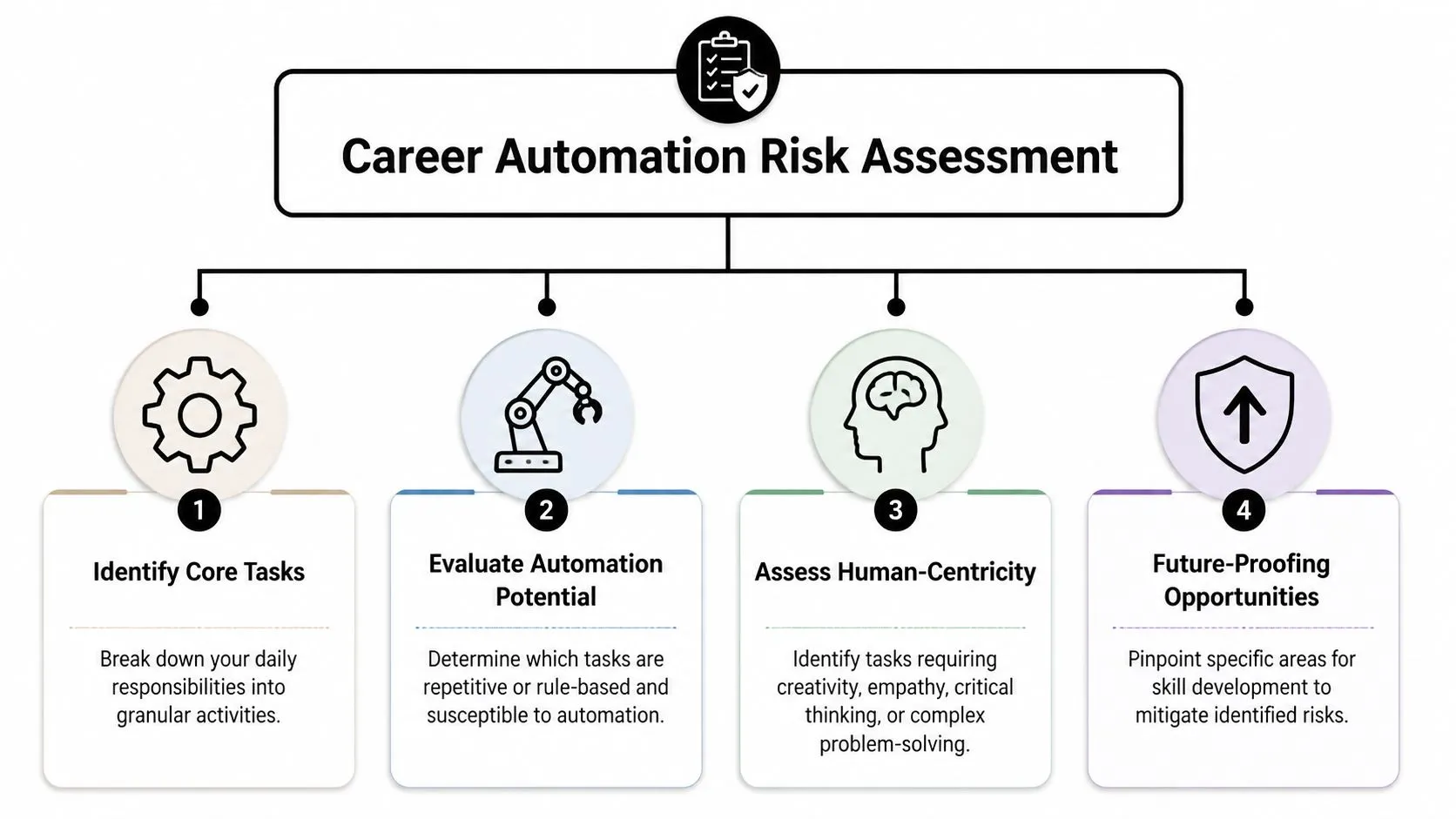
Assess Your Career's Automation Risk
Many assess career risk emotionally. They go by headlines, office rumors, or one viral LinkedIn post. A better approach is to build a simple evidence-based map of your role.
Run a market-based career scan
Start with five real job descriptions for roles you want next, not just the role you have now. Pull them from companies you'd consider joining. Then do three things:
-
Extract recurring skill terms
Look for the top 10 recurring skill keywords across those descriptions. Don't overcomplicate this. You're trying to see what the market keeps asking for. -
Separate tools from capabilities
“ChatGPT” and “Excel” are tools. “Stakeholder communication,” “analysis,” and “workflow design” are capabilities. You need both, but they should not sit in the same mental bucket. -
Mark evidence, not aspiration
Don't rate yourself based on what you've watched or read. Rate yourself based on what you've done at work.
Babson data cited in Babson Graduate Center career strategies says professionals who conduct a quarterly Career Scanning audit and prioritize skills that align passion with market demand achieve a 45% higher rate of internal promotion than those relying on intuition.
Build your bullseye chart
Now turn that scan into a visual.
Create a bullseye with rings from beginner at the center to mastery at the outside. Put each of the recurring skills somewhere on that chart based on your current proficiency. Then create a second version for future proficiency. The gap between the two is your development plan.
Use a simple filter to avoid wasting time:
- High market demand and high personal interest
This is your priority zone. Invest here first. - High demand and low interest
Learn enough to stay competent, but don't build your identity around it. - Low demand and high interest
Keep it as a side advantage, not your main career bet. - Low demand and low interest
Ignore it.
Career planning gets clearer when you stop asking, “What should I learn?” and start asking, “What keeps appearing in the jobs I want?”
Find the tasks AI can help with first
A lot of “future proof your career” advice jumps too quickly to big skills and skips the daily task layer. That's a mistake. Employers don't buy abstract potential. They buy improved output.
Take one week of your actual work and break it into granular tasks:
- Research work like gathering competitor notes, summarizing documents, and scanning trends
- Production work like drafting emails, preparing briefs, formatting reports, and creating content outlines
- Coordination work like follow-ups, meeting summaries, and handoffs
- Decision work like prioritization, judgment calls, and stakeholder recommendations
The first three categories often contain repeatable, rule-based pieces where AI can assist. The last category usually needs more human ownership.
If you're tailoring your resume to reflect this shift, avoid stuffing it with every buzzword you found in those job descriptions. This guide on avoiding keyword stuffing in resumes explains how to stay discoverable without sounding synthetic.
A practical self-audit prompt
Open your notes app and answer these questions:
- What do I do every week that feels repetitive?
- Which tasks follow the same pattern each time?
- Where do I spend too much time gathering information rather than acting on it?
- What do managers or clients value most in my work that AI can't own by itself?
That last answer matters. Your moat usually isn't the raw task. It's your judgment around the task.
Prioritize Skills That Defy Automation
You don't future proof your career by learning everything. You do it by building a sharp mix of human strengths and technical capabilities.
Jobs tied to data and analysis aren't slowing down. The U.S. Bureau of Labor Statistics projects that data scientist roles will grow 36% by 2033, which is much faster than average. For non-technical professionals, that doesn't mean you need to become a data scientist. It means data literacy and AI fluency are moving closer to baseline expectations.
Choose the blend that stays valuable
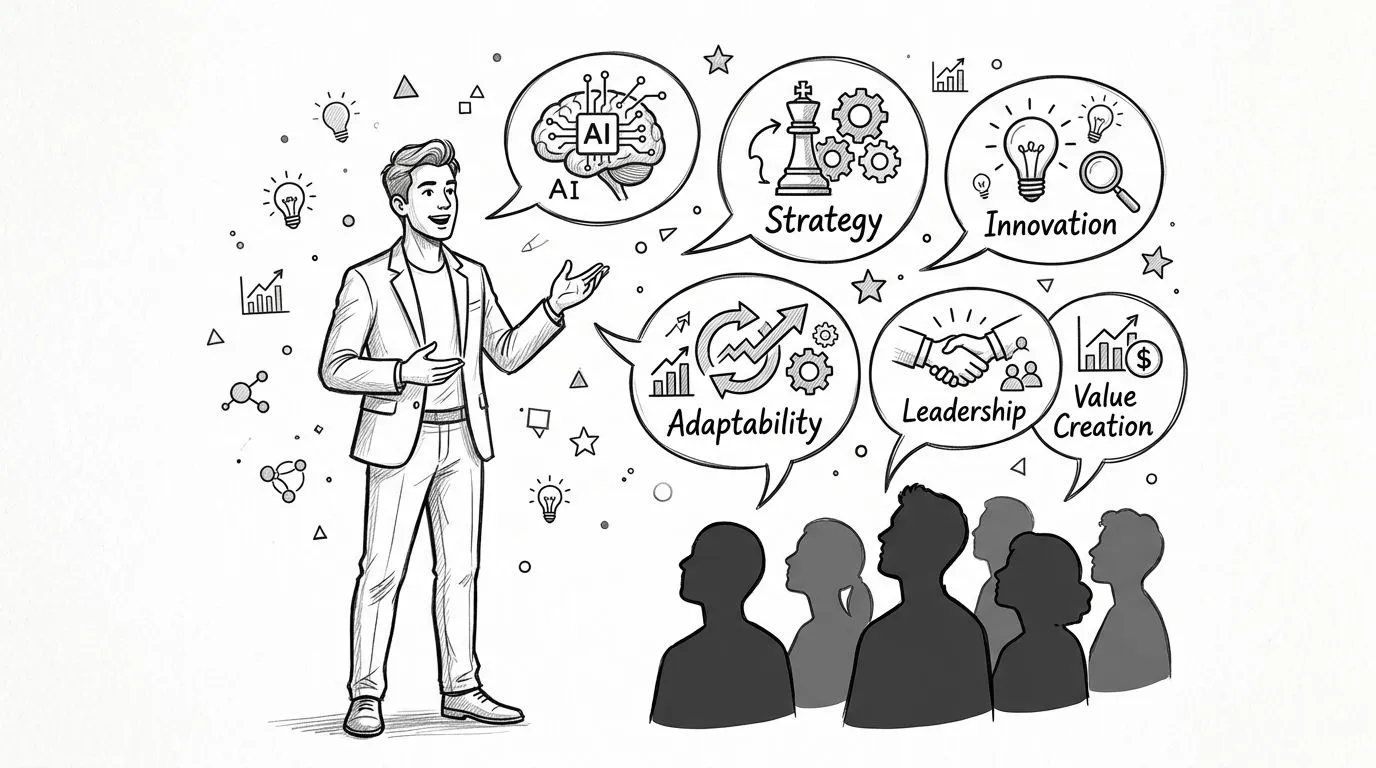
The strongest career insurance usually comes from pairing one human-centric capability with one AI-enabled execution skill.
Here's the combination I've seen work best for non-technical roles:
-
Strategic thinking plus AI research support
You use Perplexity or ChatGPT to gather and structure information, then you decide what matters. -
Communication plus synthesis
You turn messy notes, transcripts, customer feedback, or internal updates into clear recommendations. -
Creative direction plus generation tools
You don't just prompt Midjourney or another generator. You set the angle, constraints, audience, and quality bar. -
Data literacy plus interpretation
You don't need advanced math. You need to read patterns, spot weak assumptions, and explain implications.
The market rewards people who can act as translators. They know enough about tools to use them well, and enough about business to avoid naive automation.
Use a 90-day sprint instead of tool hoarding
The worst learning strategy is trying to master every trending app. That creates shallow familiarity and no usable output.
A better move is a 90-day sprint around three tools that match your actual work. For many non-technical professionals, a practical stack looks like this:
- ChatGPT for drafting, summarizing, brainstorming, and rewriting.
- Perplexity for research, source discovery, and fast topic mapping.
- Midjourney or another visual generator for concepts, rough creative exploration, and campaign ideation.
Choose one primary use case for each. Then repeat it until it becomes normal.
Common mistake: Learning prompts without connecting them to a business task.
Better move. Tie every new prompt to a recurring deliverable you already own.
Watch this mindset in action
A quick visual explainer can help if you're still thinking too broadly about “learning AI.”
The shift isn't tool collection. It's role redesign. You want to become the person who reduces friction, speeds up knowledge work, and still applies sound judgment when the model output is weak.
Build Demonstrable AI-Powered Workflows
This is the part that changes your career story. Not the course badge. Not the claim that you're “passionate about AI.” The proof.
Employers and clients respond when they can see how you use AI to improve real work. A mini-project is enough. It should solve one clear problem, use a small tool stack, and produce an artifact you can show. That artifact could be a reporting template, a content brief system, a research workflow, a prompt library, or a process document.
What a strong mini-project looks like
Take a marketer who spends too much time preparing campaign briefs.
Before AI, the workflow might look like this: open multiple tabs, scan competitor pages, copy findings into a doc, organize customer pain points, draft messaging angles, then rewrite everything into a final brief. It works, but it's slow and inconsistent.
A stronger workflow looks like this:
- Use Perplexity to gather high-level topic context and source material.
- Use ChatGPT to summarize findings into a structured brief format.
- Use a visual tool for rough concept directions if the campaign needs creative exploration.
- Edit the output with human judgment before it goes to the team.
That's a portfolio piece because it turns a vague skill into a repeatable operating system. If you want to strengthen your prompting, this guide on what prompt engineering is in practical business terms gives a solid foundation without drifting into theory.
Task Automation Examples for Non-Technical Roles
| Task | Before AI (Manual Process) | After AI (Automated Workflow) |
|---|---|---|
| Market research summary | Open many tabs, copy notes into a doc, manually cluster insights | Use Perplexity for source discovery, then ChatGPT to synthesize themes into a concise summary |
| Sales outreach draft | Write each first draft from scratch, rewrite for each segment | Use ChatGPT to create tailored drafts from offer, persona, and objection inputs |
| Campaign concepting | Brainstorm in meetings, search references manually, build mood boards slowly | Use a visual generator to create fast concept directions and discuss what to refine |
| Meeting recap | Rewatch notes, summarize actions manually, send follow-up later | Use AI to organize notes into decisions, action items, and owner-based follow-up |
| Reporting commentary | Pull numbers, interpret trends manually, write repetitive summaries | Use AI to draft first-pass commentary, then edit for context and executive relevance |
Use micro-learning to build faster
Long courses often feel productive because they're structured. But in practice, most professionals need skills they can apply this week, not months from now. A Harvard Business Review topic page on continuous learning cites a 2025 study finding that professionals using micro-learning platforms retained 40% more practical skills and applied them 3x faster than those in traditional long-form courses.
That tracks with what works on the job. Short lessons tied to immediate tasks stick better because you can test them in real conditions. Learn a prompt pattern. Use it on today's customer email. Learn a research workflow. Use it for tomorrow's planning deck.
For consultants and freelancers, this gets even more valuable when the output is client-facing. If you create ad concepts or rapid creative variations, a tool like ShortGenius for automated ad generation can become part of a visible deliverable, not just a private productivity boost.
Build one workflow that saves time. Then document it well enough that another person could use it.
That last step matters. Documentation turns a personal trick into professional value.
Communicate Your Value to Employers and Clients
Once you've built AI-powered workflows, you need to translate them into language that hiring managers, clients, and team leads understand. Many professionals undersell themselves here. They list tool names and hope that sounds modern.
It doesn't.
Turn workflows into proof
Don't write “Used ChatGPT and Perplexity.” That says almost nothing. Write what changed in the work.
Good resume bullets and LinkedIn statements usually include three things:
- The business context
What kind of work was involved? - The workflow change
What did you build, redesign, or improve? - The practical outcome
What became faster, clearer, or more scalable?
Examples:
-
Marketing example
Built an AI-assisted campaign briefing workflow using Perplexity and ChatGPT to speed up research synthesis and produce clearer first drafts for content planning. -
Operations example
Created a repeatable meeting-summary workflow that turned raw notes into action items, owner assignments, and follow-up drafts. -
Analyst example
Used AI to structure initial research summaries and reporting commentary, then refined outputs with stakeholder context and business judgment.
These work because they show tool use inside a business process. For safe, professional framing, this guide on AI best practices for business use is useful because it reinforces governance, review, and human accountability.
Update your LinkedIn and interview story
Your LinkedIn profile should reflect how you work now, not how you worked before you started adapting. Update your headline, About section, and featured content to show that you improve execution with AI, not that you merely follow trends.
In interviews, avoid talking about AI like a hobby. Talk about it like an operational advantage.
A strong answer sounds like this:
I use AI to remove low-value manual work, especially in research, drafting, and synthesis. That lets me spend more time on judgment, stakeholder alignment, and decision quality.
That framing reassures employers. You're not trying to replace the role. You're trying to make the role more effective.
There's also a compounding effect to reviewing your own systems regularly. A Coursera article on education ROI cites that professionals who audit their AI task completion weekly and can articulate their learning ROI achieve a 3.5x faster return on their educational investment in career advancement terms.
A simple weekly proof habit
At the end of each week, write down:
- One task AI helped with
- One output you improved
- One lesson about where human review was still necessary
Those notes become future resume bullets, interview stories, and client examples. If you don't capture them, you'll forget them.
Your Continuous Career-Proofing System
The people who stay valuable aren't the ones who guess the perfect tool early. They're the ones who build a repeatable adaptation loop.
Run the loop instead of chasing certainty
Use this four-part system on a regular rhythm:
-
Assess
Scan the market, review job descriptions, and identify where your current role contains repetitive work or shifting expectations. -
Prioritize
Pick a narrow set of skills that combine market demand, personal fit, and everyday usefulness. Avoid learning for entertainment. -
Build
Create one visible workflow or mini-project that improves a real task. Keep it small enough to finish and strong enough to explain. -
Communicate
Turn that work into employer language across your resume, LinkedIn, portfolio, and interview examples.
That cycle works because it matches how work changes. Tools will keep moving. Interfaces will change. New platforms will appear. Your protection doesn't come from memorizing a fixed stack. It comes from getting good at spotting friction, testing tools, and turning better workflows into visible value.
If you want a practical place to keep sharpening that process, this resource on how to learn AI for business is a useful next step.
The core idea is simple. Future proof your career by becoming the person who can learn quickly, apply carefully, and explain the business impact clearly. That combination travels well across roles, companies, and market shifts.
If you want structured help building those skills, AI Academy is a practical option for non-technical professionals who want step-by-step lessons on tools like ChatGPT, Claude, Midjourney, and Perplexity without getting buried in bloated theory.