You're probably living some version of this right now.
A team promised an AI feature that would summarize sales calls, route leads, or generate campaign drafts. The demo looked great. Then development began. Data arrived in the wrong format. The model worked in testing but failed in production. A small request from marketing turned into a major rebuild. Delivery slipped, confidence dropped, and every update seemed to create a new problem somewhere else.
From the outside, that can feel like technical chaos. From the inside, it's often something simpler. The project was built without enough attention to the underlying software engineering principles that make technology dependable, adaptable, and safe to scale.
That matters far beyond the engineering team. If you lead a function, manage a budget, or sponsor an AI initiative, these principles help you ask better questions, spot avoidable risk earlier, and make smarter tradeoffs with technical teams. This is less about writing code and more about managing decisions. Think of it as learning the construction rules behind a building so you can tell whether the renovation plan is solid or whether someone is about to cut into a load-bearing wall.
Why Tech Projects Fail and What You Can Do About It
A marketing lead asks for an AI assistant to turn webinar transcripts into follow-up emails. It sounds contained. The team already uses ChatGPT or Claude, so how hard can it be?
A month later, the project is stuck. The CRM fields don't match the transcript structure. Legal wants a review step. Sales wants custom prompts by segment. The engineering team says the workflow needs to be redesigned because the original version tied everything together too tightly. What looked like a simple feature was really a chain of dependencies.
That's where many non-technical teams get confused. They assume delays come from coding speed. In practice, projects often slow down because the design makes change expensive. It's the same reason a house renovation gets ugly when plumbing, wiring, and structural supports are tangled together. Small changes stop being small.
Good engineering doesn't remove uncertainty. It prevents uncertainty from spreading.
Software engineering principles are the construction rules that keep one problem from becoming five. They shape how teams split work, how systems handle growth, and how safely a product can evolve after launch. For management, that translates into three practical benefits:
- More predictable delivery: Teams can make changes without breaking unrelated parts.
- Lower operational risk: Problems are easier to detect, isolate, and fix.
- Better cross-functional planning: Product, marketing, legal, and engineering can discuss tradeoffs in the open.
When leaders ignore these principles, they often reward the wrong thing. They celebrate a fast prototype, then get frustrated when the production version takes much longer. But a prototype proves possibility. Engineering proves repeatability.
The gap between those two is where budgets get strained and trust gets damaged. If you want AI projects that survive contact with real users, messy data, security reviews, and changing business priorities, software engineering principles aren't technical trivia. They're management tools.
The Three Pillars of Sustainable Technology
Some engineering ideas sound abstract until you boil them down to the pressures every business already understands. The clearest model is this one: Time, Scale, and Tradeoffs.
Google framed software engineering at scale around these principles in its O'Reilly book, and the business logic is straightforward. Projects designed with long-term sustainability in mind reduced technical debt by 55% over five years, while teams using evidence-driven tradeoff decisions reported 45% fewer deployment failures and 35% faster recovery from incidents, according to Google's software engineering framework published with O'Reilly.
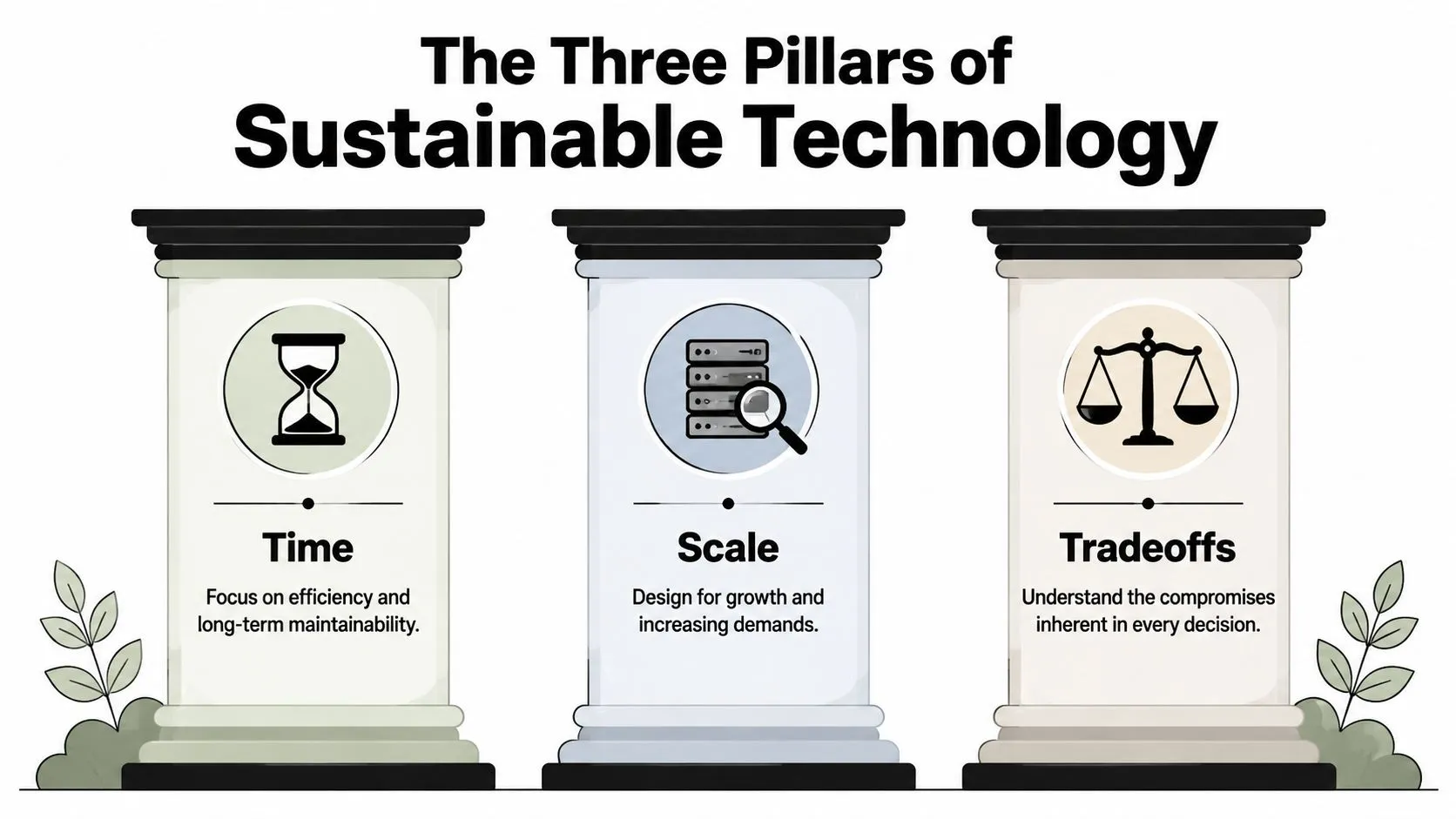
Time is about lifespan, not launch day
Most business teams talk about deadlines. Engineers also have to think about lifespan.
A campaign landing page built for a one-week event can be rough around the edges. An AI workflow that handles customer support tickets every day for the next two years can't be treated that way. It needs clean ownership, documentation, monitoring, and room for updates.
A restaurant kitchen is a useful analogy. If you're cooking one dinner for friends, you can improvise. If you're running dinner service every night, you need stations, repeatable prep, and clear handoffs. Otherwise the kitchen collapses the moment orders pile up.
Managers can bring this pillar into planning by asking one simple question: How long does this need to stay useful? If the answer is “for the foreseeable future,” then speed alone is the wrong optimization target.
Scale changes the design rules
Scale doesn't only mean millions of users. It also means more prompts, more data sources, more teams, more edge cases, and more exceptions.
Something that works for ten internal users may break once sales, support, and operations all depend on it. A reporting bot that reads one spreadsheet might seem stable until finance asks for ERP data, marketing adds campaign metadata, and leadership wants dashboards every morning.
Here's the business lesson. Growth changes system behavior. A small restaurant can survive if one person keeps the menu in their head. A busy restaurant needs written recipes, inventory tracking, and role clarity. The same applies to software. Informal setups stop working once the workload or organizational dependence increases.
If a workflow only works when the original builder is present, it isn't scaled. It's fragile.
Tradeoffs should be explicit
Every project makes tradeoffs. The danger is making them accidentally.
You can launch faster by skipping observability, reducing testing, or hardcoding a temporary integration. Sometimes that's reasonable. The mistake is pretending those choices are free. They create future cost, risk, or delay.
Tradeoffs are easier to manage when teams name them clearly:
- Speed versus flexibility: Are we locking in one approach to ship faster?
- Scope versus reliability: Are we adding features before the foundation is stable?
- Convenience versus control: Are we using a quick vendor integration that may be hard to replace later?
For management teams, this is often the most powerful of the software engineering principles because it changes the conversation. Instead of asking, “Why is this taking so long?” you ask, “What are we buying with the extra time, and what risk do we accept if we cut it?”
That shift creates better planning and fewer unpleasant surprises.
Key Principles Explained with Simple Analogies
A management team does not need to read code to spot whether a system will be easy to change. You can hear it in project conversations. If a small request turns into, “We have to update five services, retrain the ops team, and retest the reporting flow,” the design is already working against the business.
These principles help leaders ask better questions before costs pile up.
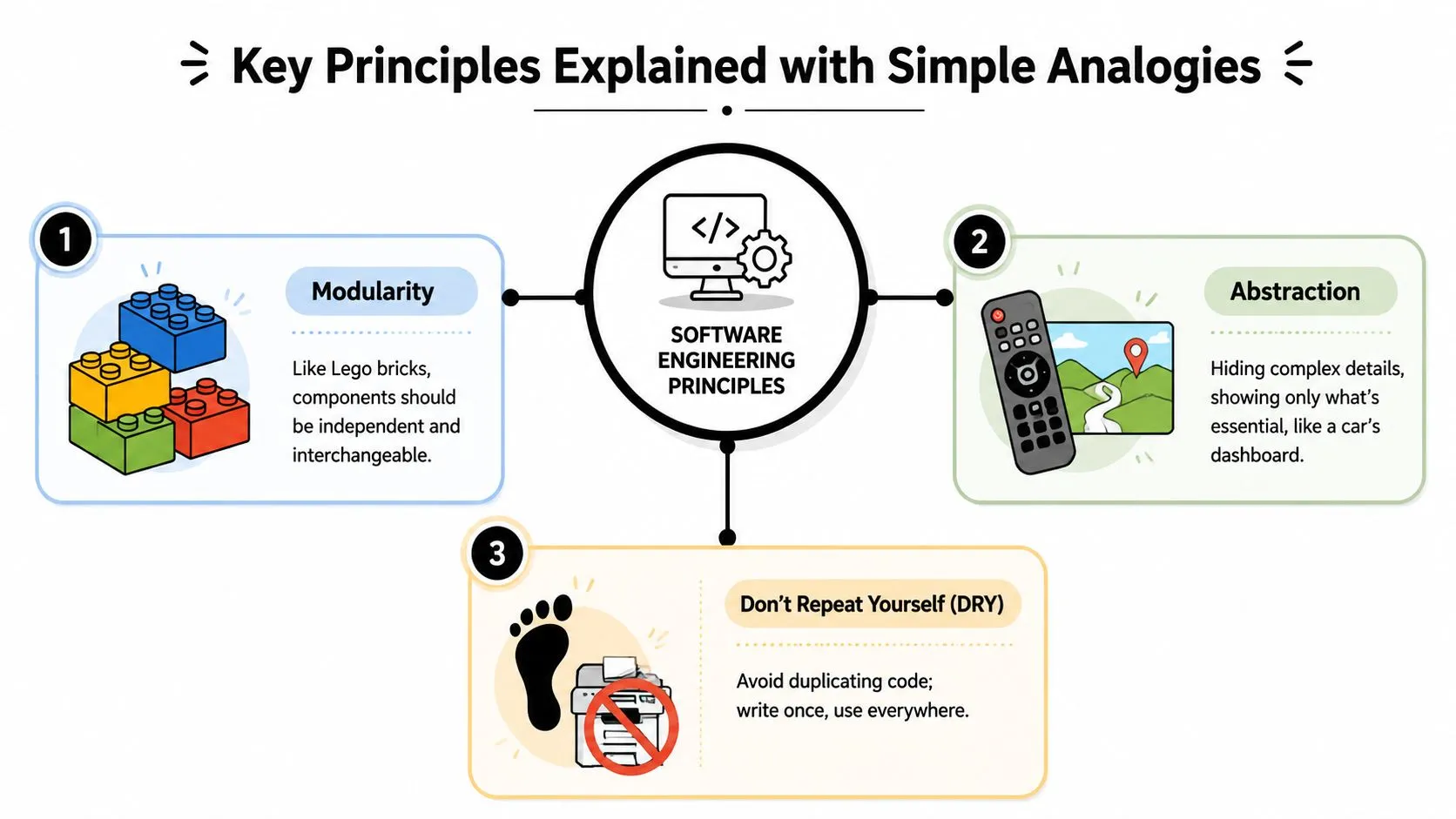
Modularity works like a restaurant kitchen with stations
Modularity means dividing a system into parts with one clear job each.
A busy restaurant kitchen is a good comparison. One station handles salads. Another handles grill orders. Another plates desserts. If the dessert station changes its process, the grill station should not need a rewrite. Software works the same way. Your login flow, billing logic, customer data pipeline, and AI summarization service should each have defined boundaries.
For managers, this becomes a governance issue, not a coding detail. A modular system is easier to estimate, easier to assign across teams, and easier to change without creating surprise work in unrelated areas. In AI projects, that separation is even more valuable. You may want to swap models, revise prompt logic, or add a human approval step later. If those parts are fused together, every change becomes a small renovation instead of a simple fixture replacement.
You can see that mindset in tools and workflows described in Cyndra's AI agent build guide, where the agent logic, data access, and action layers are treated as separate concerns.
Abstraction works like the controls in a car
Abstraction means people interact with the controls they need, while the internal machinery stays behind the dashboard.
A driver uses the steering wheel, pedals, and turn signal. The engine still matters, but the driver does not need to manage fuel injection timing to get to the office. Good software does the same job. A sales manager clicks “Generate account summary.” They should not need to know which model handled the request, how retries were managed, or how the data was cleaned first.
That matters at the business level because abstraction reduces coordination overhead. Teams outside engineering can use a system confidently without learning its internals. Engineers can improve the internals without retraining every stakeholder each time they make a change.
A short explainer can help if the team needs a shared baseline:
SOLID works like good building rules
The SOLID principles are a set of design rules that help teams build software that stays workable as it grows. The acronym stands for Single Responsibility, Open/Closed, Liskov Substitution, Interface Segregation, and Dependency Inversion.
The names sound academic. The management lesson is practical.
A well-run construction project follows similar rules. One beam should carry one load. New rooms should be added without weakening the foundation. Standard connectors should fit predictably. Contractors should not have to tear open the whole building to replace one pipe. SOLID pushes software teams toward that same kind of structure.
You do not need to memorize each letter to use the idea in planning meetings. Ask simpler questions instead. Does each component have one clear purpose? Can we add a new feature without rewriting old parts? Are teams depending on stable interfaces, or on hidden assumptions inside someone else's code?
A maintainable system is not simple because it has no complexity. It is manageable because the complexity is kept in the right place.
That is why these principles belong in management conversations. They give you a way to judge delivery risk, change cost, and team dependence before those problems show up on a deadline.
The Hidden Link Between Engineering Principles and AI Success
AI projects often look like model problems. In reality, they're usually architecture problems.
A team might debate whether to use GPT-4, Claude, or an open model, while the primary weakness lies elsewhere. The prompt logic is tangled with the user interface. The output format is hardcoded into downstream reporting. The data pipeline and model call share the same brittle workflow. One change breaks everything.
AI projects fail at the seams
That pattern shows up in the numbers. A 2016 analysis found 60% of project failures stem from architectural mismatches, while 78% of teams and learners focus on over-optimizing minor code details instead, according to Rod Hilton's analysis of guiding software principles.
That's a sharp warning for AI work. Leaders often get pulled into discussions about prompts, model settings, or UI polish because those are visible. Architecture is less visible, but it decides whether the system can survive change.
Consider a common example. Your team builds an AI assistant that summarizes customer calls and pushes next steps into HubSpot or Salesforce. If the transcription service, prompt logic, model choice, CRM mapping, and approval workflow are all fused together, every future change becomes expensive. Swap the model and you break formatting. Change the data source and approvals stop working. Add a legal review and the whole flow needs rework.
Why managers should care about architecture
This is why software engineering principles matter so much in AI. Modularity reduces vendor lock-in because teams can replace a model layer without rebuilding the surrounding process. Separation of concerns keeps a data source issue from taking down the reporting layer. Abstraction gives non-technical users a stable experience while engineers improve what sits underneath.
If you're trying to understand how these moving parts fit together in practice, Cyndra's AI agent build guide is a useful walkthrough because it frames an AI workflow as a system of coordinated components rather than a single prompt.
The management takeaway is straightforward:
- Ask where the boundaries are: What can change independently?
- Ask what's coupled: If this vendor changes pricing or output format, what else breaks?
- Ask where review happens: Who catches failures in data, logic, or output quality?
In AI, a flashy demo can hide a brittle structure. Strong architecture does the opposite. It makes the product look ordinary while making the business much safer.
A Manager's Checklist for Guiding AI Projects
A familiar scene plays out in AI projects. The demo works in week two, leadership gets excited in week three, and by week six the team is arguing about data quality, ownership, and what “done” even means. Managers usually do not need more technical detail at that point. They need better questions earlier.
That is what this checklist is for.
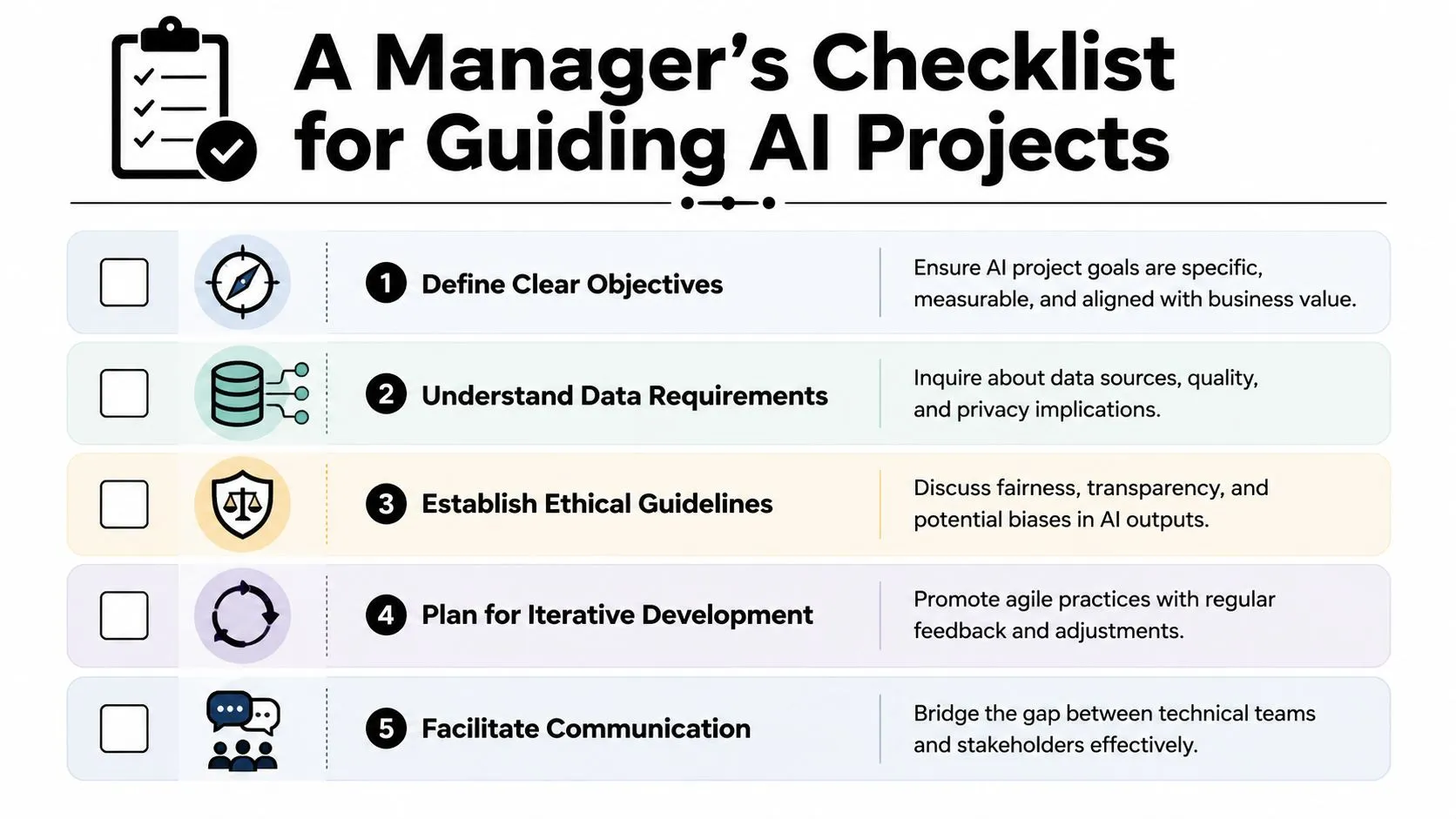
Questions that improve project quality
A good AI project review works like a restaurant kitchen check before dinner service. You are not asking the chef to explain every recipe. You are checking whether ingredients are ready, stations are clear, and someone will notice a problem before orders pile up.
Use these questions in kickoff meetings, sprint reviews, and stakeholder check-ins.
- What is the smallest useful version of this project? This keeps the first release focused on a real business outcome instead of a long wish list.
- Which parts do we expect to change in the next six months? That question surfaces where the team needs clean boundaries, especially around models, prompts, vendors, and data inputs.
- What are we giving up to hit this date? Ask for specifics. Teams often trim testing, documentation, monitoring, or fallback handling to protect the schedule.
- How will we detect failure after launch? AI systems rarely fail in one obvious way. They drift, degrade, and subtly confuse users unless someone is watching the right signals.
- Who owns each dependency if it breaks? A project can stall fast when the model team, data team, and operations team each assume someone else is handling the issue.
These questions work because they shift the conversation from feature delivery to operational readiness. That is the management job. You are setting conditions for a project that can survive change, not just approving a demo that looks polished for one meeting.
Manager's rule: Ask whether the team can change the system safely next month, not only whether it works this week.
How to use the checklist in meetings
The checklist is most useful when it becomes part of recurring team habits. A house inspection is not helpful only on the day the roof goes on. You check the foundation, framing, wiring, and plumbing at different points because each stage reveals a different kind of risk.
A simple meeting rhythm looks like this:
- Kickoff: Define the business goal, success metric, dependencies, and known constraints.
- Mid-build review: Ask what became harder than expected, what assumptions changed, and where quality is being traded for speed.
- Pre-launch check: Confirm monitoring, fallback steps, approval paths, and operational ownership.
- Post-launch review: Capture where the system was fragile, what took too long to fix, and what should be redesigned before the next phase.
This structure helps managers stay involved without micromanaging. It also gives engineers a clearer way to raise risk before it turns into missed targets or emergency fixes.
For teams moving from pilot to production, navigating AI deployment is a helpful companion checklist because it keeps attention on rollout, support, and accountability after the prototype phase.
If your role sits between technical delivery and business coordination, this broader guide to AI for project management can help you build stronger habits around planning, communication, and follow-through.
Common Pitfalls and Anti-Patterns to Spot and Avoid
Knowing the right principles helps. Spotting the wrong patterns early helps even more.
Some anti-patterns show up as language before they show up in dashboards. “We'll clean it up later.” “It's only temporary.” “One person understands that part.” “Changing this should be easy,” followed by a week of side effects. These are management signals, not just technical ones.
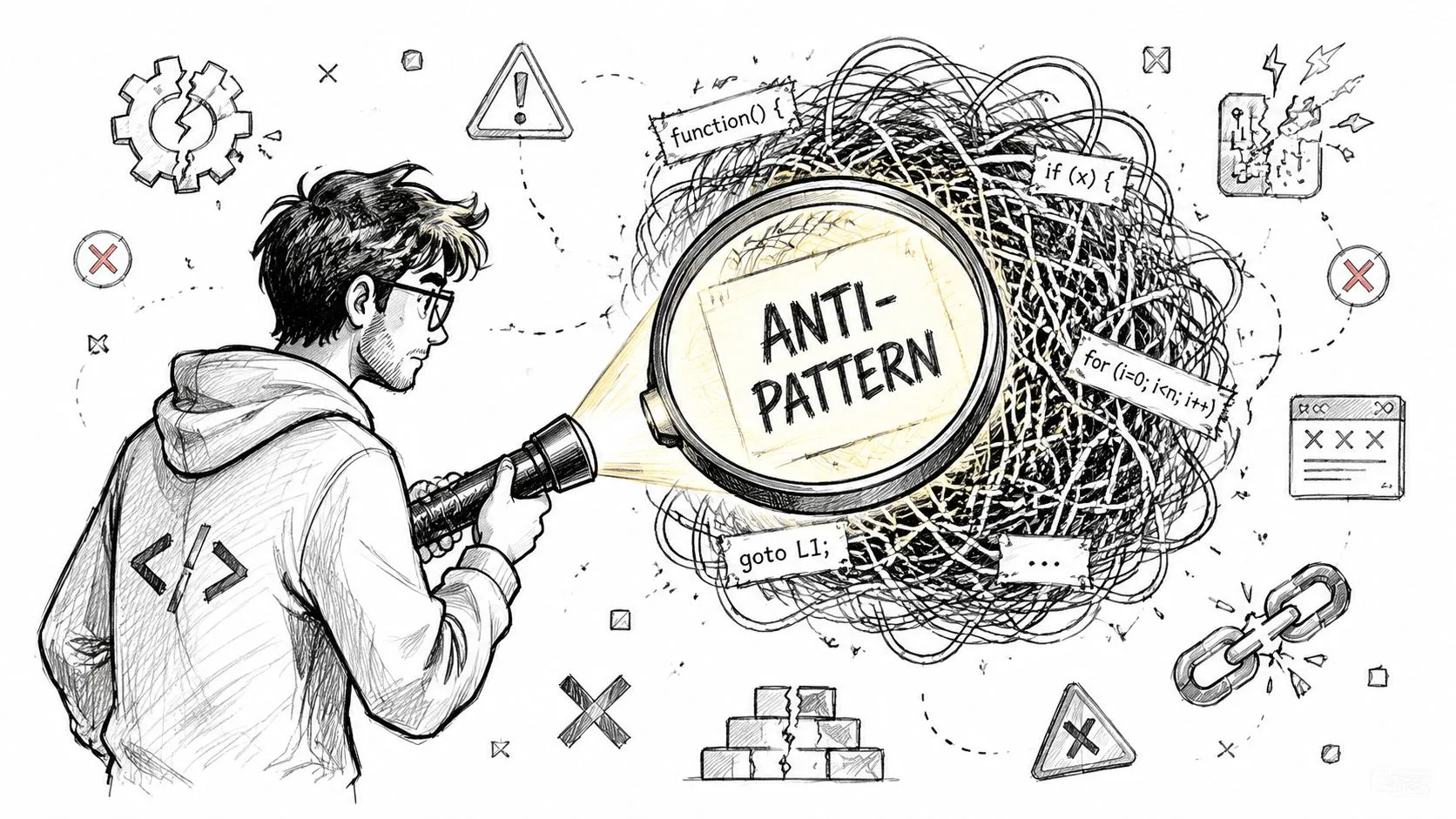
The warning signs that show up early
Three patterns deserve attention.
- Gold plating: The team keeps adding edge features before the core workflow is reliable.
- Hidden technical debt: Delivery looks fast because quality work was deferred, not because the problem was solved efficiently.
- Premature abstraction: Teams create a grand reusable framework before they fully understand the use case.
That last one surprises many managers because it seems advanced. But in AI-generated codebases, over-abstraction can be damaging. A contrarian analysis found 42% of bugs stemmed from forced or premature abstractions, and first-version systems saw 35% fewer refactoring cycles by allowing some repetition initially, according to the Engineers Codex analysis of DRY versus early repetition.
This doesn't mean “copy and paste everything.” It means principles need judgment. In a first release, a little repetition may be healthier than a bad shared component that locks the team into the wrong design.
Recognizing Healthy vs. Unhealthy Patterns
| Common Anti-Pattern | Healthy Principle in Action |
|---|---|
| One giant workflow that handles prompts, data cleanup, approvals, and reporting | Separate modules with clear responsibilities |
| Shipping without monitoring because “we tested it” | Build logs, metrics, and tracing into the rollout plan |
| Reusing a shared abstraction before the team knows the recurring pattern | Allow limited repetition until the pattern is proven |
| Keeping critical logic in one engineer's head | Document interfaces, ownership, and fallback steps |
| Treating every request as urgent and equal | Make explicit tradeoffs around scope, speed, and reliability |
A useful management habit is to listen for stress concentration. If every issue routes back to one service, one person, one prompt file, or one undocumented integration, you've found a fragility point.
For a broader operating lens on responsible adoption, this guide to AI best practices pairs well with the engineering mindset because it helps teams avoid getting distracted by novelty and focus on durable ways of working.
Quick Templates for Your Next Project Kickoff
You don't need a long process document to apply software engineering principles well. You need a few consistent prompts that make the right conversations happen early.
One-page project brief
Use this before a build starts.
Project name
Business outcome
What specific result should this project create?Primary users
Who will use it directly, and who depends on its output?Smallest useful version
What can launch first without pretending to solve everything?Core dependencies
Which tools, models, data sources, teams, or vendors does this rely on?Known tradeoffs
What are we choosing to prioritize, and what are we intentionally not doing yet?Change risk
Which part is most likely to change in the next quarter?Failure visibility
How will the team detect problems after launch?Owner
Who decides, who maintains, and who approves changes?
Project health checkpoint agenda
Use this in recurring reviews.
What changed since last check-in?
Scope, data, legal requirements, vendor constraints, or user expectations.What became harder than expected?
Ask for specifics, not reassurance.What are we tightly coupled to right now?
Model, platform, data source, integration, or person.What are we learning from real usage?
Focus on behavior in the field, not only expectations from planning.What should we simplify before adding more?
Force the team to reduce complexity before expanding scope.
If your team is also trying to sharpen how prompts fit into real business workflows, this primer on what prompt engineering is is a useful companion because it helps non-technical stakeholders distinguish prompt craft from broader system design.
AI projects go better when the people funding them, requesting them, and managing them understand the engineering logic underneath. AI Academy helps non-technical professionals build that kind of practical fluency with short, job-focused lessons on ChatGPT, Claude, automation, prompting, and real workflow design, so you can collaborate better with technical teams and make stronger decisions around AI at work.